
URL patterns with Regex (Deprecated)
You can choose on which pages a captured event should — or should not — fire. The common options include the current page or all pages.
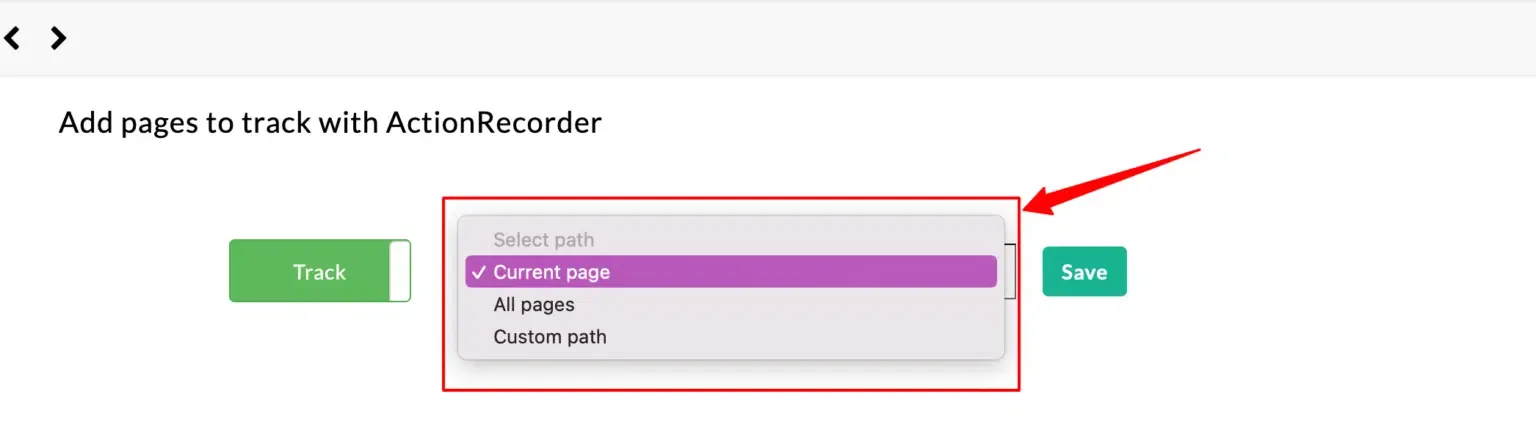
You can also specify a custom URL path. Below are common scenarios for the pattern options.
Case 1: Tracking path is at the beginning of the URL
Section titled “Case 1: Tracking path is at the beginning of the URL”Add a /* symbol after collections. The tracker will fire on every page after /collections/, regardless of what comes after it.
/collections/*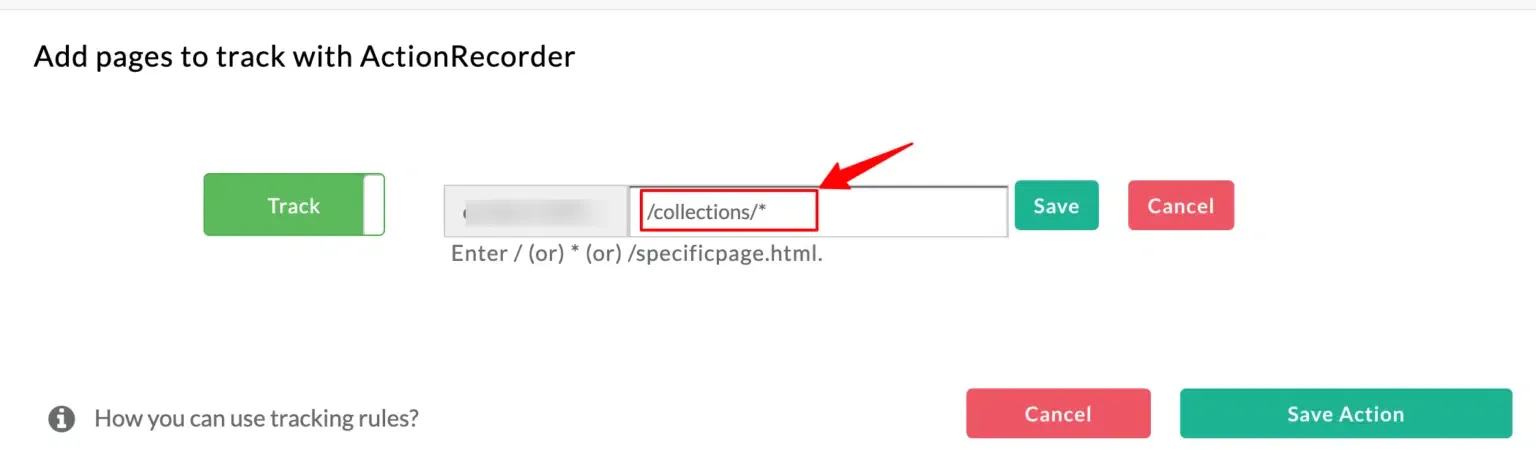
Case 2: Tracking path is in the middle of the URL
Section titled “Case 2: Tracking path is in the middle of the URL”If the segment to match sits between the 2nd and 3rd / (for example, products), use a pattern like:
/*/products/*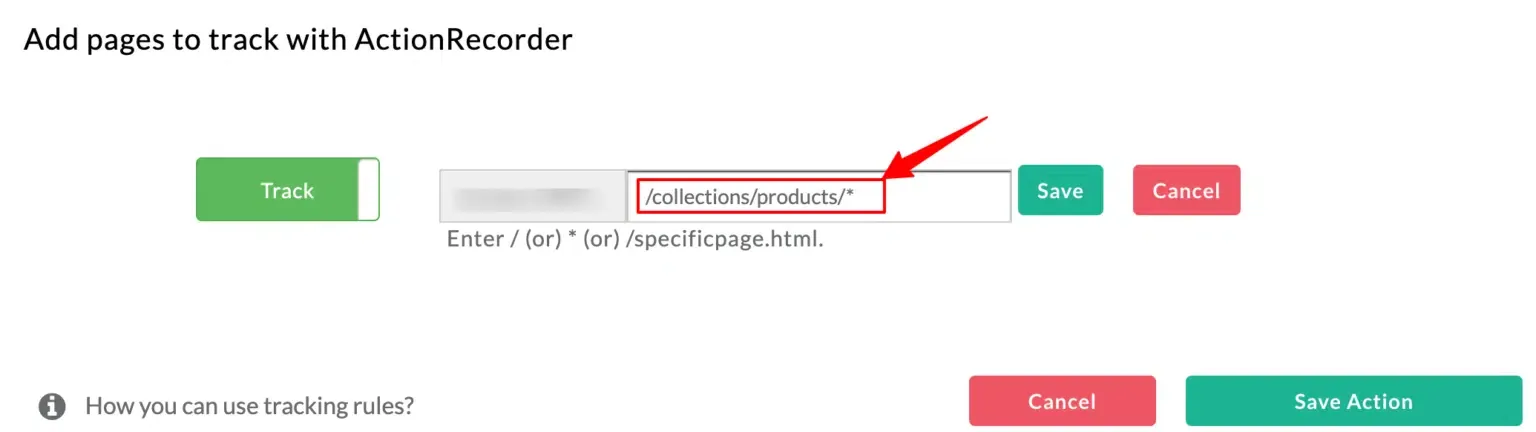
Case 3: Tracking path contains a dynamic variable
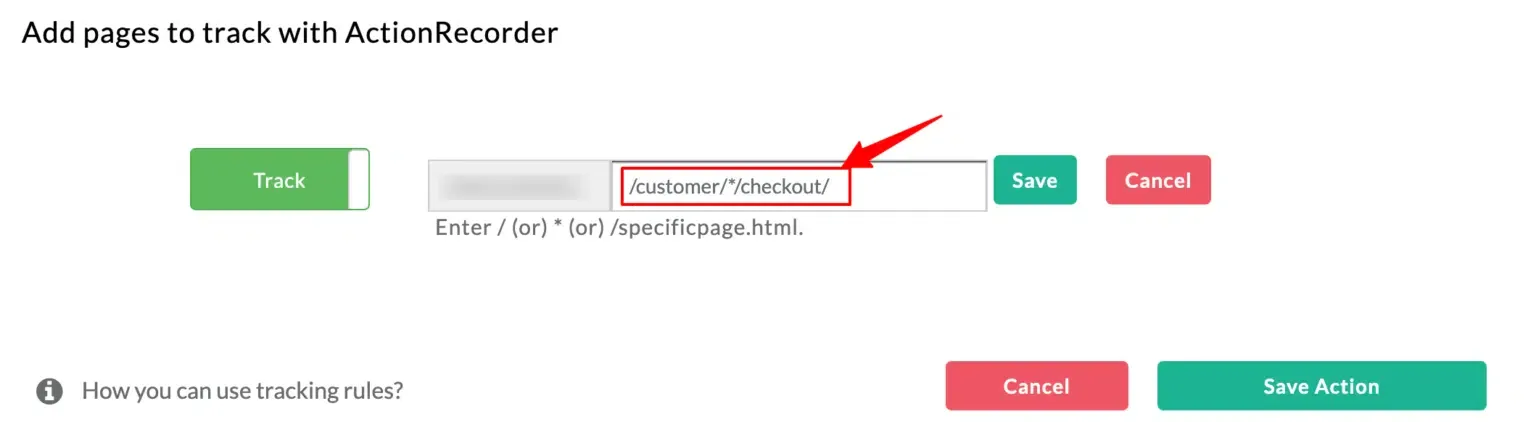
Section titled “Case 3: Tracking path contains a dynamic variable”To track all checkouts for any customer ID, the path is /customer/<id>/checkout. Use * to represent the dynamic part:
/customer/*/checkoutHere customer and checkout are the static parts (they don’t change). The * in the middle represents the dynamic value that differs from customer to customer.
Next steps
Section titled “Next steps”- Configuring success scenarios — pair URL rules with a success message or success page to confirm the event completed.
- Debug mode — verify the pattern fires only on the pages you expect.