
Connect CustomerLabs with Taboola Ads
Step 1: Add Taboola as a Destination in CustomerLabs
Section titled “Step 1: Add Taboola as a Destination in CustomerLabs”-
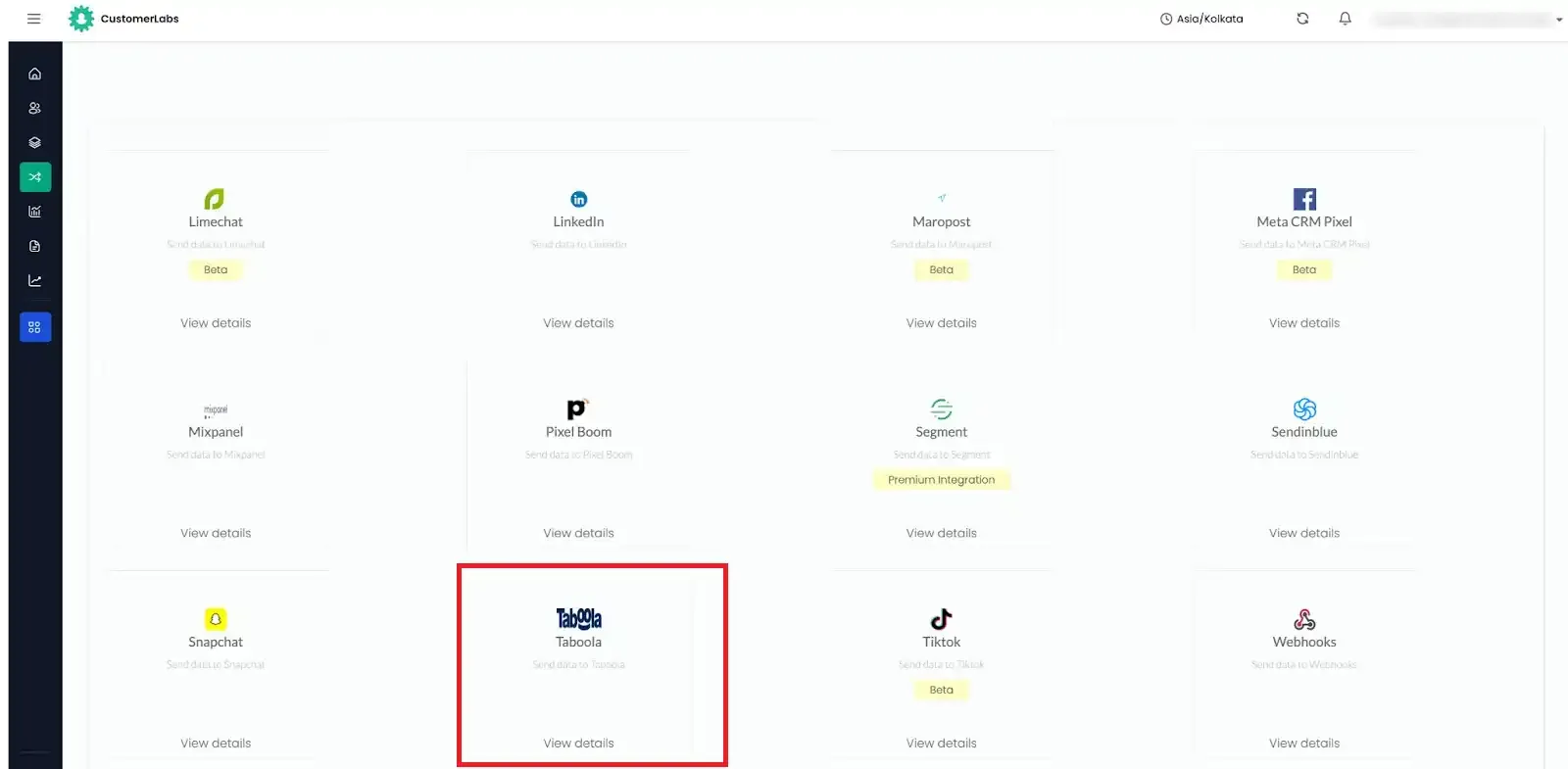
Log in to your CustomerLabs account and navigate to Destinations from the left menu.
-
Search for and select Taboola from the list of available destinations.
-
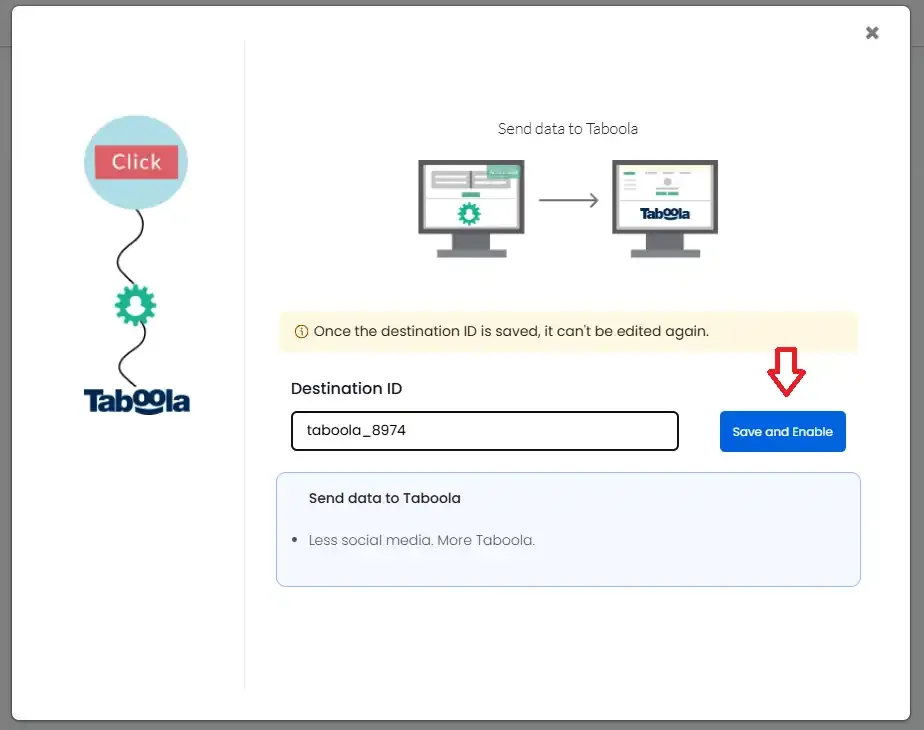
Enter a Destination ID and click Save and Enable.
-
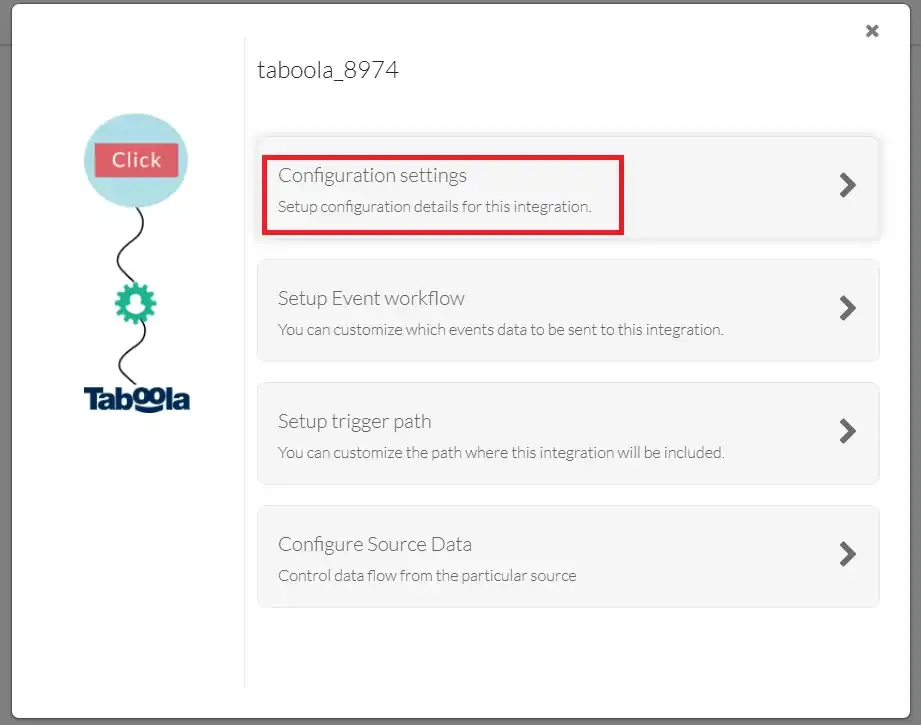
Click on Configuration settings.
Step 2: Configure Basic Settings
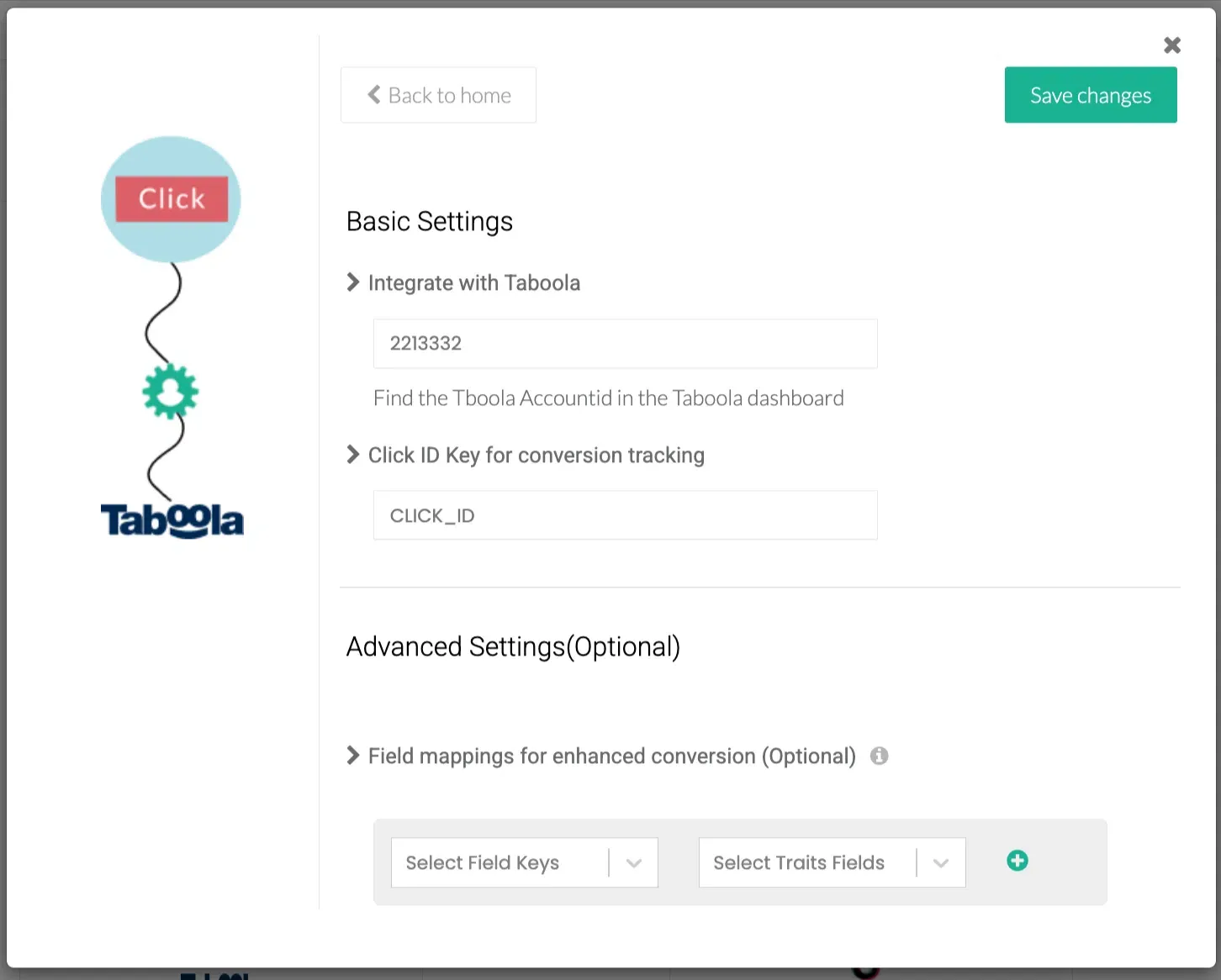
Section titled “Step 2: Configure Basic Settings”Inside Configuration settings, fill in the two required fields under Basic Settings.
Taboola Account ID
Section titled “Taboola Account ID”Your Account ID is visible in the URL of your Taboola Ads dashboard.
-
Log in to your Taboola account.
-
Look at the browser address bar — copy the value of the
accountIdparameter from the URL.
-
Paste it into the Integrate with Taboola field in CustomerLabs.
Click ID Key
Section titled “Click ID Key”The Click ID Key is the URL parameter name Taboola uses to pass click data to your landing page. You can find it in your campaign’s tracking settings.
-
In Taboola, go to campaign settings and click Edit.
-
Scroll to the Tracking section.
-
The Tracking Code field will show
click_id. Copy theclick_idvalue.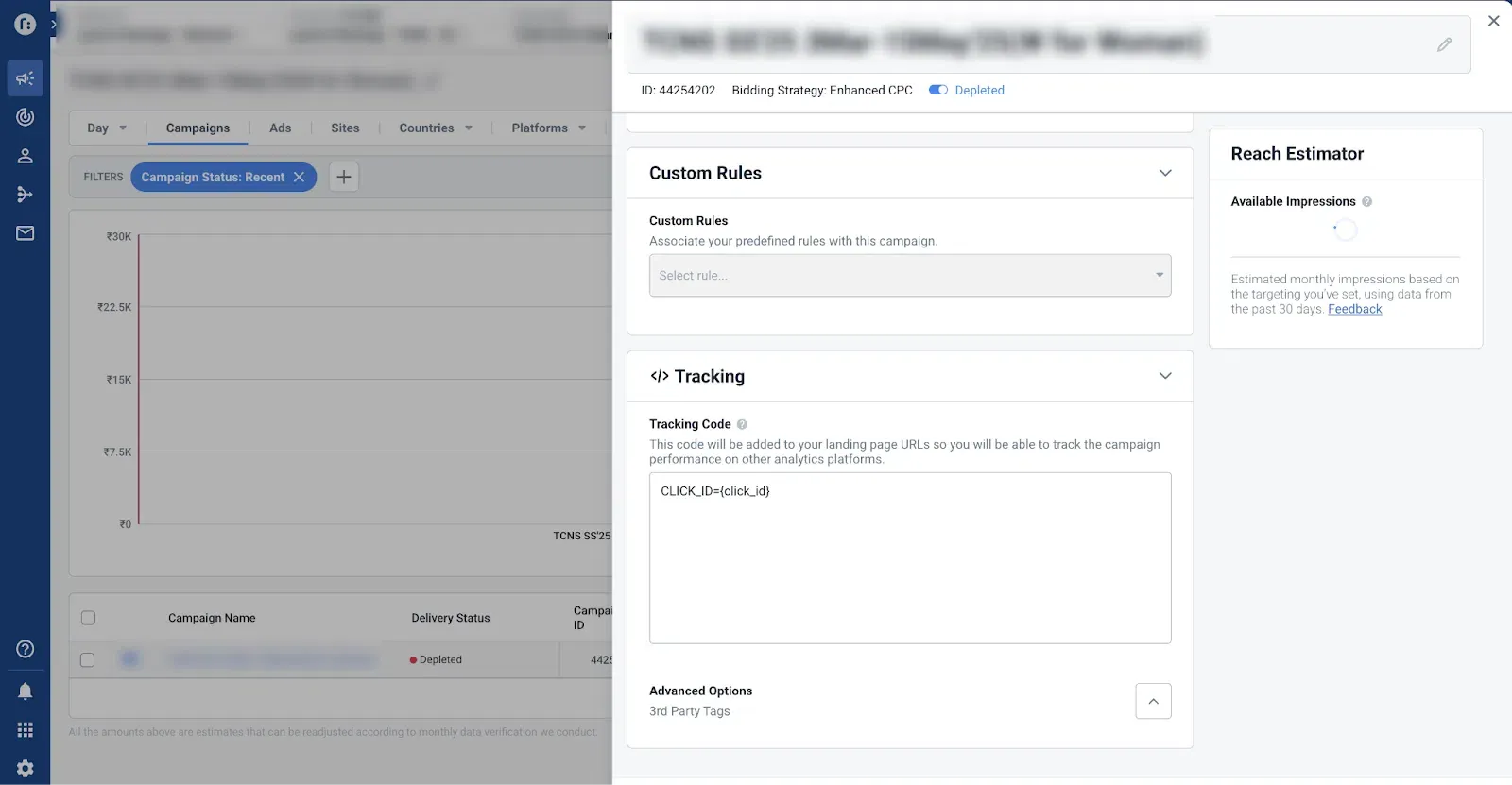
-
Paste this value into the Click ID Key for conversion tracking field in CustomerLabs.
-
Once both fields are filled in, click Save Changes.
Step 3: Set Up Event Workflow
Section titled “Step 3: Set Up Event Workflow”- From the Taboola destination screen in CustomerLabs, click Setup Event Workflow.
- Toggle ON the events you want to send to Taboola. Common events include:
- Page View
- Product View
- Checkout
- Purchase
- Click Save Changes.
Step 4: Create Conversions in Taboola
Section titled “Step 4: Create Conversions in Taboola”For CustomerLabs to attribute conversions in Taboola, you need to create a matching conversion action in your Taboola account for each event.
-
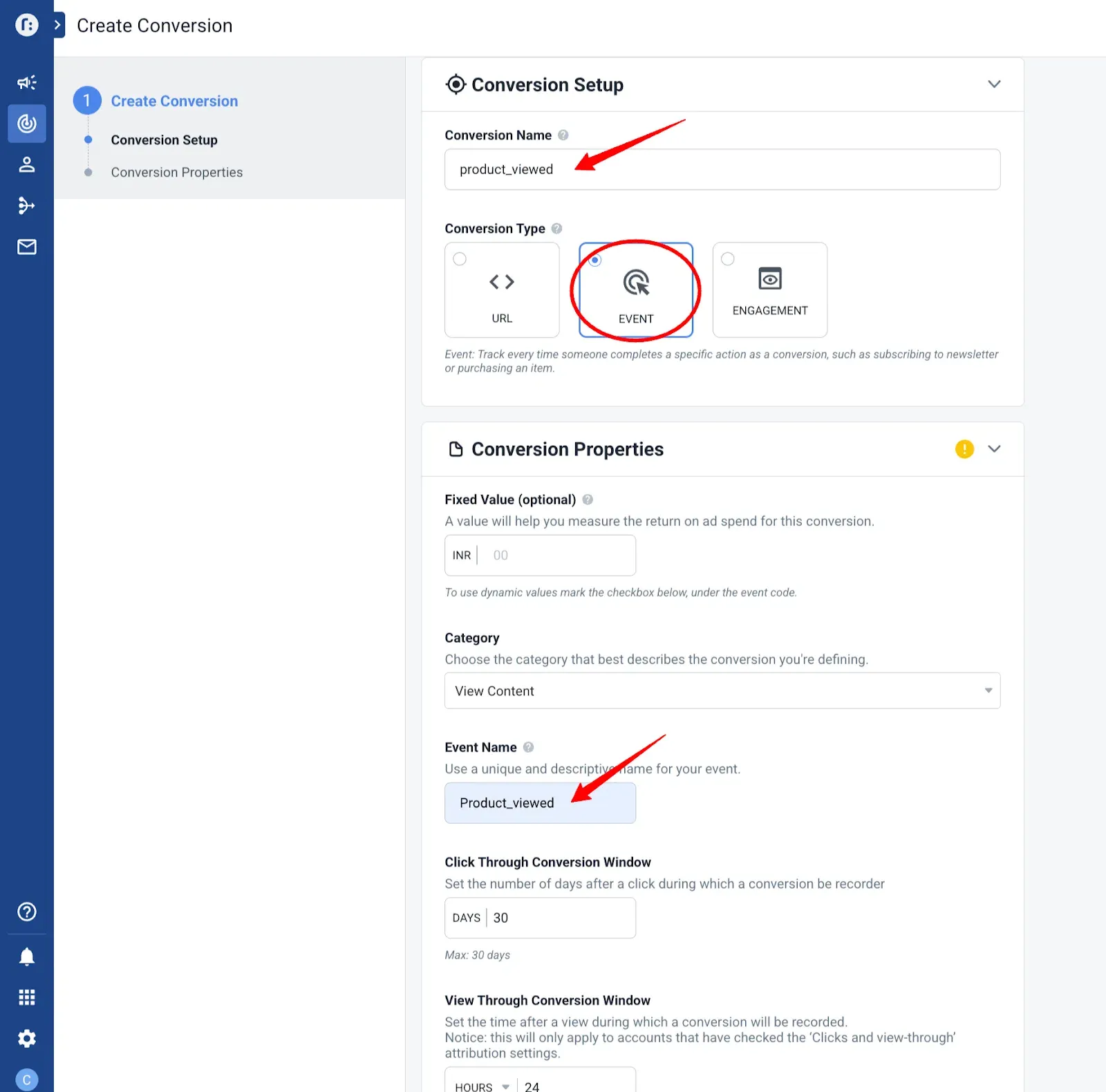
In Taboola, navigate to Tracking → Create a New Conversion.
-
Set the Conversion Type to Event.
-
Enter a Conversion Name as a descriptive label (e.g.,
Product Viewed). -
In the Event Name field, enter the exact event name that CustomerLabs sends.
-
Repeat for each event enabled in the Event Workflow.
Standard Event Name Reference
Section titled “Standard Event Name Reference”| CustomerLabs Event | Taboola Event Name |
|---|---|
| Product View | product_viewed |
| Add to Cart | add_to_cart |
| Checkout | checkout_main |
| Purchase | purchase |
Once all conversions are created in Taboola, conversion data will start flowing automatically whenever the corresponding events fire on your website.