
Setting up Custom Source (Webhooks)
Apart from a catalog of platforms that you can connect with Customerlabs 1PD Ops, there is also an option to bring data from any third-party platform that supports webhooks. You can create as many custom sources as required.
Step-by-step Guide
Section titled “Step-by-step Guide”Codelessly connect any source with Customerlabs 1PD Ops by following the steps below.
- Login to Customerlabs 1PD Ops and navigate to the Sources page from the left sidebar.
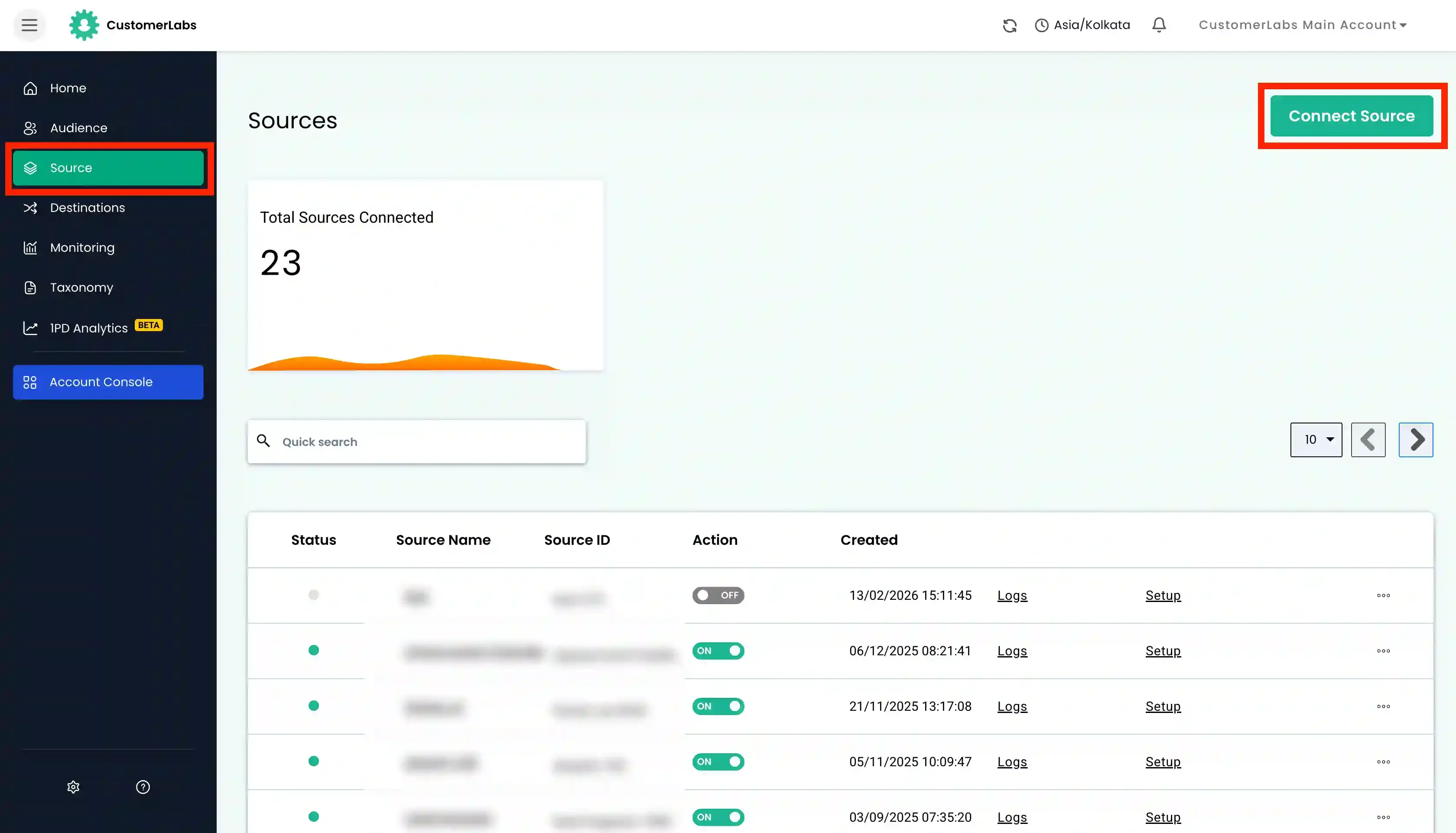
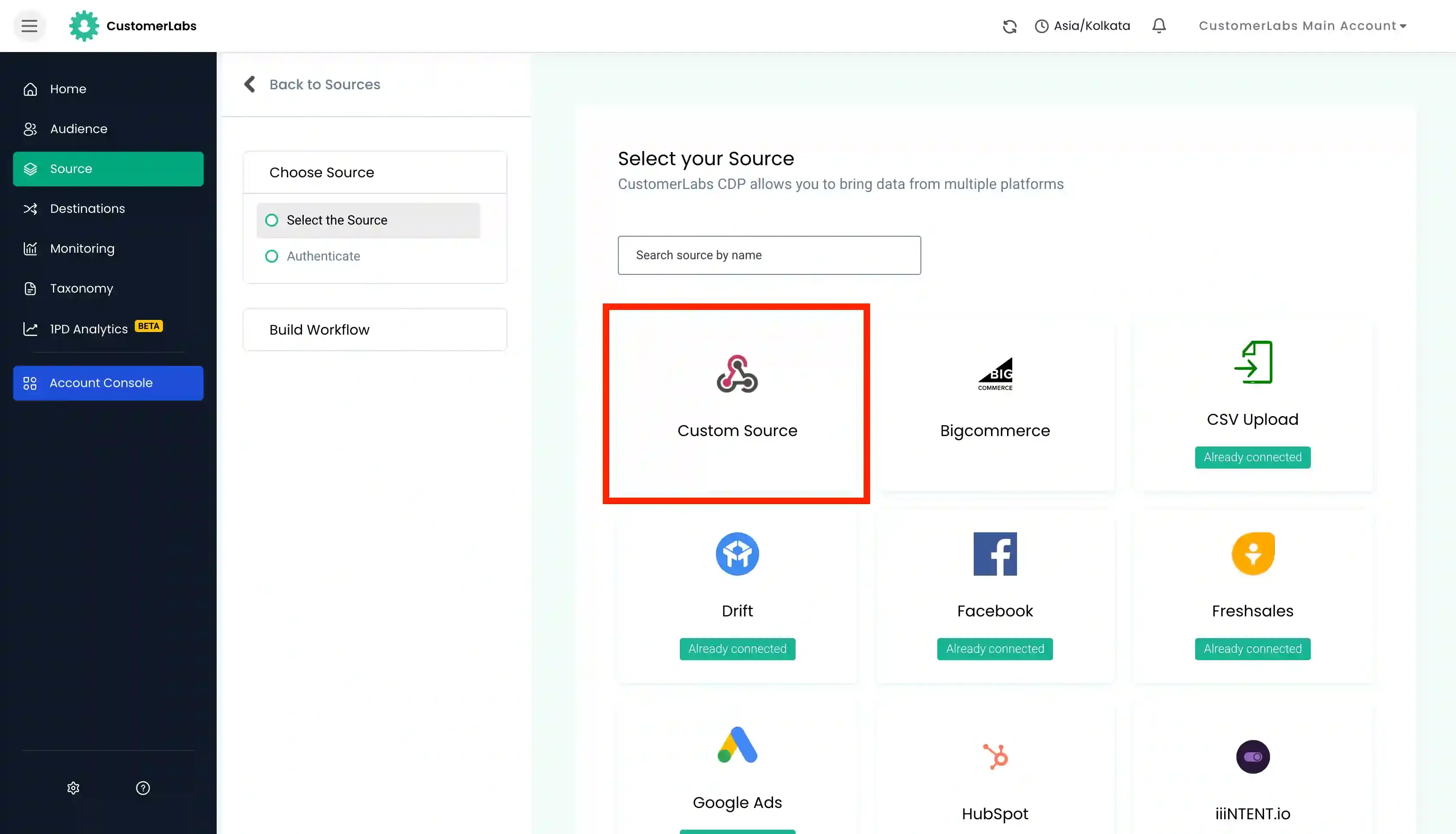
- Choose Custom Source from the list of available sources.
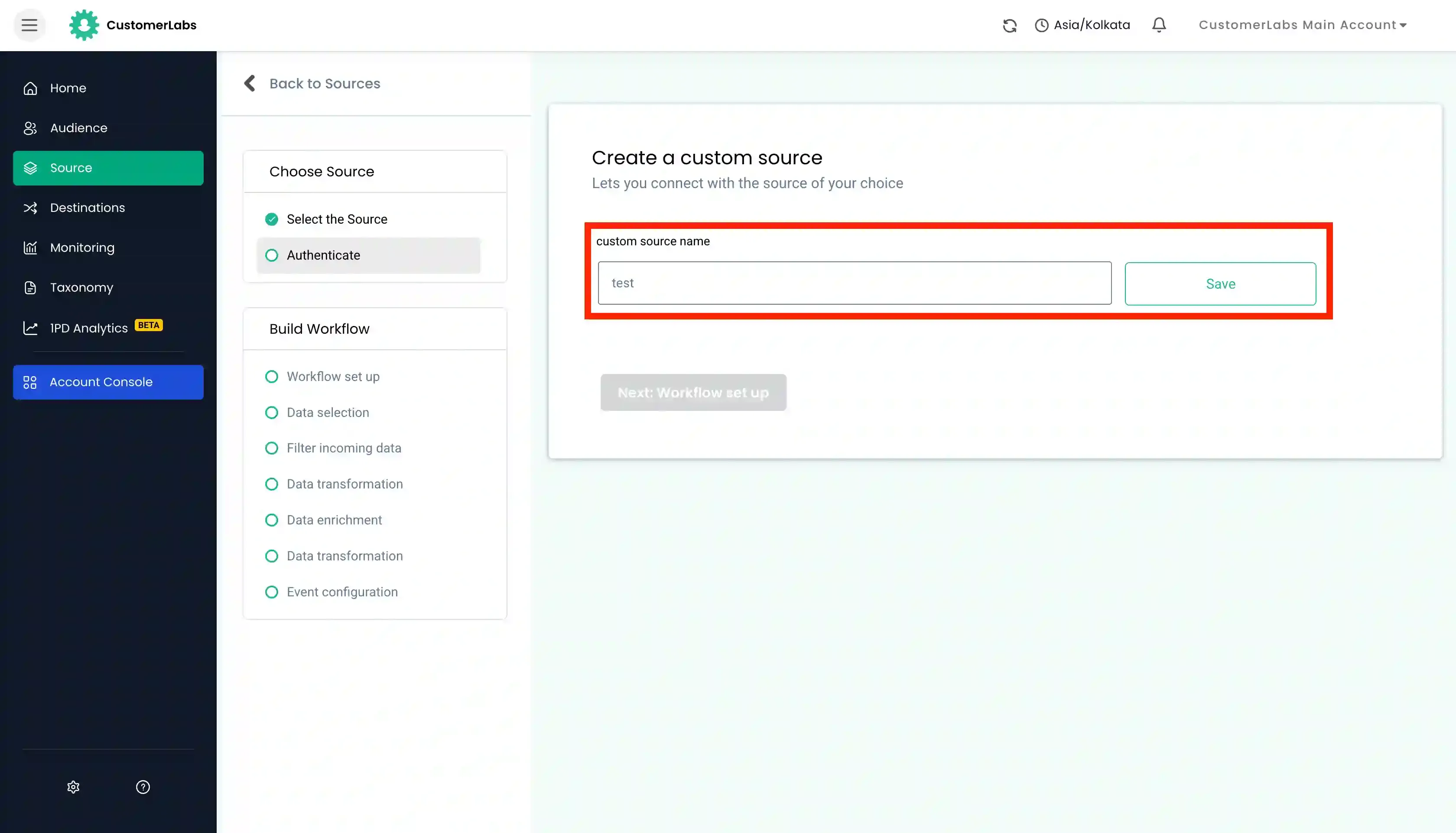
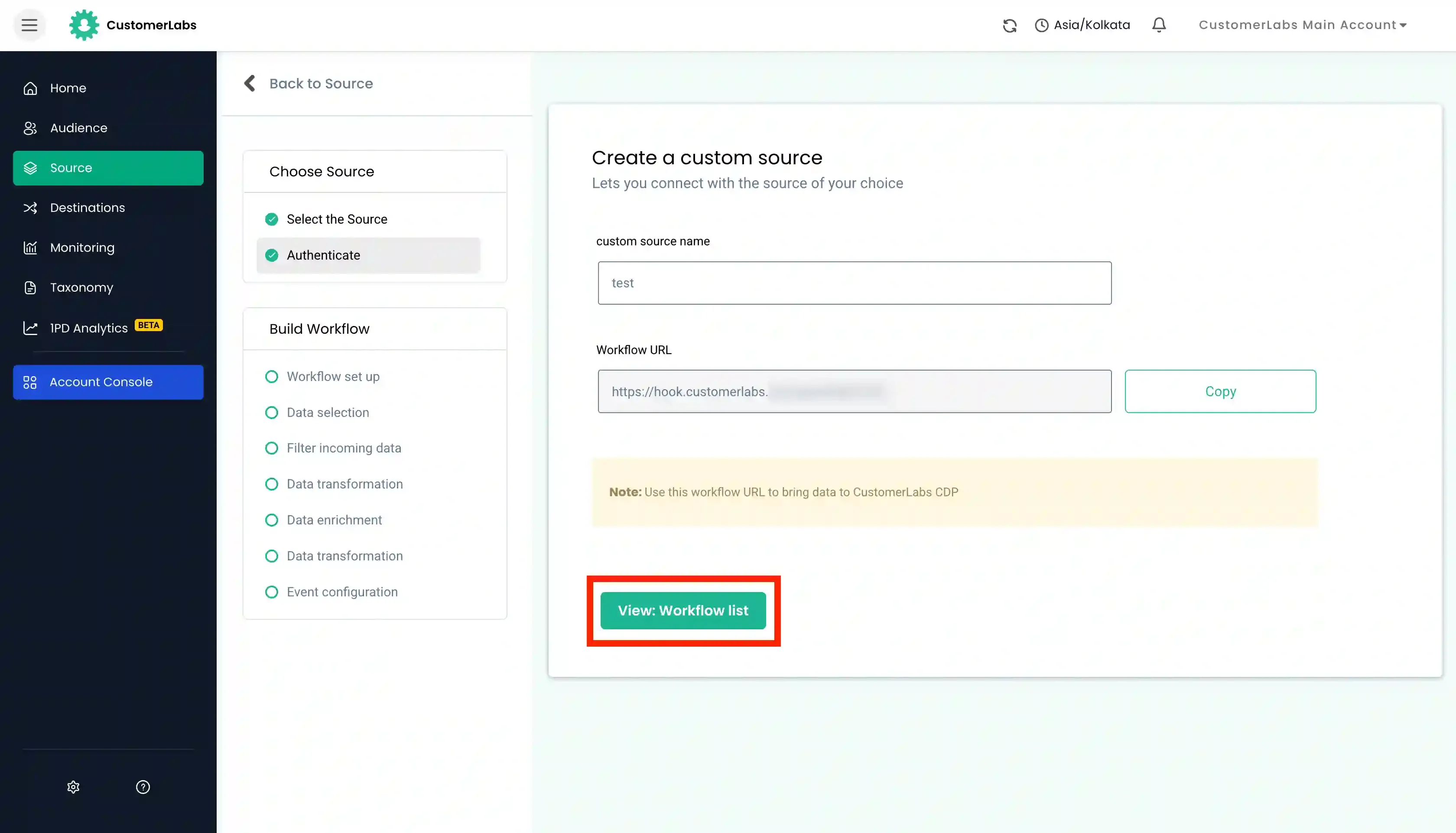
- Give a descriptive Name to your source and click Save.
- You will be provided with a unique webhook URL. Copy this webhook URL.
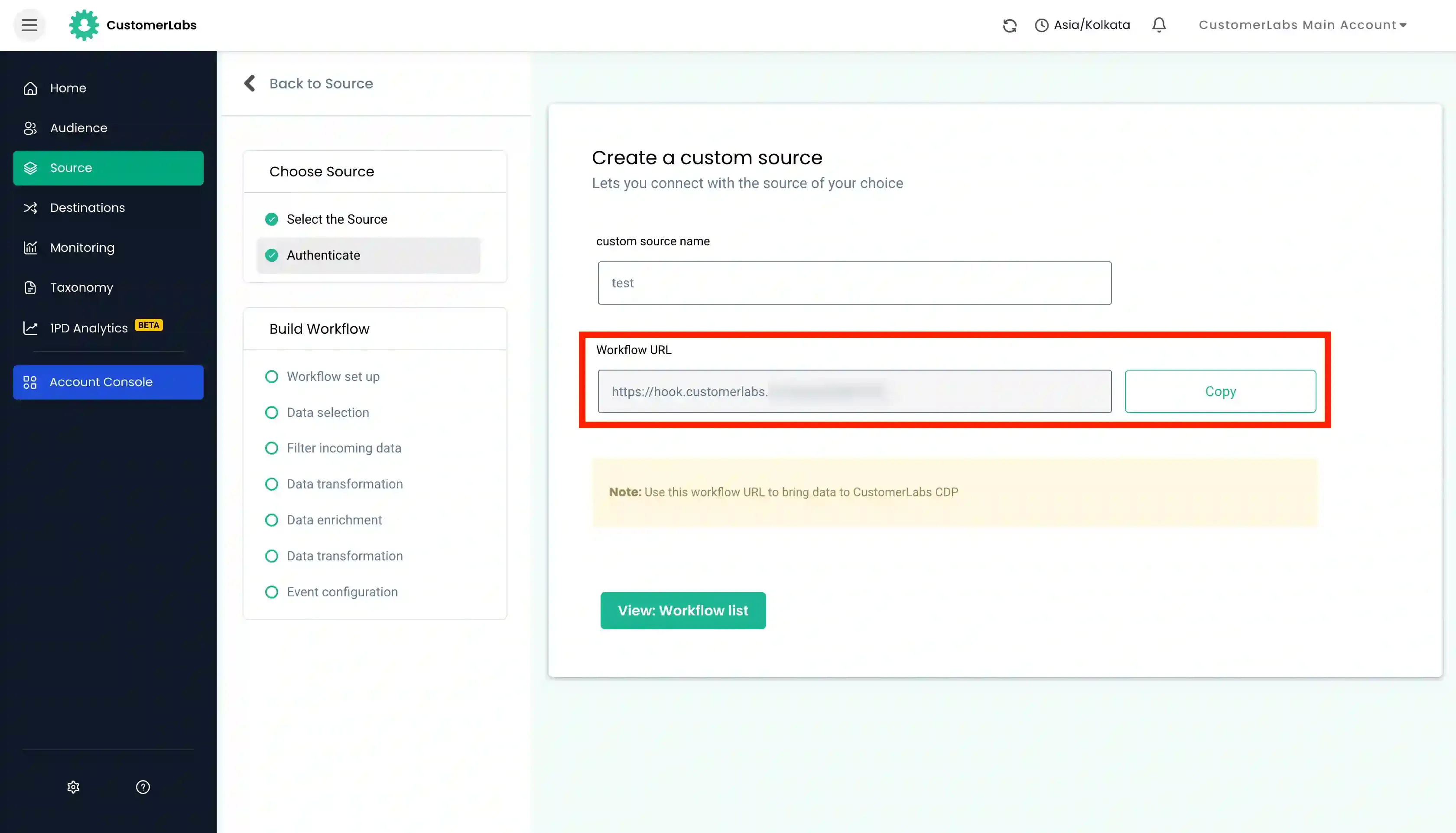
- Paste the copied webhook URL in the webhook management or Endpoint URL section of the your third-party source platform from where you want to receive the data.
- Trigger a test event or wait for a live event to occur in your source platform. After some time, you should start receiving the data from the source in CustomerLabs.
- You can verify this by checking the Source Logs. Click on “View Details” to check if you’re receiving the data correctly.
- You can now set up workflows in Customerlabs 1PD Ops with the incoming data.
- Once all the relevant workflows are set up, simply flip the toggle switch to activate the Custom Source.