
Identifying a user (Deprecated)
The system assigns an anonymous user ID for every new visitor. All the events that the visitor performs are associated with that ID. When the visitor reveals themselves — by giving their personal data such as name, email, or phone — the system merges all old anonymous sessions onto that particular user.
Map user information to a cookie
Section titled “Map user information to a cookie”To enable the user-data merging above, when you want to track any event (for example: Lead, User registered, Application submitted, Purchased) that involves user identification — such as a form field that collects personal information — you must set up a Create user event before tracking the main event. This event maps user traits and other external IDs to the cookie identified by a unique anonymous user ID.
The Create user event can be set up from the list of default events in the No-Code Event Tracker. Setting up this event lets the system assign all collected events and user traits to that particular user. Commonly used user identifiers include email ID or phone number.
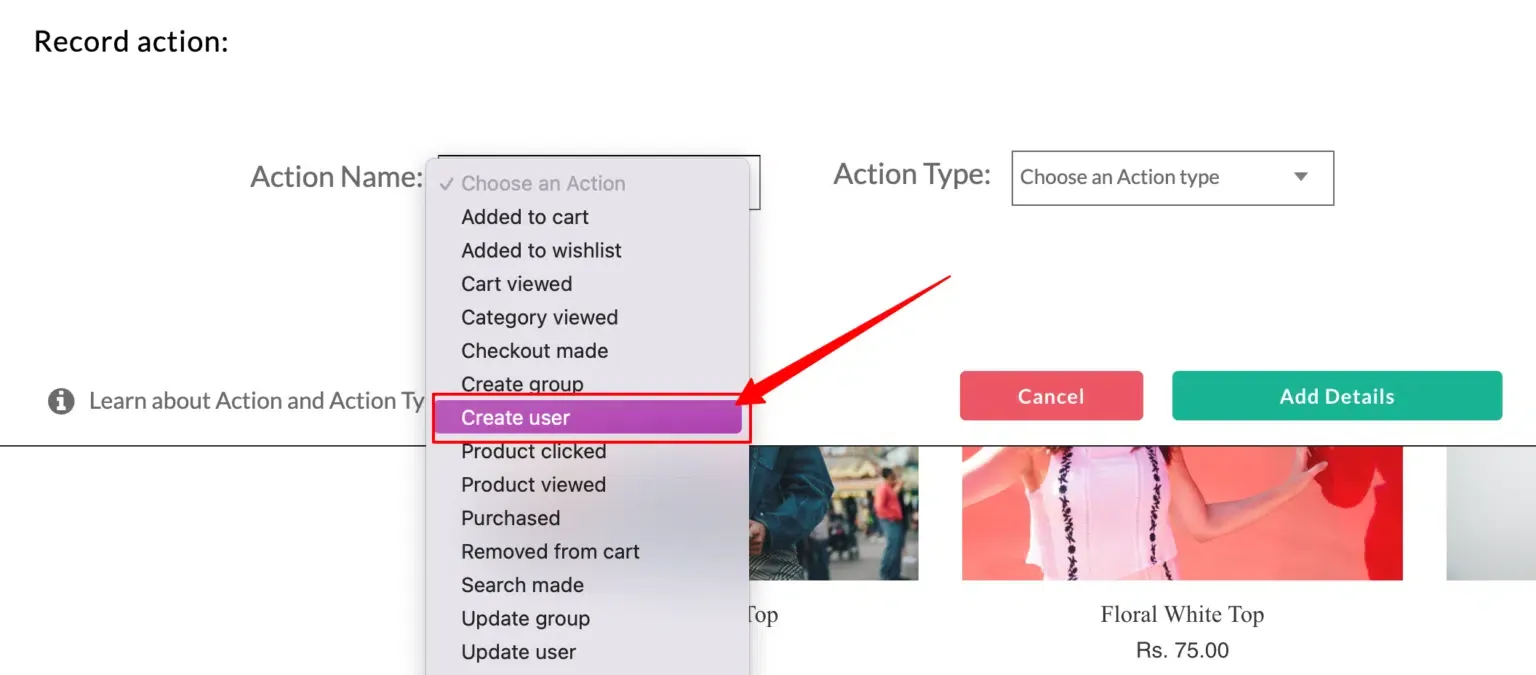
After setting up the Create user event, you can track the main events. All the events and user information will be assigned to the particular user.
For example, to track the form below and its fields:
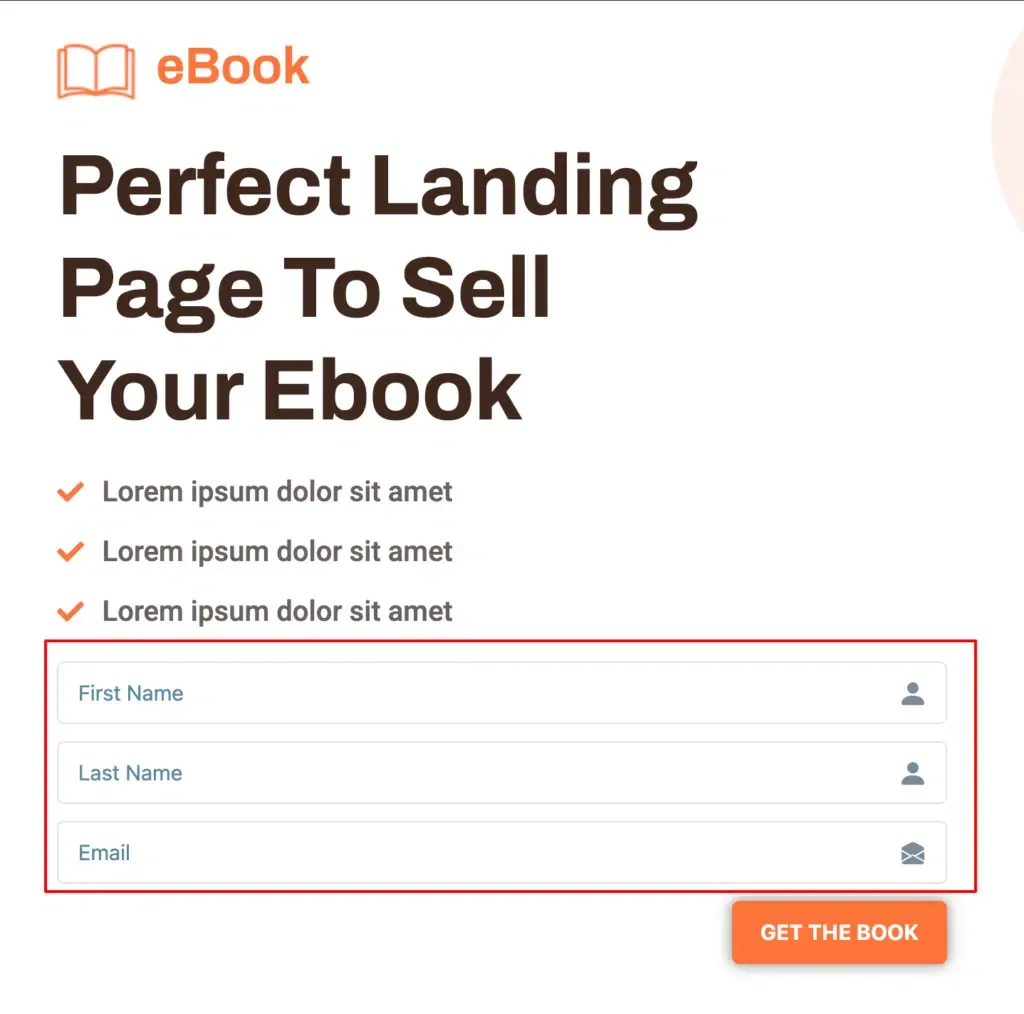
You’ll have to set up a form submission event as shown in this video.
Update user event
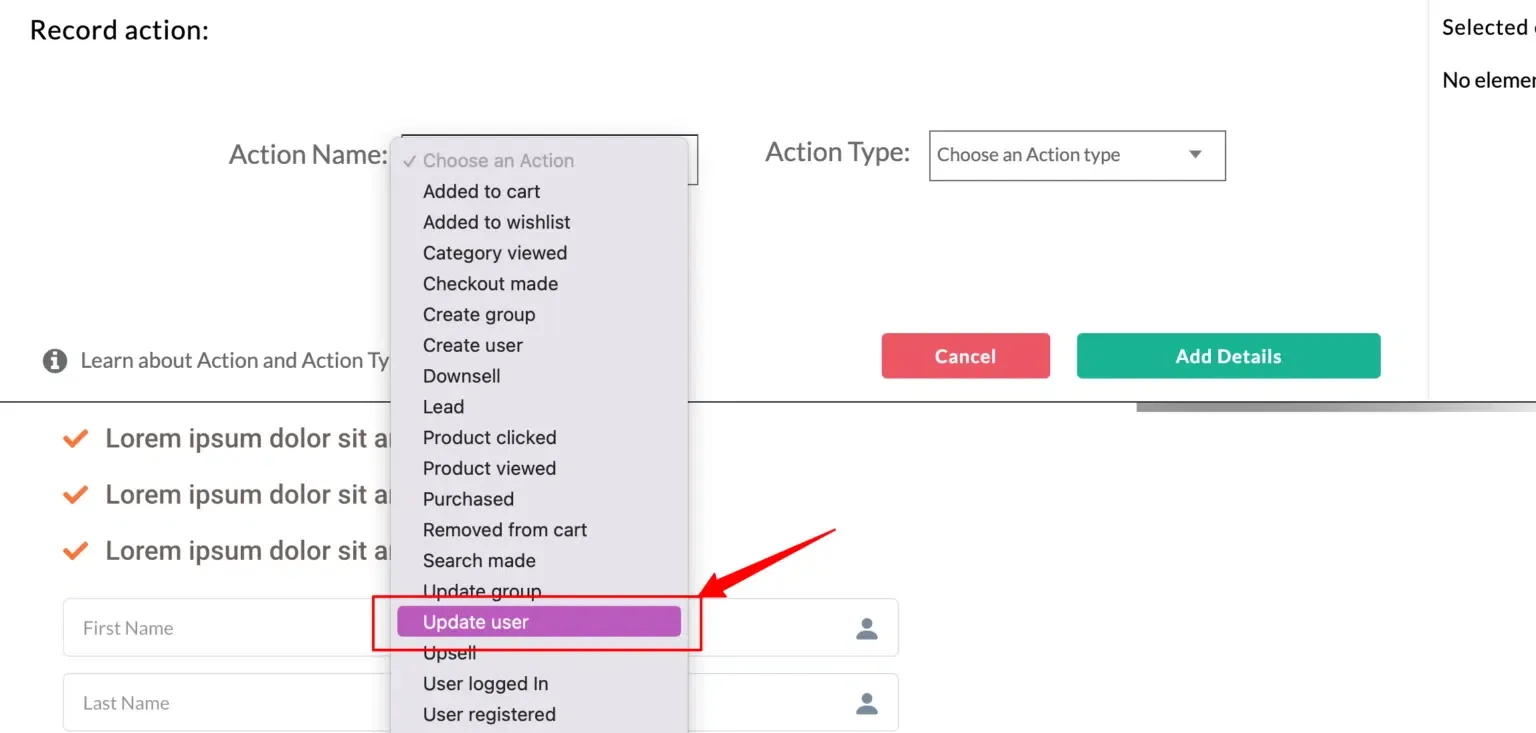
Section titled “Update user event”For multiple forms where you collect the same user data a second time, set up an Update user event so that additional traits are appended to that particular user.
Assigning user traits
Section titled “Assigning user traits”While setting up the Create or Update user event, the form fields that give more information about the user must be added as user traits. In the form above, fields such as name, email, phone, and company should be added as user traits.
User External IDs
Section titled “User External IDs”Apart from fetching standard user identifiers such as email and phone number, the system also supports collecting External User IDs such as google_analytics_client_ID, Facebook_fbp, Facebook_fbc, or other custom IDs.
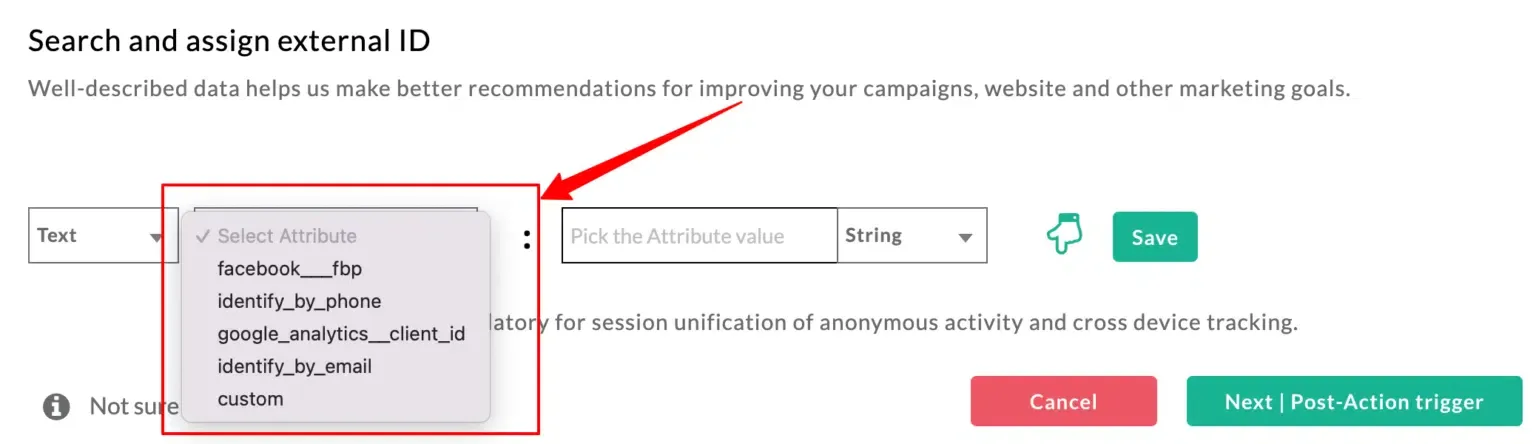
The system also allows you to collect multiple external IDs for one user. In cases where the email is chosen as the primary user identifier, there is also an option to add another user ID by enabling the radio button for External ID and selecting another identifier.
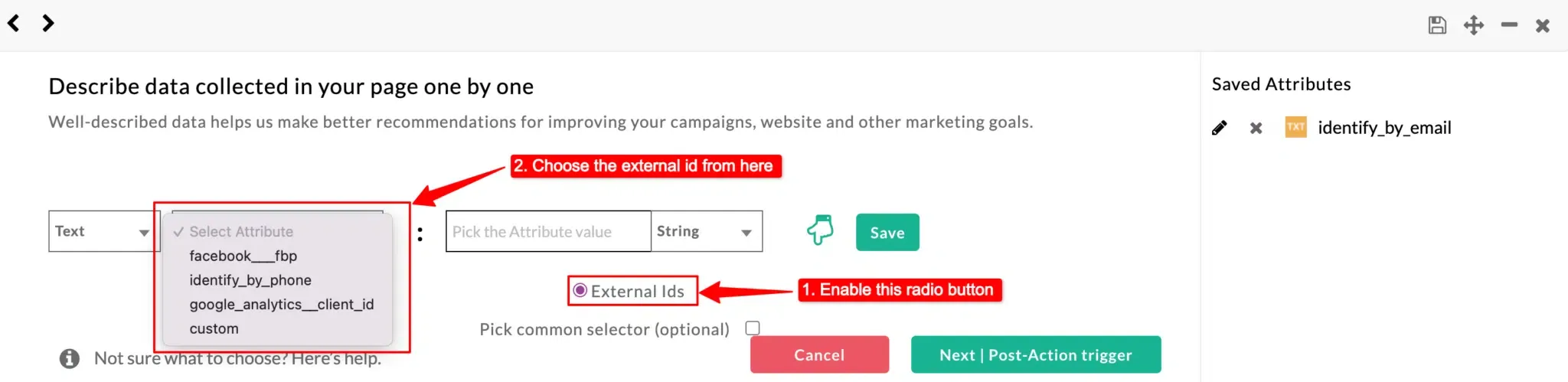
The system will search for all the user IDs and associate session details even if any one of the IDs match.
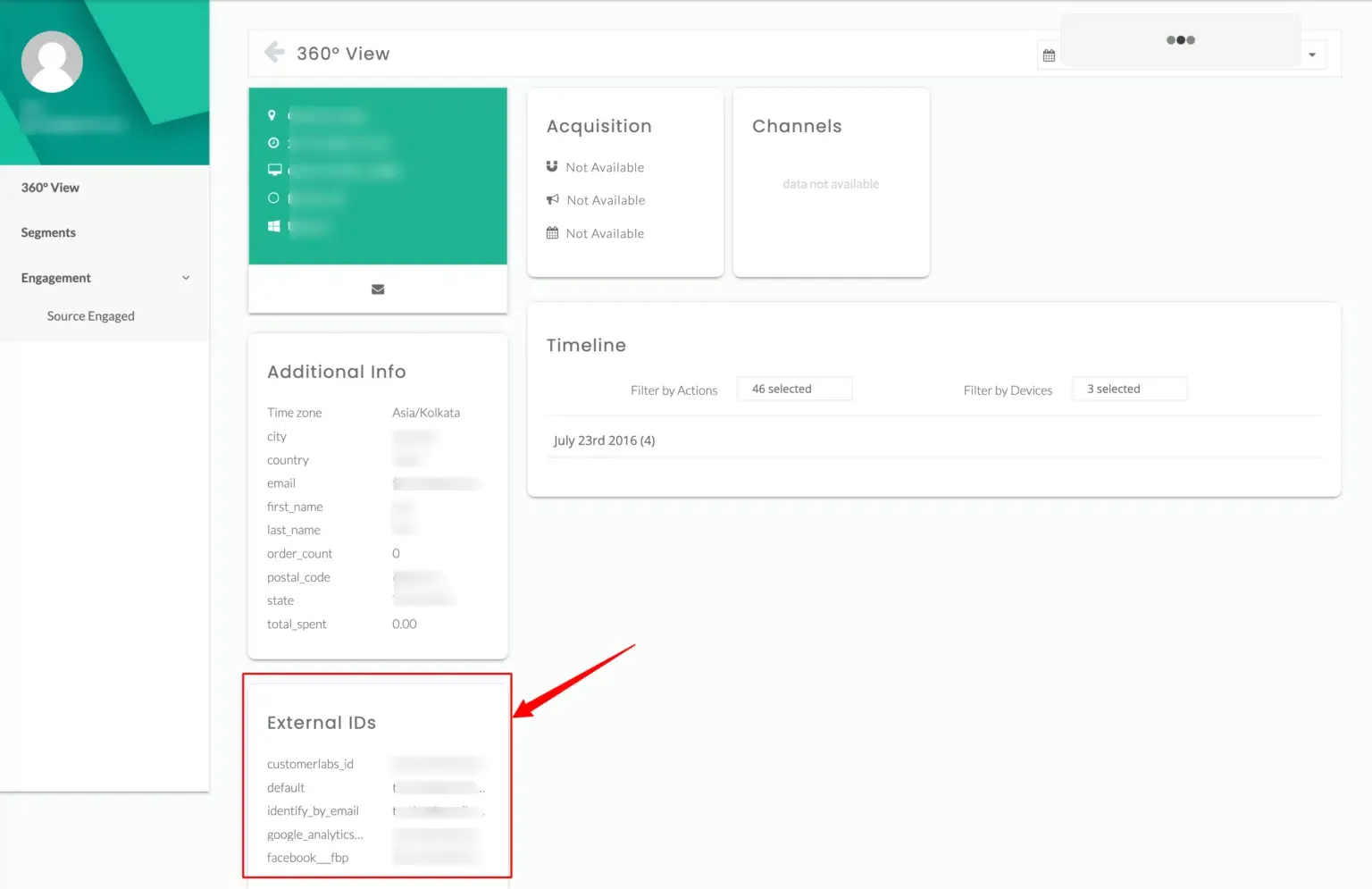
Once the system merges user data, the anonymous profile is updated with all the new details about the user.
Next steps
Section titled “Next steps”- Identifying an account — group user activity under a company or account for ABM.
- Tracking event & user properties — pick which form fields and page elements get captured as traits.