
Connect Destination Platforms with Customerlabs 1PD Ops
A Destination is any platform that CustomerLabs sends data to.
Once your website tracking and sources are set up in CustomerLabs, the enriched customer data — including events and first-party audience segments — can be sent to any connected destination to power your advertising, analytics, and marketing workflows.
What Data Can Be Sent to Destinations?
Section titled “What Data Can Be Sent to Destinations?”CustomerLabs can send two types of data to destinations:
Events
Section titled “Events”Real-time behavioral events captured from your website or sources (e.g., page_view, add_to_cart, purchase, lead_submitted) can be forwarded to destinations. This is useful for:
- Training ad platform algorithms with high-quality first-party signals.
- Populating analytics dashboards with accurate behavioral data.
- Triggering marketing automations (e.g., sending a welcome email on sign-up).
Audience Segments
Section titled “Audience Segments”First-party audience segments built in CustomerLabs can be synced to destinations as customer lists or custom audiences. This is useful for:
- Running retargeting and lookalike campaigns on ad platforms.
- Suppressing converted users from seeing acquisition ads.
- Personalizing email and SMS campaigns based on user behavior.
Connecting a Destination
Section titled “Connecting a Destination”To start sending data to a destination:
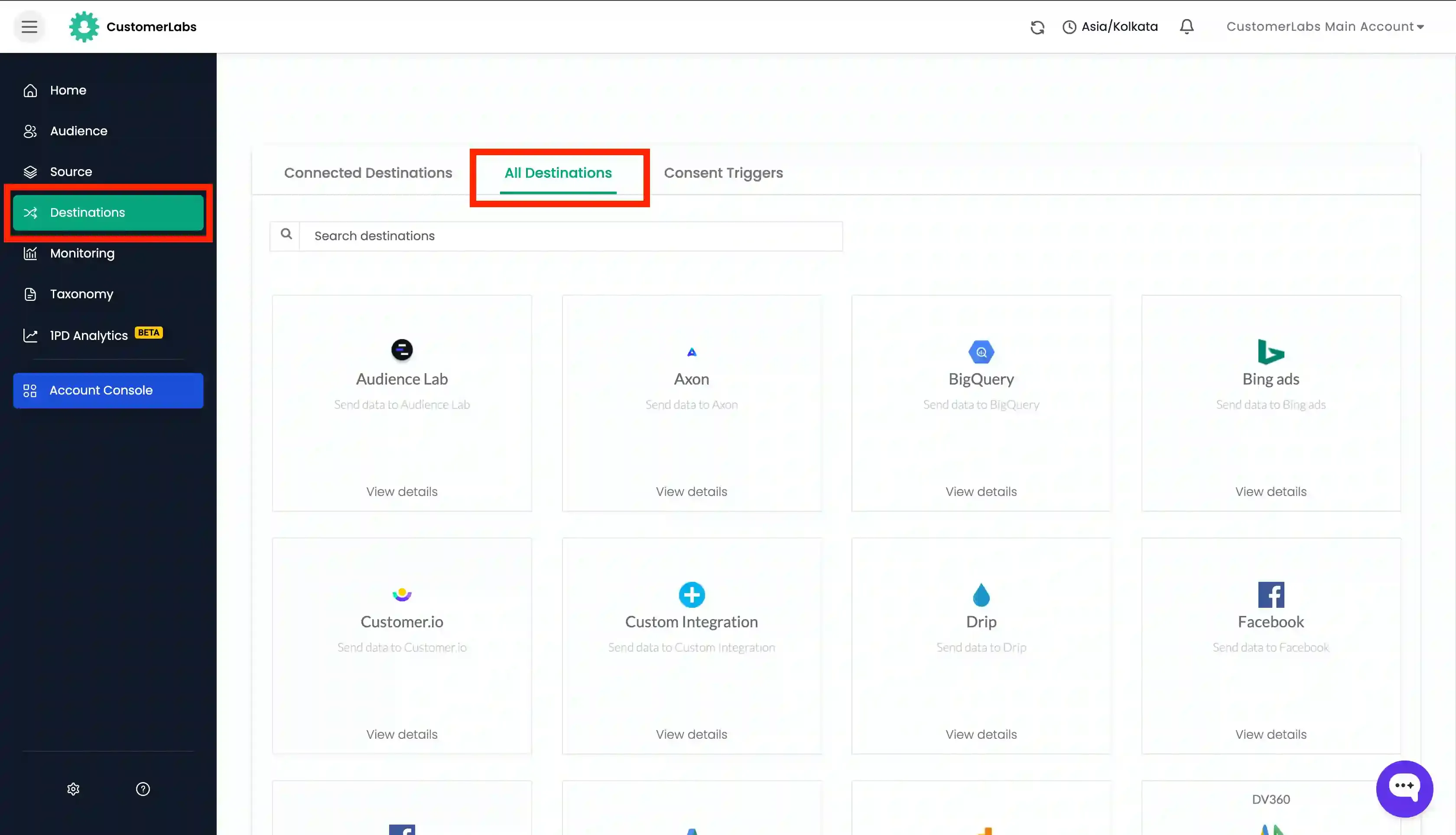
- Navigate to Destinations from the left sidebar in CustomerLabs.
- Search for the destination you want to connect under “All Destinations” tab.
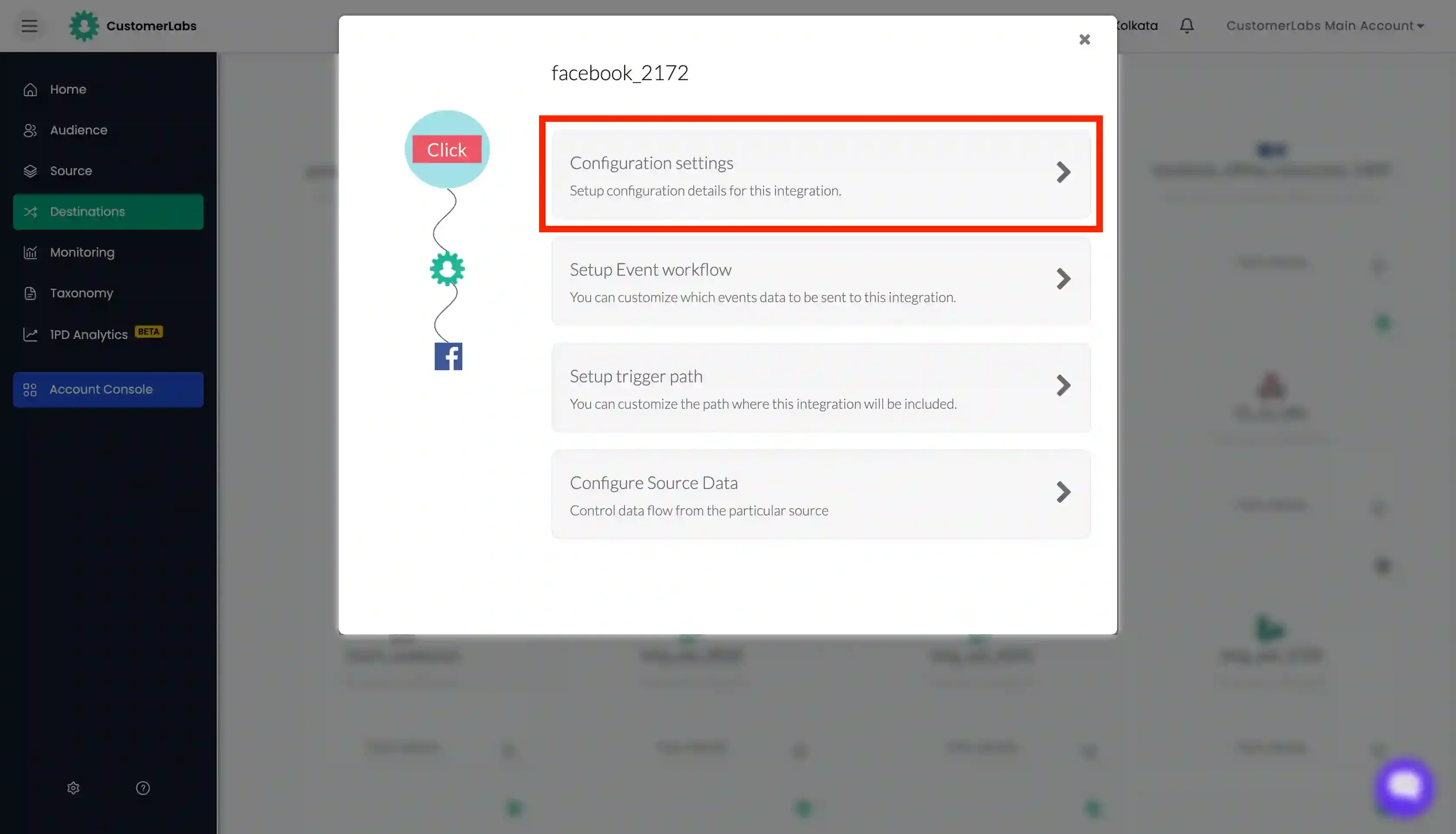
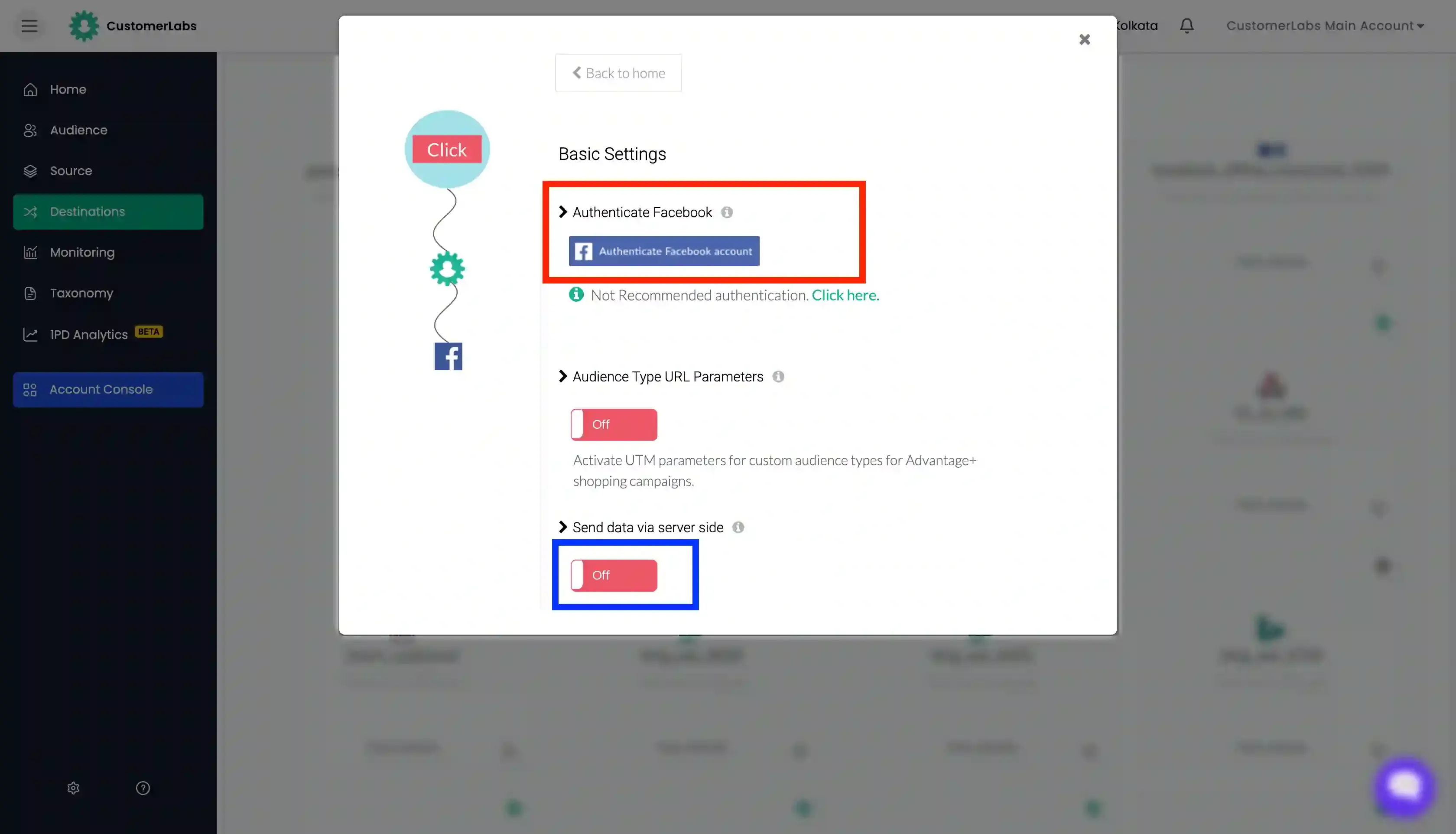
- Select the destination to connect and Authenticate the destination under “Configuration Settings”. Toggle On “Send data via Server Side” to utilise the server side events in the destination platforms.
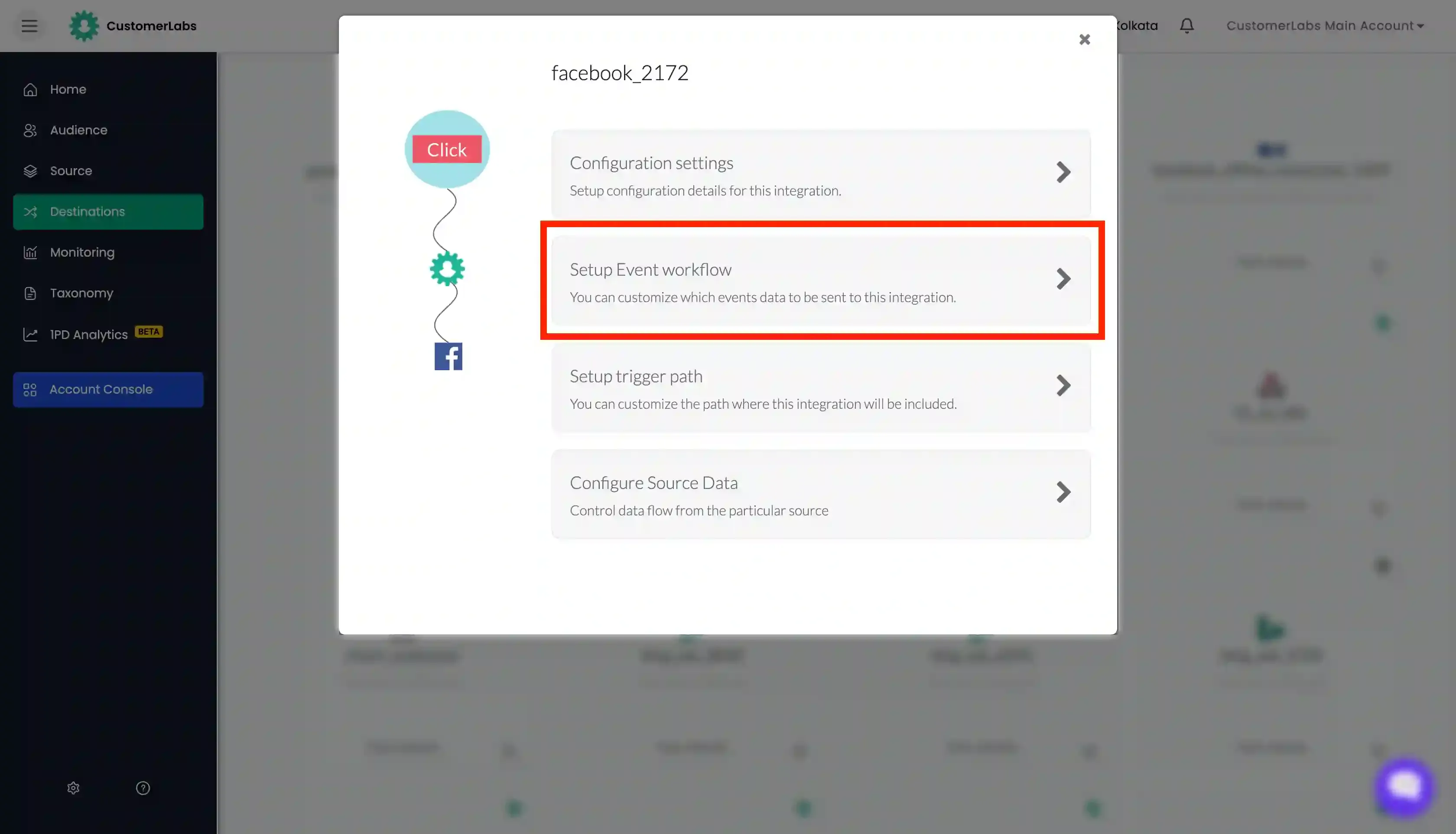
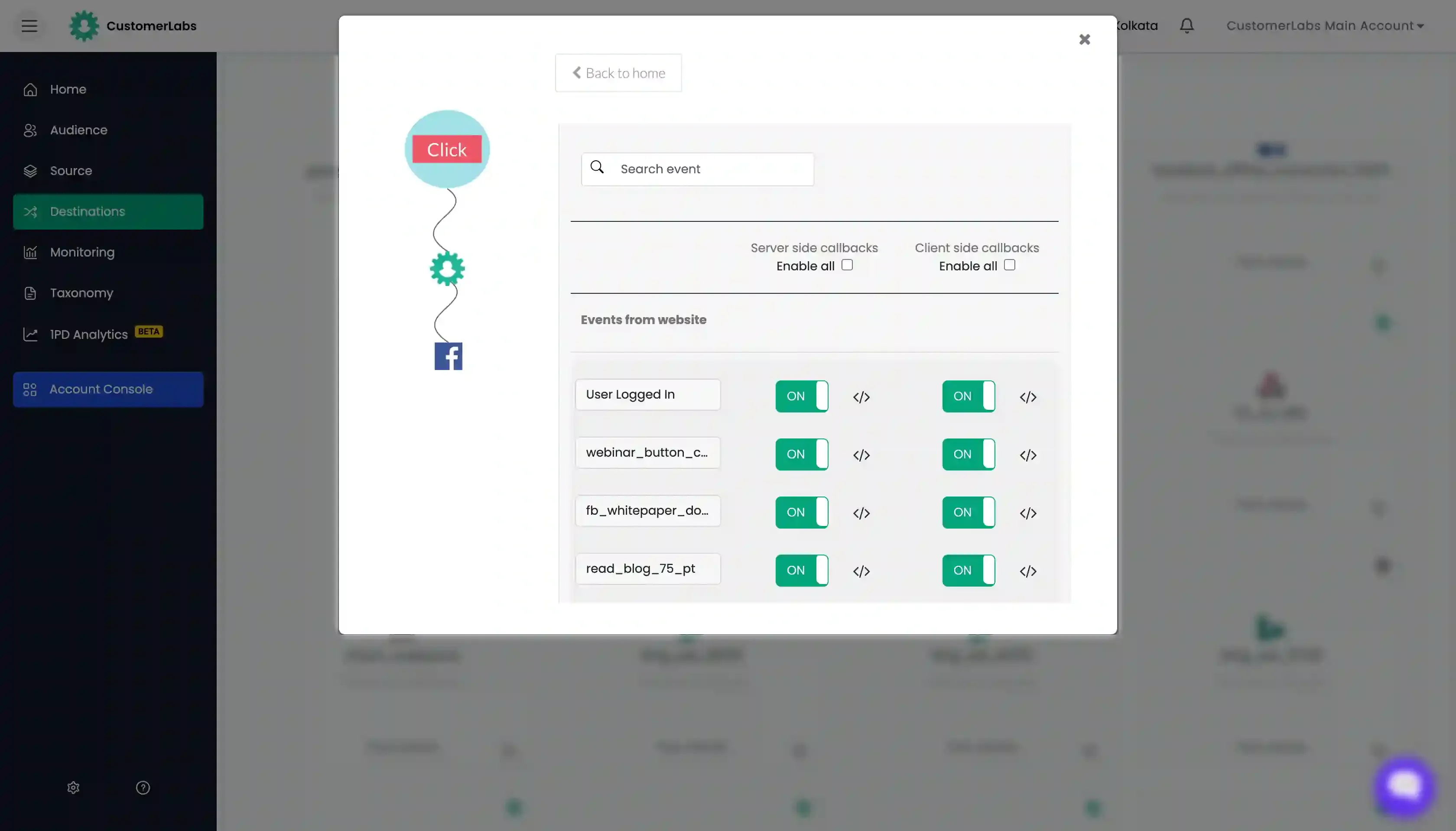
- Under “Setup Event Workflow”, toggle ON the events you would like to send to the destination and Save.
Popular Destinations
Section titled “Popular Destinations” Meta (Facebook) Ads Send events and audiences to Meta Ads Manager.
Google Ads Send conversion events and customer lists to Google Ads.
Bing Ads Send audiences and events to LinkedIn Campaign Manager.
TikTok Ads Send events and audiences to TikTok Ads Manager.
Google Analytics 4 Send behavioral events to GA4 for analysis.
Mixpanel Send events to Mixpanel for product analytics.
Klaviyo Send events to Mixpanel for product analytics.
BigQuery Export raw event data to Google BigQuery.
Custom Webhook Send events and audiences to Meta Ads Manager.