
Find User
The Find User feature lets you search for an individual user profile in CustomerLabs using any identifier captured during their interactions. Once located, the profile displays the user’s full 360-degree profile — including their traits, event journey, acquisition data, external IDs, and consent status.
Supported Identifiers
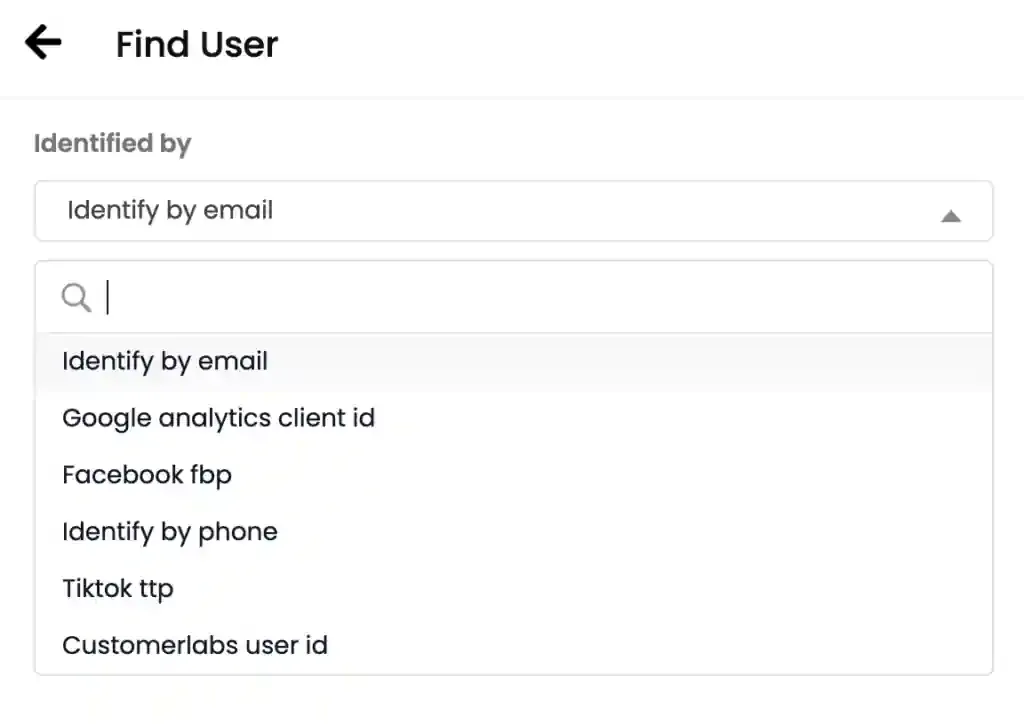
Section titled “Supported Identifiers”A user can be found using any of the following:
| Identifier | Description |
|---|---|
| CustomerLabs User ID | The internal ID assigned by CustomerLabs |
| Email address captured via tracked events or traits | |
| Phone | Phone number captured via tracked events or traits |
| Facebook fbp | Facebook browser pixel cookie |
| Google Analytics Client ID | GA client ID captured during sessions |
| External ID | Any external identifier configured in your source (e.g., HubSpot ID, Intercom Visitor ID, CRM ID) |
Finding a User
Section titled “Finding a User”-
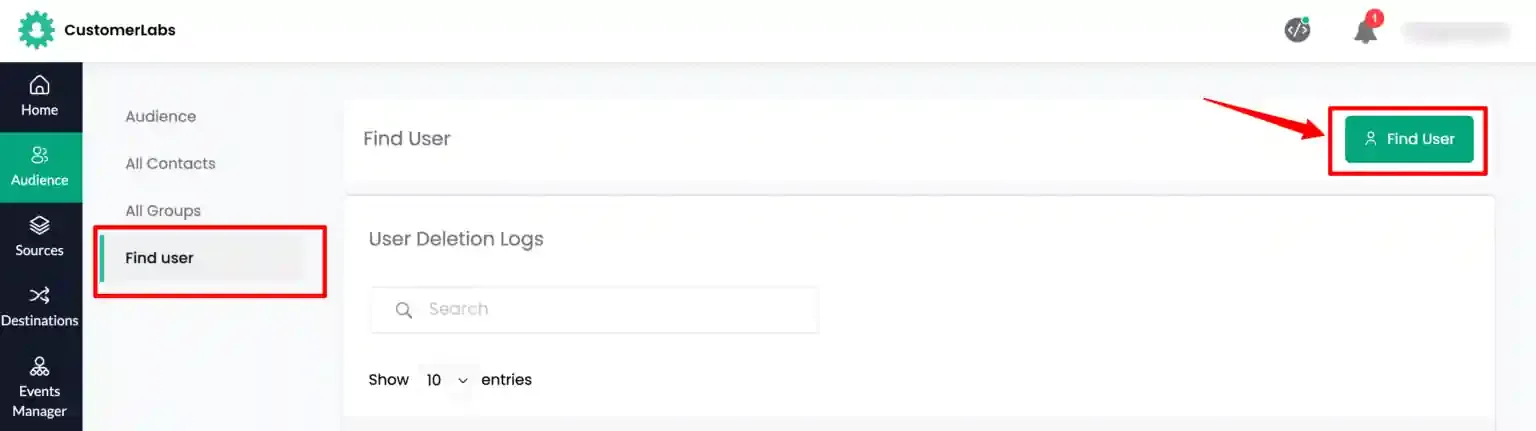
Navigate to Audience → Find User and click Find User.
-
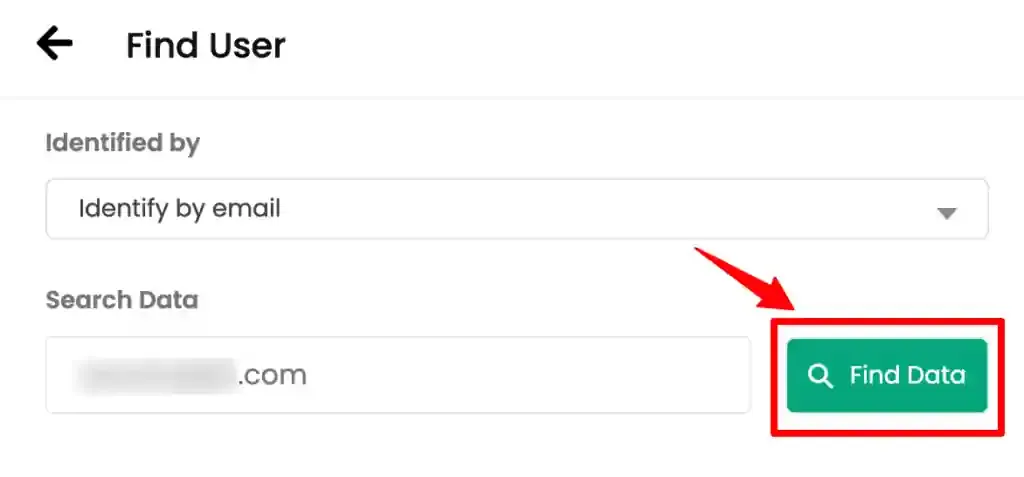
Select the identifying key from the dropdown, enter the corresponding value, and click Find Data.
-
If a matching profile exists, the user’s details are returned — including their identity, traits, and a summary of tracked activity. From the returned profile, you can:
- View the 360-degree profile — Click the user id to inspect all sections including User Information, Acquisition, Channels, Additional Info, User Journey, External IDs, and Consent Mode
- Initiate a deletion request — Click the delete icon to permanently delete the user profile to fulfill a GDPR right-to-erasure or similar request (see Deleting a User Profile)