
CustomerLabs + Google DV360 Integration
Google Display & Video 360 (DV360) is Google’s enterprise-level programmatic advertising platform for managing display, video, and connected TV campaigns. Integrating DV360 with CustomerLabs lets you sync your first-party audience data directly to DV360 to improve targeting and campaign performance.
Prerequisites
Section titled “Prerequisites”- An active Google DV360 account
- An active CustomerLabs account
Connecting DV360 in CustomerLabs
Section titled “Connecting DV360 in CustomerLabs”Step 1: Open the DV360 Destination
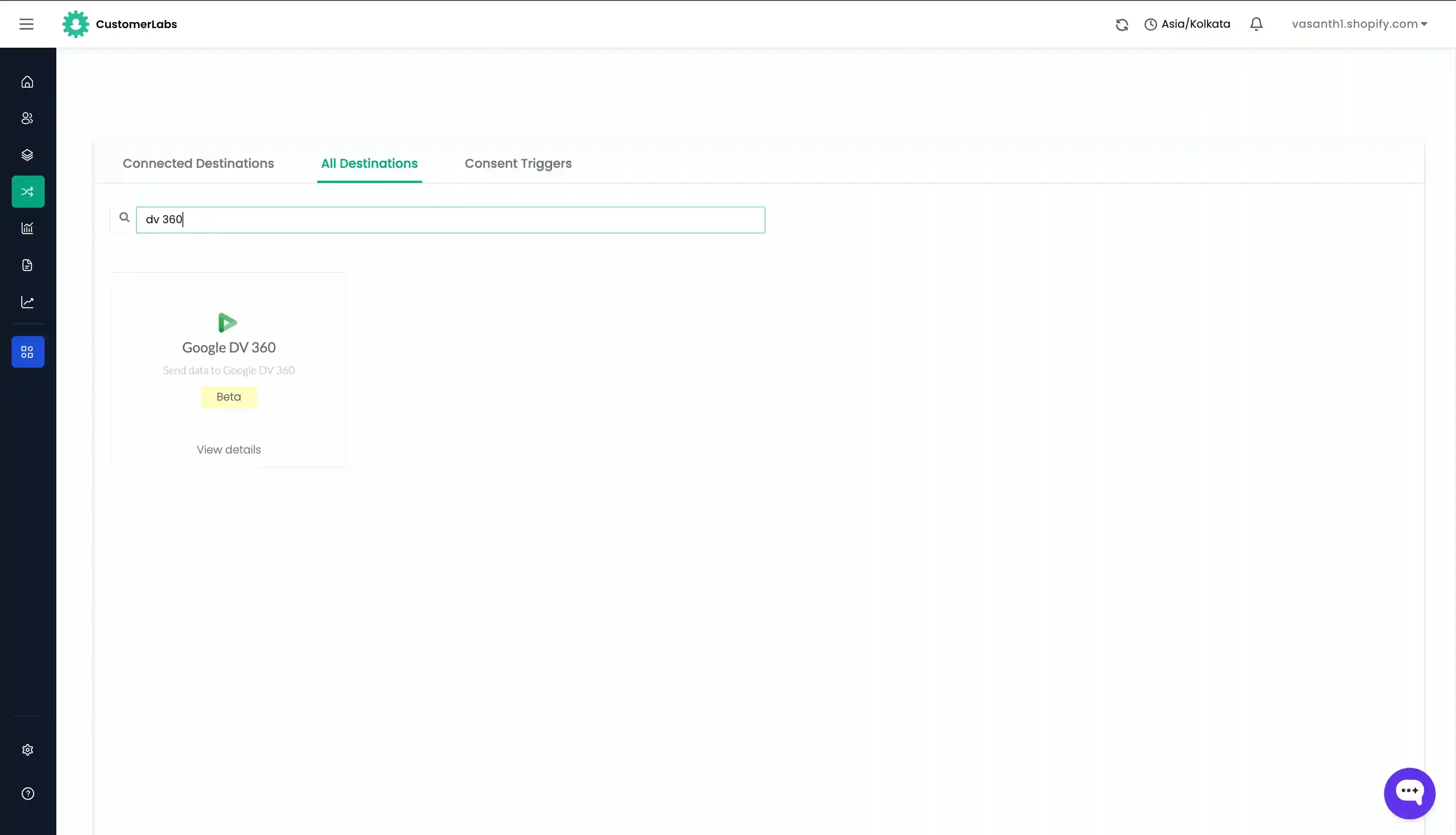
Section titled “Step 1: Open the DV360 Destination”- Log in to your CustomerLabs account.
- Navigate to Destinations.
- Find and select Google DV360 from the list.
- Click Enable and go to Configuration Settings.
Step 2: Authenticate with Your Google Account
Section titled “Step 2: Authenticate with Your Google Account”Click Authenticate with Google and sign in with the Google account that has access to your DV360 account. Once authenticated, CustomerLabs will be connected to your DV360 account.
Step 3: Enable Consent Settings (Optional)
Section titled “Step 3: Enable Consent Settings (Optional)”If you are operating in regions that require user consent (e.g., GDPR in the EU/EEA), toggle on Consent Settings to ensure audience data is synced only for users who have provided the necessary consent.
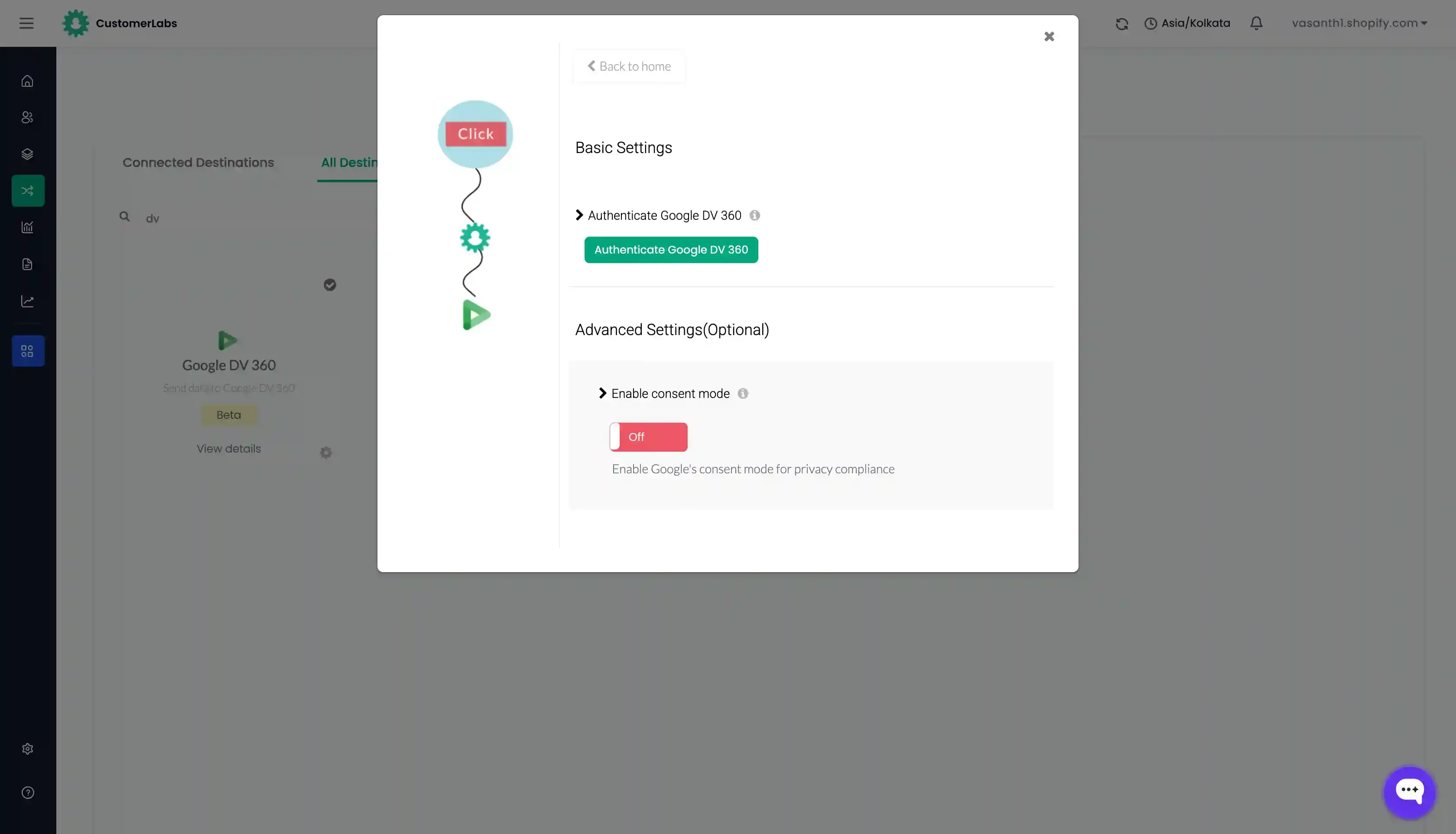
That’s it — your Google DV360 destination is now connected.