Sync Audiences to Google DV360
CustomerLabs can sync audience lists directly to Google DV360, making first-party audience segments available for targeting in Display & Video 360 campaigns. The sync supports contact info, email addresses, phone numbers, and device IDs.
Prerequisites
Section titled “Prerequisites”- Google DV360 destination authenticated in CustomerLabs (navigate to Destinations → All Destinations → Google DV360 and connect your Google account)
- An audience created in CustomerLabs with the relevant user fields included in its schema
Map the Schema
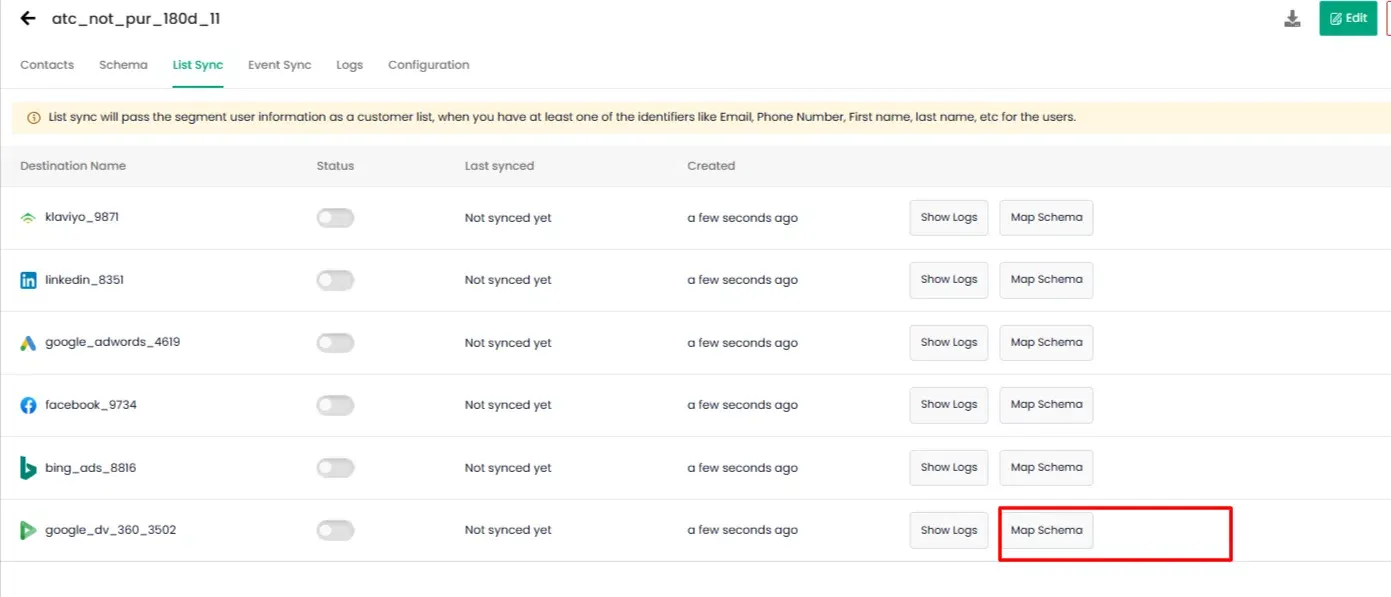
Section titled “Map the Schema”Open the target audience and navigate to the List Sync tab. Locate Google DV360 and click Map Schema.
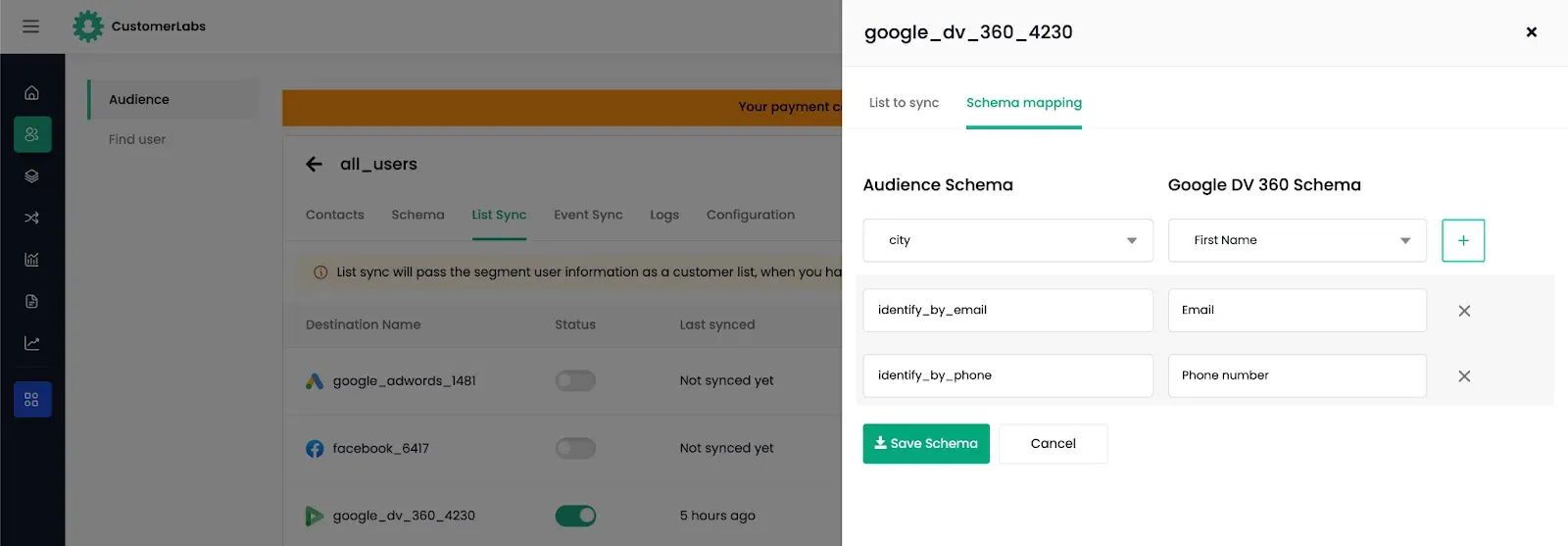
Map the CustomerLabs audience fields to the corresponding DV360 data types:
| DV360 Data Type | Description |
|---|---|
| Contact Info | Name, address, or other contact-level identifiers |
| Emails | Hashed or plain email addresses |
| Phone Numbers | Hashed or plain phone numbers |
| Device IDs | Mobile advertising IDs (IDFA / GAID) |
Configure the Membership Duration — the number of days a user remains in the audience after being added. Accepted range: 1–540 days.
Click Save Schema.
Activate and Sync
Section titled “Activate and Sync”Enable the Google DV360 toggle on the audience and click Instant Sync to begin transmitting the audience list.