I’m not a techy person, codes hate me… and vice versa.
Today’s blog is more about an easy code-free setup that helped me track conversions in WooCommerce.
In this guide, I’ll walk you through how to set up server-side tracking without using code or GTM, or anything else that I’m not aware of.
Along with that, I’m gonna explain why you need this setup and the added benefits you can get out of this single setup. No more beating around the bush.
Setup Guide - WooCommerce Server-Side Tracking With CustomerLabs
Step -1: Integrate Customerlabs + WooCommerce
-
Sign up/log in to the CustomerLabs account
-
On the Home page, under “Connect website”, enter your website URL and click Save
- Click on Plugin on the left panel in WordPress. Then, click on Add New Plugin, search for “CustomerLabs,” and click Install.
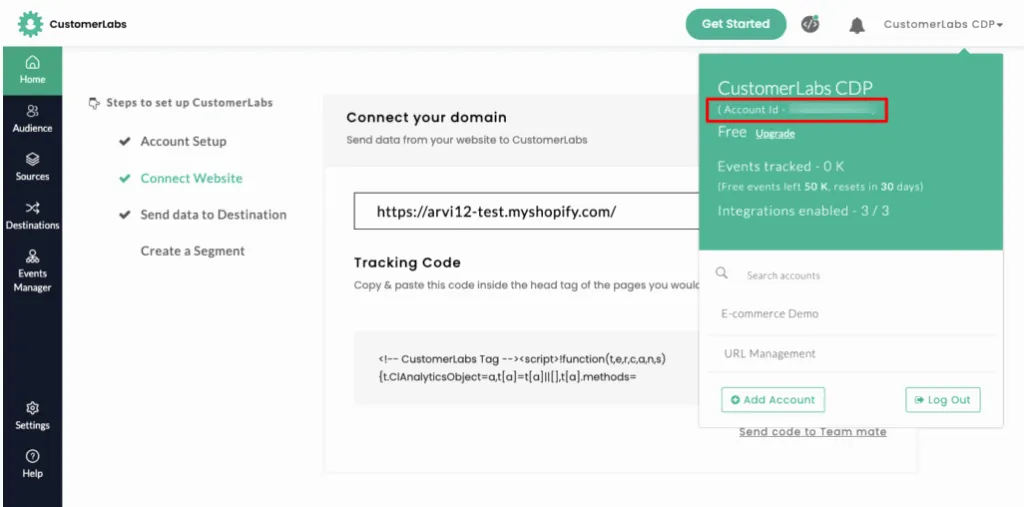
- Now, go to the CustomerLabs App and copy the “Account ID” as shown in the image below
- Go to plugin settings, paste the copied Account ID in the “CustomerLabs App ID” field as shown in the image below
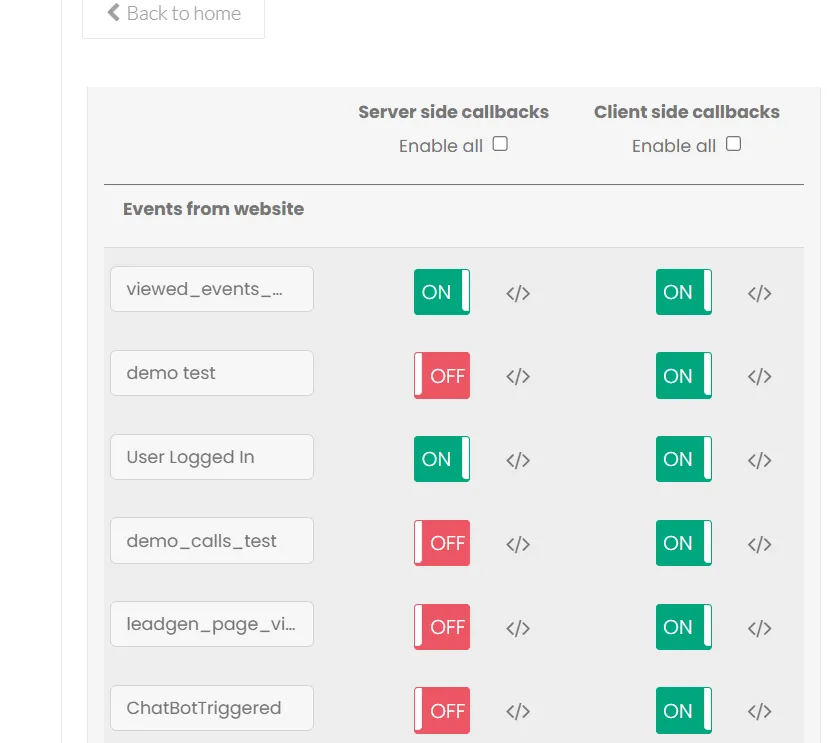
- Ensure you check all the required conversions to be tracked and collected by CustomerLabs.
-
Now the WooCommerce website has been integrated successfully.
-
Go back to CustomerLabs and navigate to “Events Manager” to check if the data has been flowing correctly to CustomerLabs.
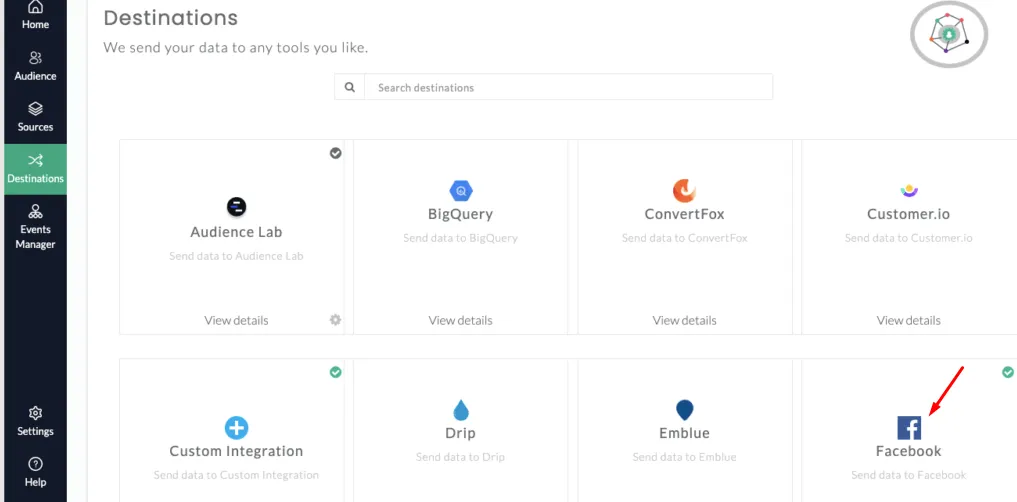
The entire setup of integrating WooCommerce Server-side tracking is complete. If you also need to integrate ad platforms like Google or Facebook, do check the official document.
I’m gonna write my next blog about the most advanced tracking in a cookieless world. It is futuristic and built with a privacy-first approach.
If you want to check out the official documentation on 1P Domain tracking, feel free to check it out.
You can start setting up your tracking setup for free, using a 14-day free trial. If you come across any hurdles, pick a slot.
It’s time to reveal what you can do with WooCommerce server-side tracking.

What Is Server-Side Tracking?
Server-side tracking is where you collect data from the backend server in a reliable way to send your WooCommerce events directly to platforms like Meta, Google, GA4, and TikTok without depending on the browser.
Why is server-side important?
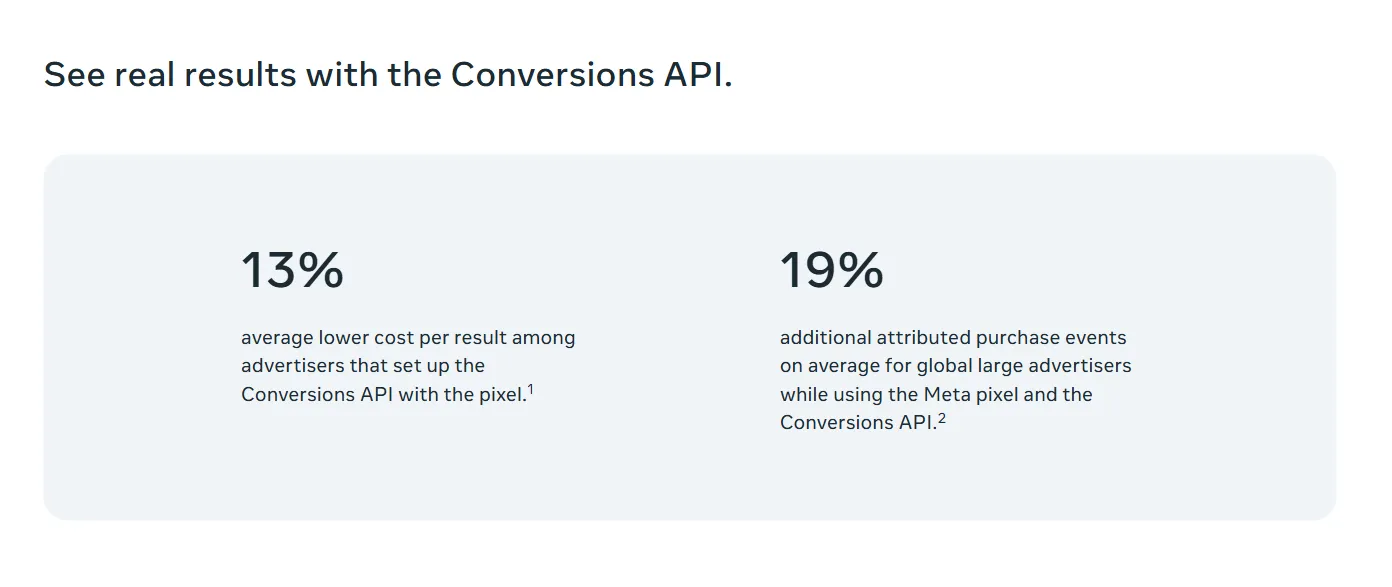
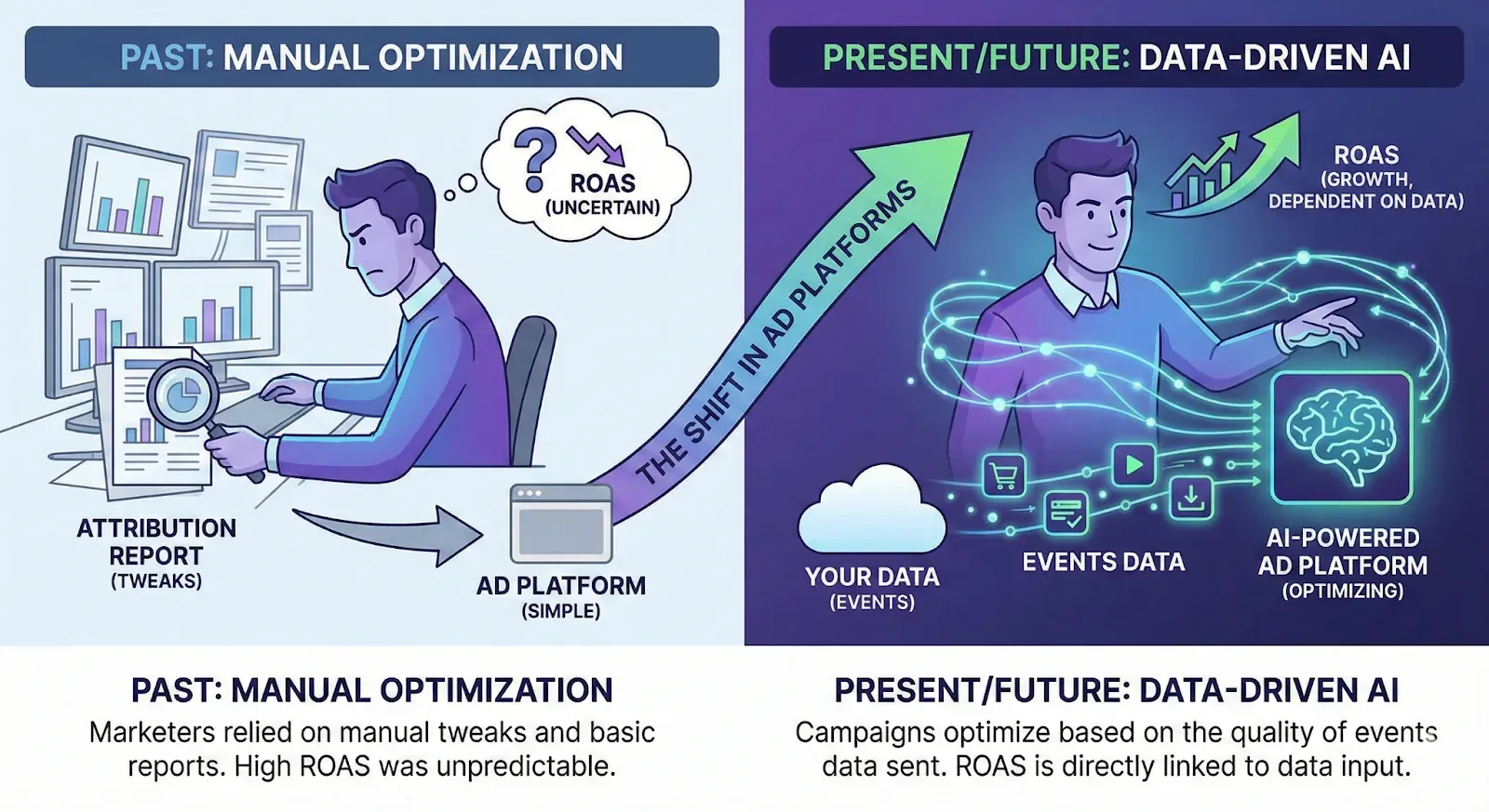
Privacy updates, cookie restrictions, and the rise of ad blockers have made pixel tracking unreliable. Due to these reasons, performance marketers now rely heavily on server-side signals. Even ad platforms recommended tracking the signals on the server-side because of the quality of the signals.
Now that you understand the fundamentals, here’s why WooCommerce stores absolutely need server-side tracking. Let’s look into it deeper.
Ad-Blockers & Browser Limits Break Your Pixel
Ad-blockers, iOS restrictions, and privacy filters can prevent 20–40% of your events from ever reaching Meta or Google.
Your WooCommerce pixel also sends noisy and incomplete signals:
-
Duplicate events,
-
Missing parameters,
-
Weak match quality, and
-
Inconsistent attribution.
Meta & Google Need Clear Signals to Optimize
When signals are weak, algorithms target the wrong users, leading to lower AOV, higher CAC, and unstable performance. For WooCommerce brands dealing with COD orders, reducing RTO problems, and low-intent traffic, this becomes even more important.
When browser-side tracking starts failing, the real challenge isn’t just data loss; it’s that your ad platforms are forced to optimize with incomplete and misleading signals. To fix this, tracking needs to move away from the browser and into a more reliable, controlled environment.
That’s exactly how CustomerLabs approaches WooCommerce conversion tracking.

Why is CustomerLabs The Best WooCommerce Server-side Tracking Tool?
CustomerLabs 1PD Ops collects every user action using first-party data, processes it on the CustomerLabs Server, and sends accurate, enriched data to ad platforms and analytics tools.
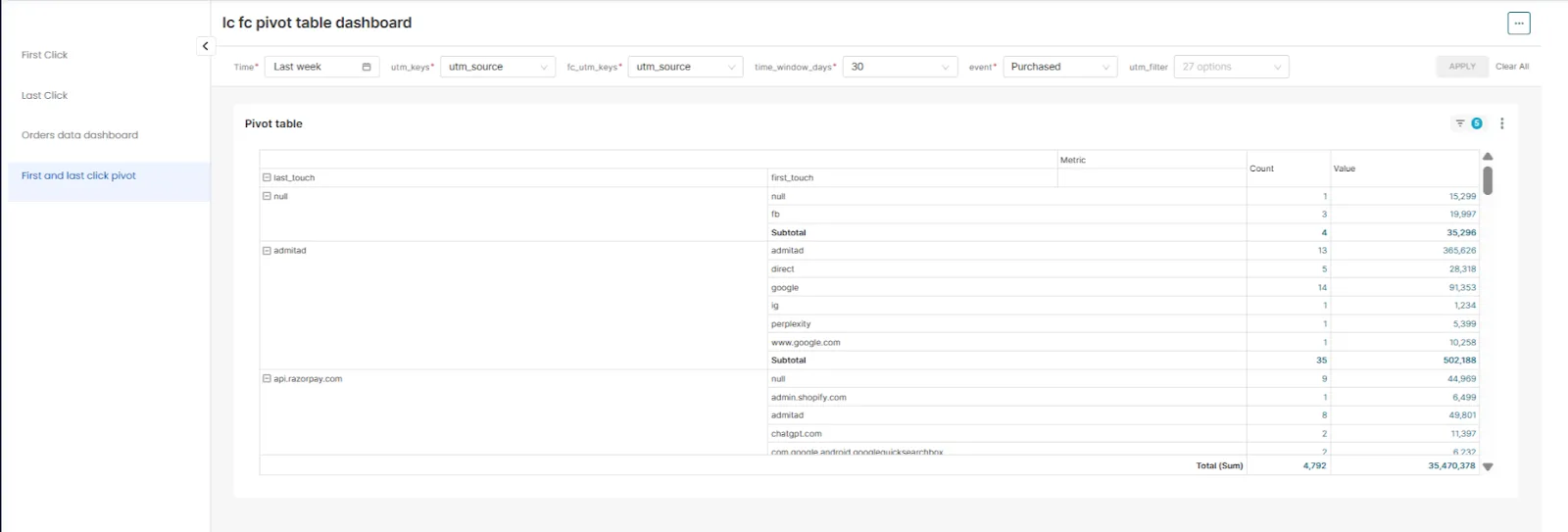
Adding to server-side tracking, you can benefit from session enrichment, identity resolution, with a 360-degree view of the entire user journey, resulting in high ROAS.
Key benefits of Customerlabs that provide
Tracking
Customerlabs collects first-party data events like (page views, clicks, purchases) and also collects all external IDs such as fbp, fbc, Gclid, Gbrid), directly from the website.
Session Enrichment
Every page view, added to cart, and checkout event is enriched with UTMs, product details, device info, and behavior signals. The process of adding valuable data to user interactions (sessions) to create a unified, complete customer profile.
Identity Resolution
As users browse, return, or purchase, CustomerLabs connects all their Browser IDs, Click IDs, and IP Addresses into one unified profile, and you get a clear timeline of how each customer discovered, engaged, and converted without missing identities.
CustomerLabs connects multiple sessions across devices, days, and campaigns into a journey, and you finally see the full path, from the first ad click to the final purchase, without guessing what happened in between. Whether a user enters an email during checkout, logs in, or clicks from a campaign, CustomerLabs automatically matches identifiers such as fbp, fbc, Gclid, cluid, Gbrid, and resolves them into one person.
This ensures your events are tied to real users, not anonymous ones.
User Segmentation
With CustomerLabs, UTMs go beyond just traffic tracking and become actionable segmentation signals. UTM data is attached to every WooCommerce event, like add to cart, checkout, purchase, so you can segment users by campaign and intent, not just visits
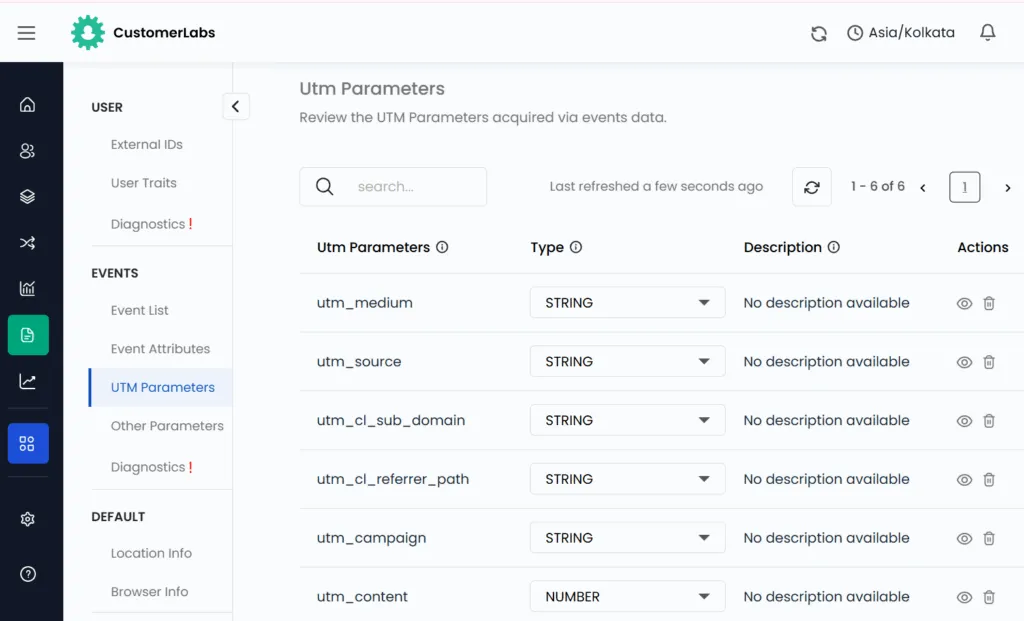
These enriched events are sent server-side with first-party identifiers, which directly improves the EMQ on platforms like Meta.
Better EMQ helps the ad algorithm to understand who converted. UTMs are preserved across sessions and stitched to unify the user profile. Can also build campaign-aware audiences, high-intent data, repeat visitors, festival-time buyers, and sync across several platforms.
With Customerlabs, you can start driving event segmentation and audience quality
Precise Targeting
After all the processes, the clean enriched data will be sent to Meta and Google. Those Ad platforms will understand the data and target the lookalike audience to show more relevant Ads to target.. By this precise targeting, Meta and Google learns to identify the user with the given parameter, so that Ad platforms get trained and get conversions as well.
Once CustomerLabs starts sending clean, enriched, server-side events from your WooCommerce store, you unlock advanced use cases that go far beyond basic tracking.
With Customerlabs, you can do:
-
Re-engage users who viewed but didn’t add to the cart
-
Retarget cart abandoners with relevant offers
-
Every step becomes a segment you can activate instantly.
-
UTM-Centric Audience Building
-
Run campaign-aware retargeting
-
Activate audiences across Meta, Google, TikTok, and email
-
Attribute users back to their original campaign source
-
Your remarketing becomes cleaner, smarter, and far more efficient.
-
Multi-Platform Activation Using One Signal Engine
With CustomerLabs, all platforms receive consistent, enriched signals from a single source. That means:
-
No duplicate setups
-
No GTM configuration
-
No plugin overload or conflicts
You simply connect CustomerLabs once, and your events flow reliably to every destination. And don’t worry about the privacy, like (GDPR, HIPAA, CCPA), we have privacy built in, specialized for health and wellness brands.
Let’s wrap up with a clear conclusion.
In the final analysis
WooCommerce brands don’t struggle because their ads are bad; they struggle because their tracking is incomplete. When platforms receive broken, missing, or weak signals through browser-side tracking, they can’t optimize toward the right customers.
So, CustomerLabs fixes this at the root by sending clean, enriched, server-side events that platforms can trust. With reliable signals, your attribution becomes clearer, your campaigns stabilize, and your scaling becomes predictable.
In today’s privacy-first world, server-side tracking isn’t optional; it’s the foundation of profitable growth for WooCommerce brands. And don’t forget CustomerLabs makes it simple.
To get it done today and stop your data leakage as now sign up for a 14-day free trial and know where you are missing and rectify it. If you need any consultations, feel free to book a demo to connect with our experts.