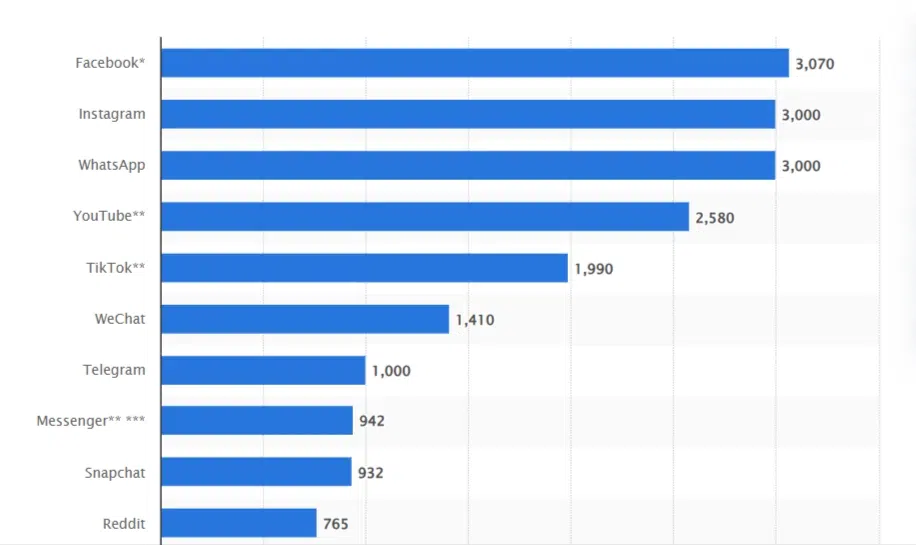
Facebook is the largest social media platform online with approximately 3.07 billion monthly active users accessing Facebook’s platform, a 10% increase year-over-year.
Businesses use Meta to run advertising campaigns to bring in customers. Most businesses use CRM to track and manage their leads and customers’ info up to date.
This makes it inevitable for businesses to integrate their CRM with Facebook.
Steps to Integrate CRM with FB / Meta Without GTM
Before we dive into the steps, you can connect any CRM of your choice. And CustomerLabs do support direct integration with CRM platforms like Hubspot, Drift, Salesforce, Pipedrive, Zoho and Freshsales.
If you have any other CRMs, you can connect them using a custom source (steps down below), the only requirement necessary is the desired CRM to support webhook integrations.
Connect CRM with CustomerLabs using Custom Source
Now let’s get into the steps:
- Login into CustomerLabs account. (create if you don’t have one)
- On the sidebar, click “Source”

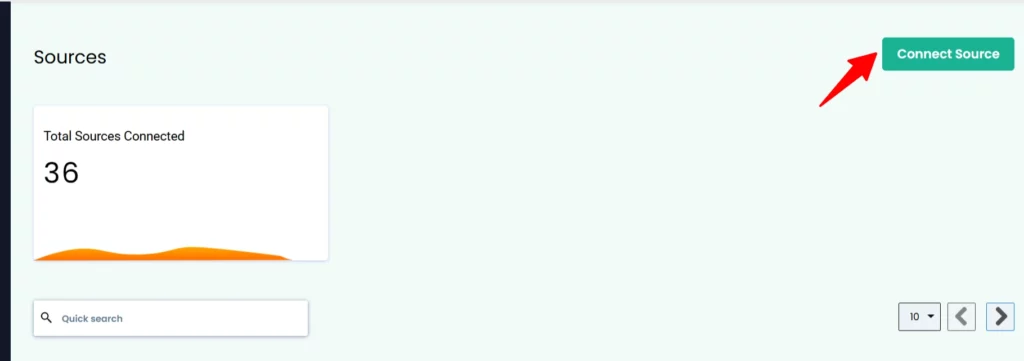
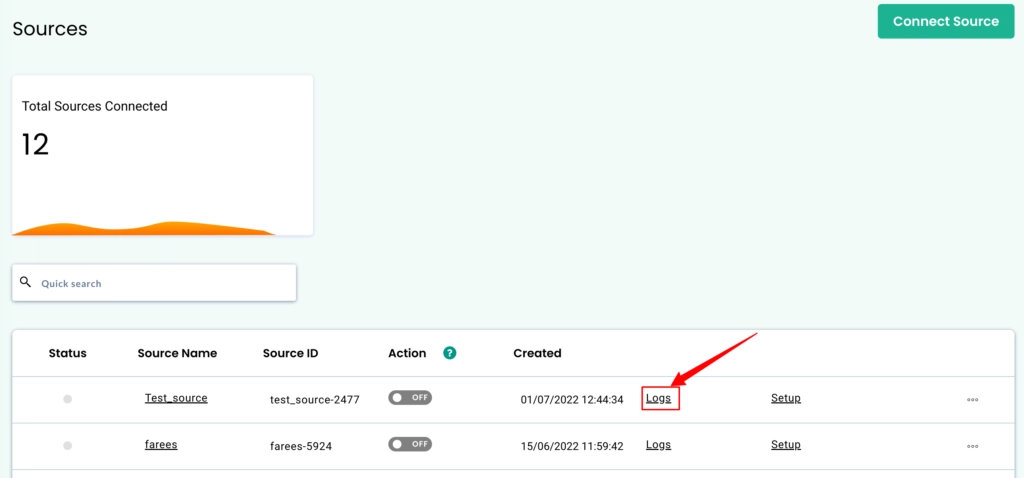
- If you have already connected a source, click “connect source” as shown in the image below and follow the next step.
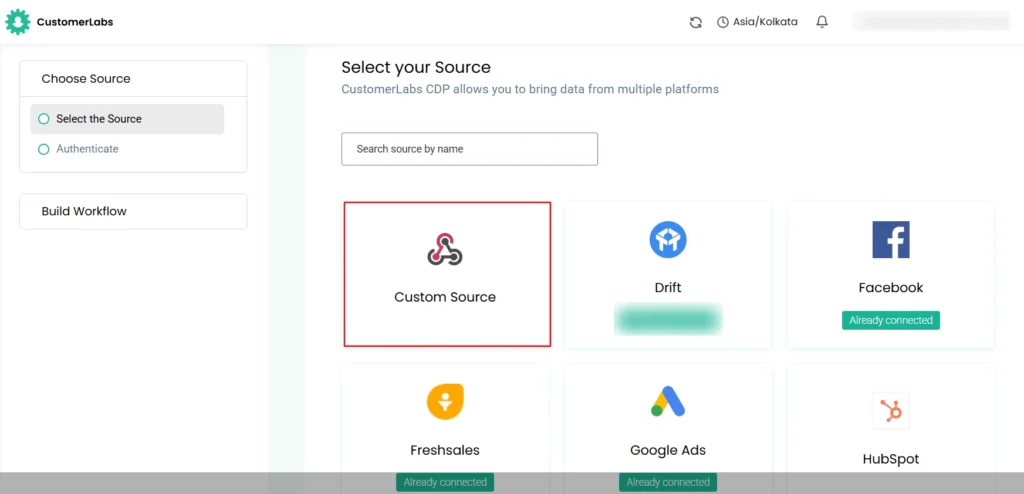
- If you are integrating your first source with CustomerLabs, search “custom source” and select.
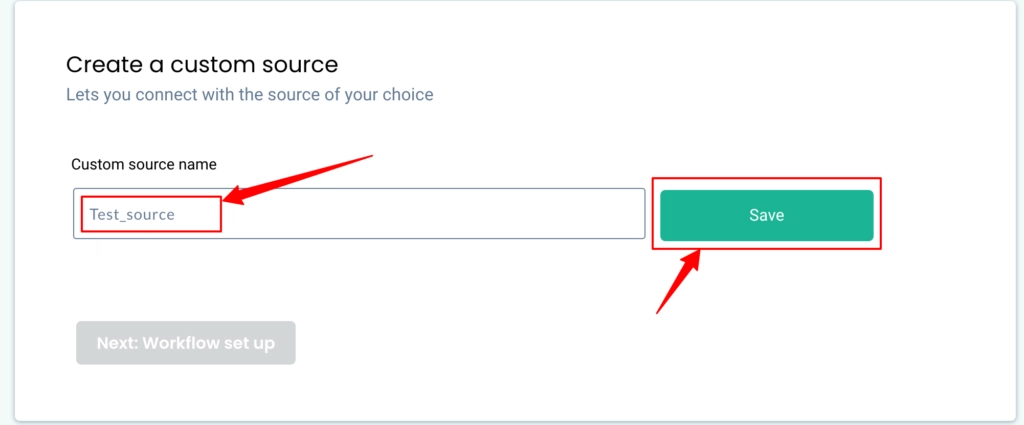
- Name the Custom source and hit Save
- Once done, you will be able to copy the webhook URL. Click “Copy”
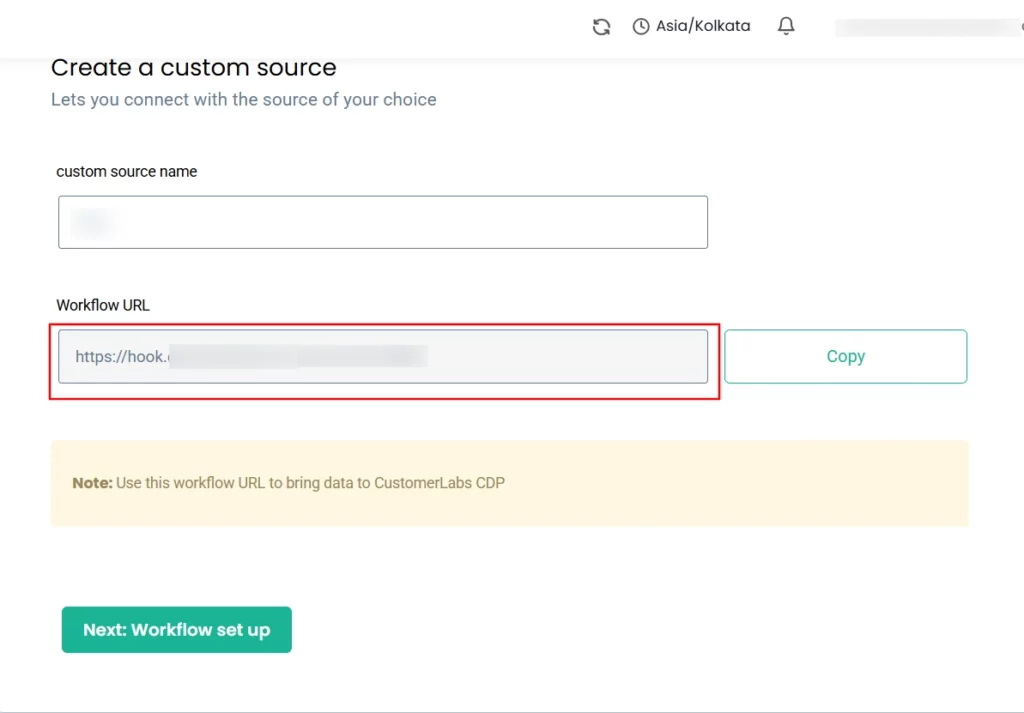
- Paste the copied webhook URL from CustomerLabs 1PD Ops in the Endpoint URL section in your CRM from where you wish to receive the data.
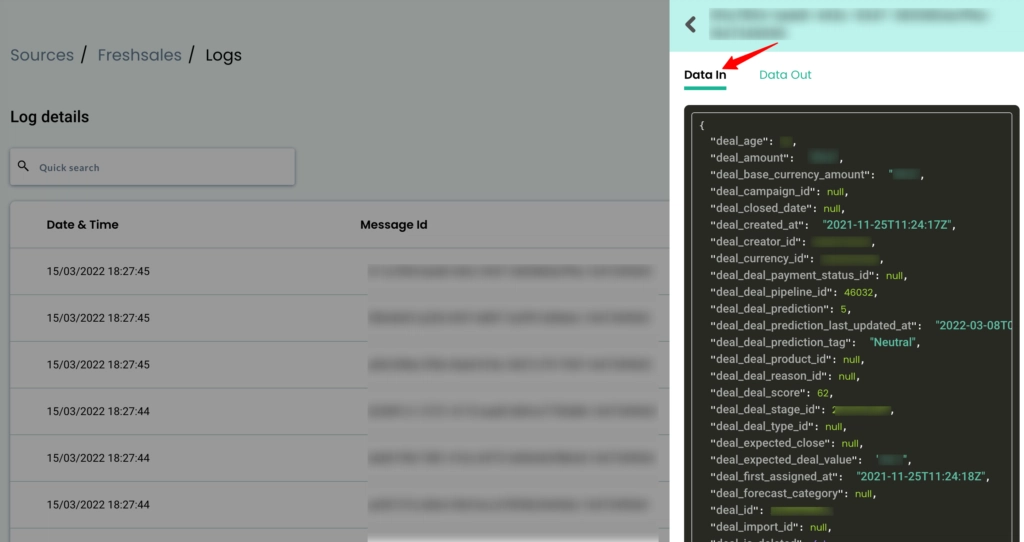
- Give it sometime, and you will be able to see the data being received from your CRM, in the data log down below.
- Select “View Details” to confirm whether you’re receiving the data. The “Data In” indicates that comes from your CRM into CustomerLabs
- Name your workflow: Name it based on the updated or next lead stage in your CRM, for example lead_updated or lead_created.
- Setup workflow delays if you have multiple workflows to prevent concurrency issues. (highly recommended)
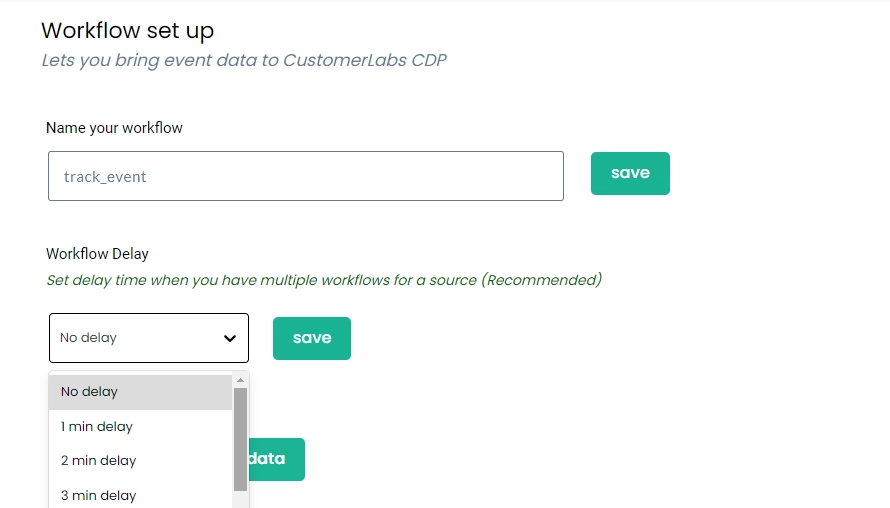
Note: Why is workflow delay recommended? Imagine a new user comes in, and you have set up 2 different workflows in the same source, so 2 different IDs get created at the same time. Hence adding a delay ensures the user is first created and then reused across workflows, resulting in a single unique user ID.
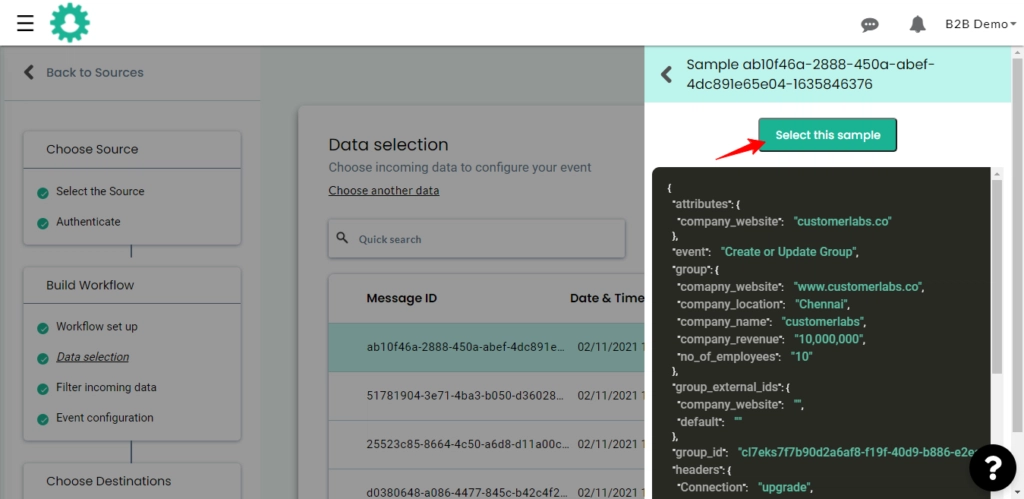
- Update a sample data in CRM to receive event information in CustomerLabs and choose the sample data inside CustomerLabs.
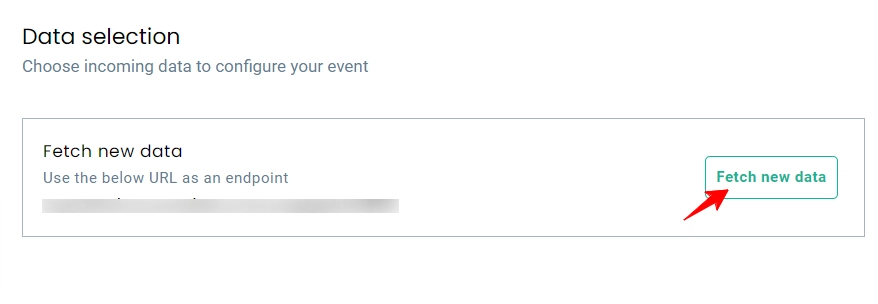
Note: The incoming sample might take some time, if you face any error, try again after a few seconds.
- The incoming data from your CRM will look as shown in the image below.
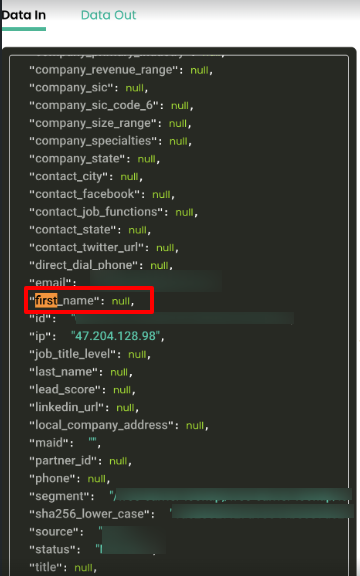
Note: Before passing the sample data, please make sure that the parameters have no null values as given in the image. Because it cannot be processed by CustomerLabs and pushed to the destinations. Have a value or leave it as an empty string.
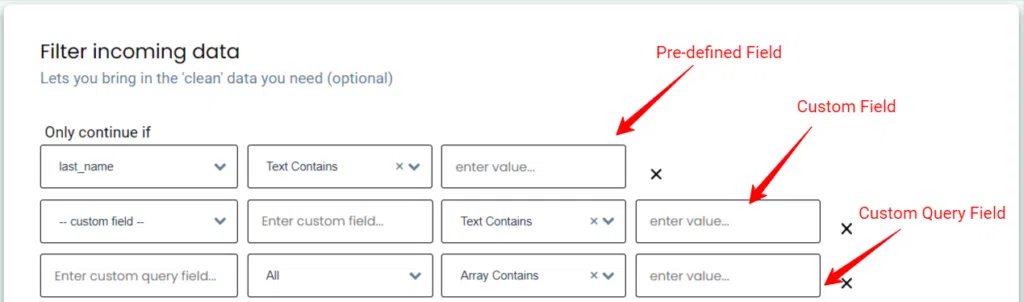
- Filter the data: Choose the required ‘field’ with its filtering ‘conditions’. You can also add a ‘custom field’ and its filtering conditions.
- Follow the steps to move to event configuration
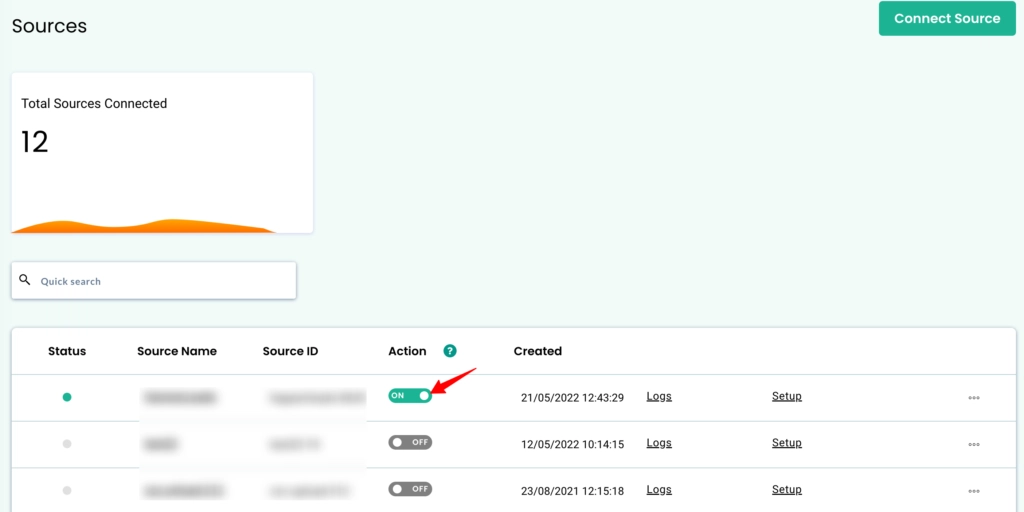
- Once all the workflows are setup, just toggle on to activate the custom source
Next, let’s connect Meta / Facebook as a destination to send the CRM data for ad optimization and targeting.
Connect Facebook with CustomerLabs
- Click Destinations from the sidebar inside CustomerLabs
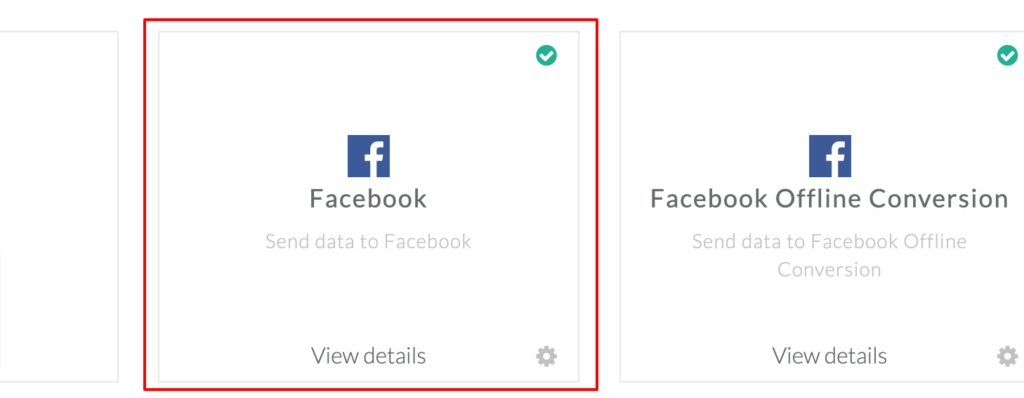
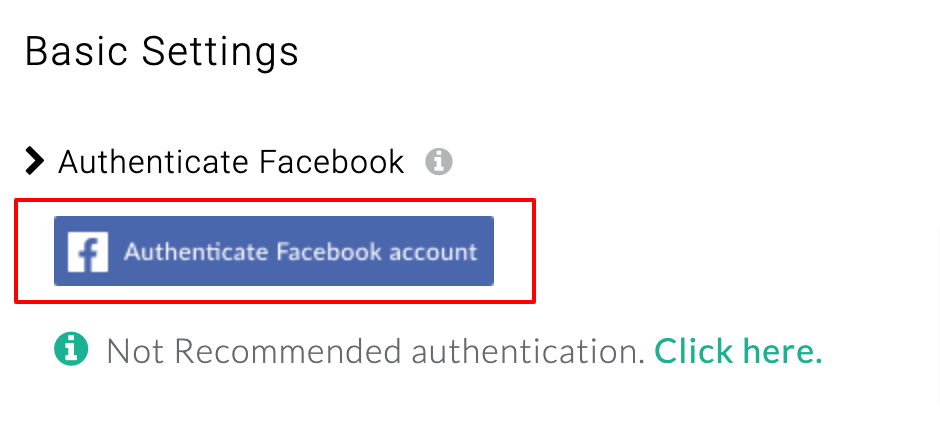
- Select “ Enable” and move to configuration settings; click authenticate facebook account
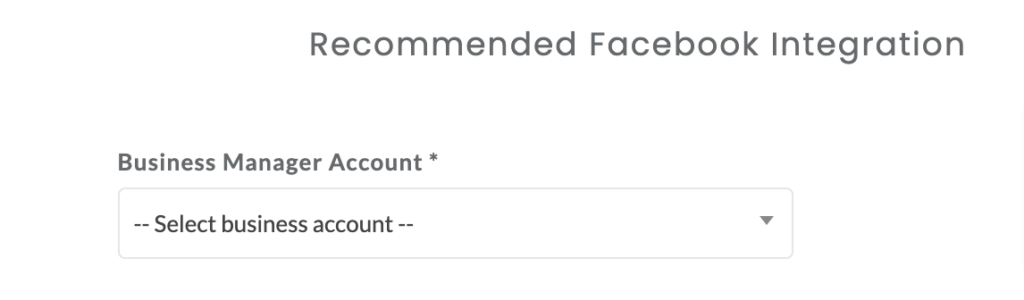
- Upon the redirection, select the appropriate Business Manager account, Business Asset Group, and Ad account.
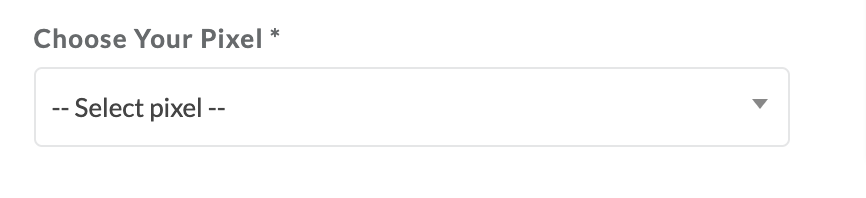
- Scroll down, and select the right pixel that you want to integrate and click submit and Save changes
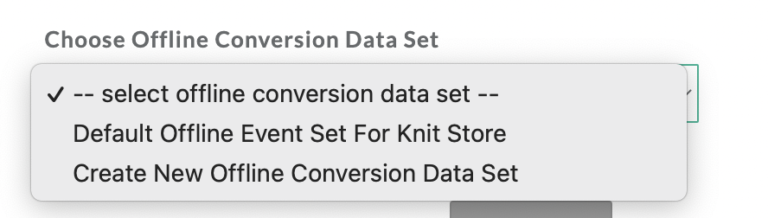
- Under choose offline conversion dataset, select “offline conversions data set”, if not select “Create New Offline Conversion Data Set” and enter the name of the dataset.
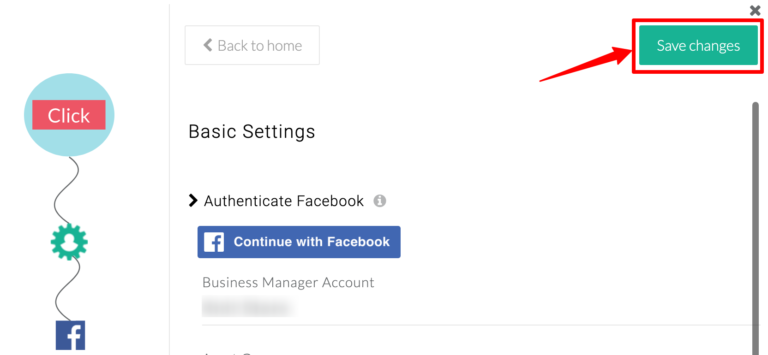
- Once done, click submit and Save changes.
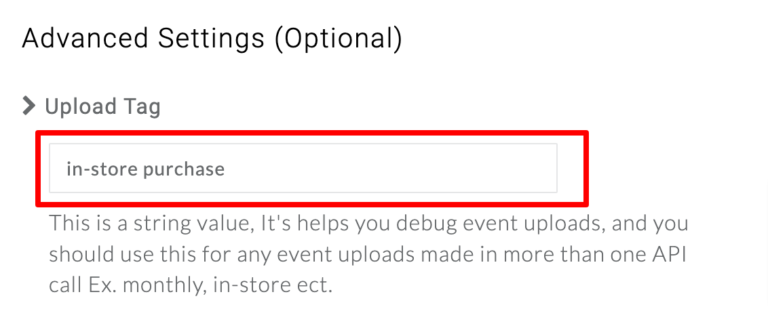
- Opt this advanced mandatory setting. Name the “Upload tag” and save changes, do so for easy identification of uploads from a variety of sources.
- Now map the events to Facebook to the appropriate match keys as shown in the image down below.
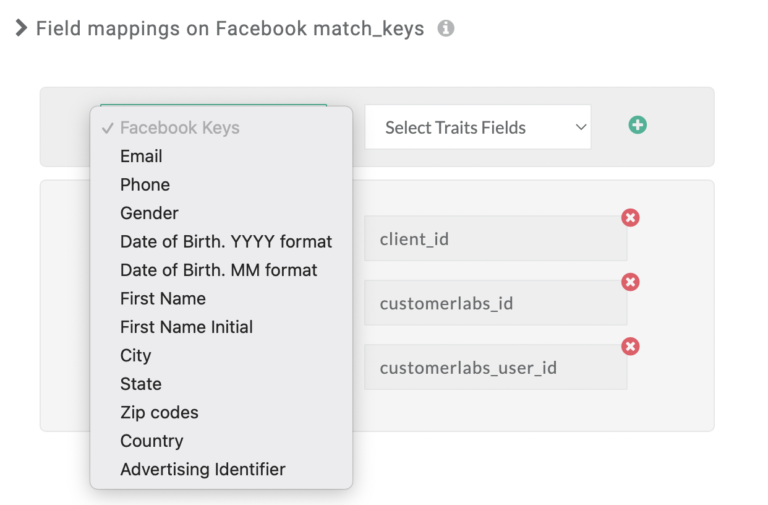
Refer the image attached below to ease the process:
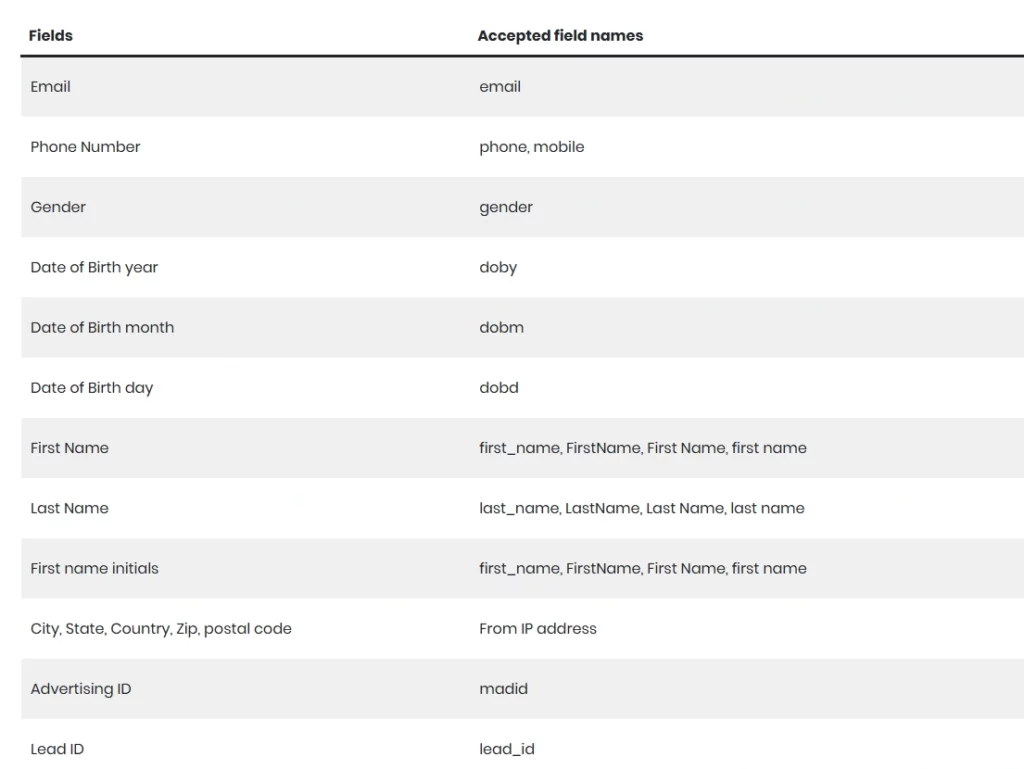
Note: If you don’t find the field in the above image, map it with Facebook match keys in the field mappings section.
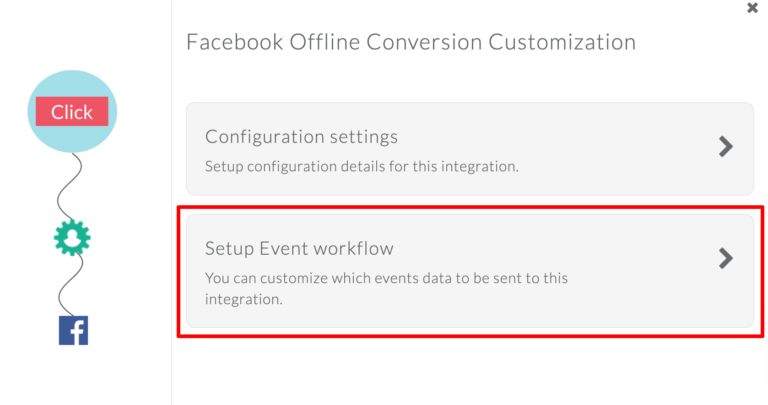
- Once click destinations, and this time select “Facebook Offline Conversion” and click “Setup Event workflow”
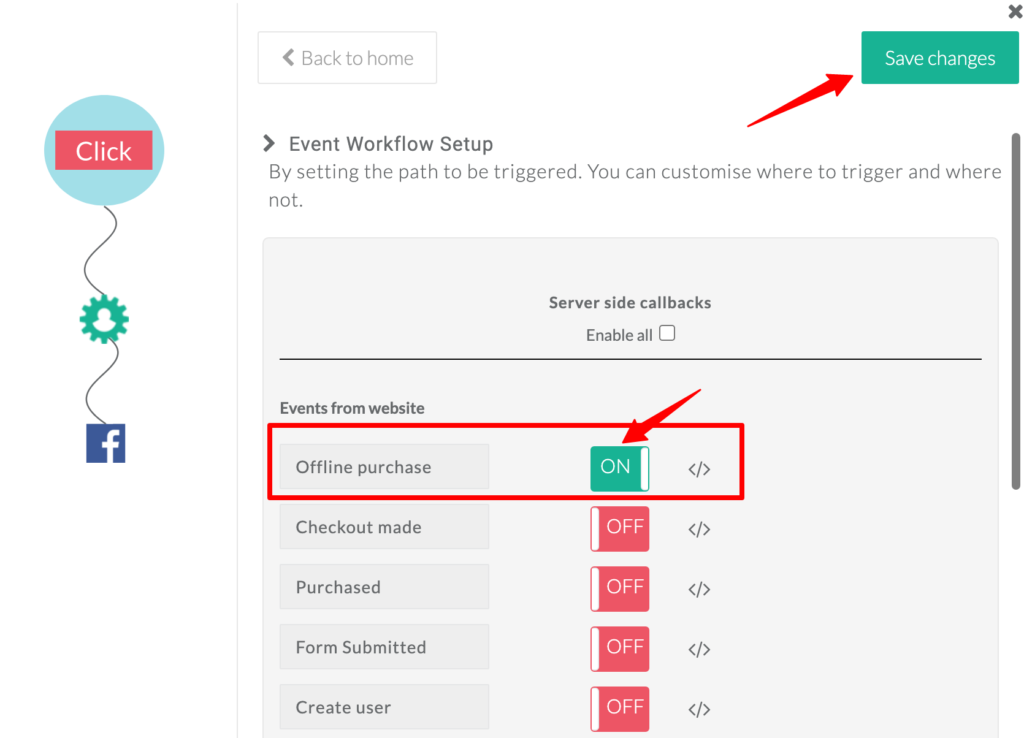
- Turn on the toggle for the events that you would like to send to Facebook
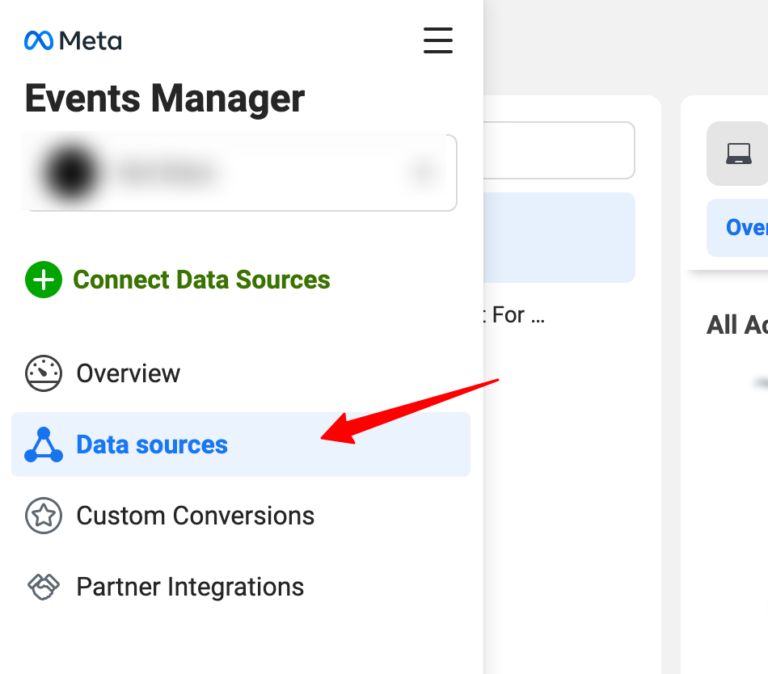
- To verify whether the events are all set, go to Events Manager , select Data sources and click on the offline event that you created.
- You will be seeing the offline events get accumulated there.
The entire Facebook CRM integration is done. Next let’s look into the benefits of this setup.
Benefits of Integrating CRM and Facebook
Integrating your CRM with Facebook is no longer a “nice-to-have” for performance marketers, it’s a foundational move to improve attribution, optimization, and revenue outcomes. When your CRM and Facebook work in silos, valuable conversion data gets lost, learning slows down, and scaling becomes guesswork. A CRM–Facebook integration, powered by first-party data platforms like CustomerLabs, solves this gap end-to-end.
1. Close the Feedback Loop with Meta
One of the biggest advantages of CRM–Facebook integration is closing the feedback loop (sequential learning). Instead of stopping at leads or form submissions, you can send actual CRM outcomes—qualified leads, purchases, revenue, and lifecycle stages—back to Meta.
This ensures Facebook understands which users truly convert, not just who clicks or fills a form.
2. Faster and Smarter Meta Learning
When high-quality conversion data flows from your CRM back to Facebook, Meta’s algorithm learns faster. This improves audience discovery, delivery optimization, and campaign efficiency. Over time, Meta prioritizes users who are more likely to convert based on real business outcomes, not surface-level signals.
3. Accurate Attribution Across the Funnel
CRM integration enables proper attribution beyond last-click or platform-reported numbers. By connecting ad interactions with downstream CRM events, marketers get a clear picture of which campaigns, ads, and audiences are actually driving revenue – helping make confident budget decisions.
4. Save Time with Real-Time Data Sync
Manual uploads, CSV exports, and delayed reporting slow teams down and introduce errors. Syncing CRM data with Facebook in real time eliminates repetitive work and ensures your campaigns always use the latest customer data, saving time, effort, and operational overhead.
5. Run Personalized Campaigns by CRM Stage
When Facebook has access to CRM stages such as lead, qualified lead, opportunity, or customer, you can run highly personalized campaigns.
Examples include:
- Retargeting only qualified leads
- Excluding converted customers
- Upselling based on lifecycle stage
This level of segmentation improves relevance, lowers ad fatigue, and increases conversion rates.
6. Higher Match Rates, Higher Conversions
By sending enriched first-party CRM data (email, phone, identifiers) to Facebook, match rates improve significantly. Platforms like CustomerLabs help increase Facebook match rates, which can double overall conversion performance by ensuring ads reach the right users more consistently.
7. More Efficient Facebook Lead Ad Campaigns
CRM integration makes Facebook lead ads far more effective. Leads can be automatically synced, enriched, and qualified inside your CRM, while conversion outcomes are sent back to Meta, creating a continuous optimization loop that improves lead quality over time.
8. Built for Facebook Conversions API
Modern CRM–Facebook integrations support Facebook Conversions API (CAPI), which is essential in a privacy-first world. CAPI enables accurate server-side tracking, helping marketers measure campaign performance reliably even as browser-based tracking becomes less dependable.
By integrating your CRM with Facebook using a first-party data platform like CustomerLabs, marketers gain better attribution, stronger optimization signals, and the ability to scale campaigns with confidence – without relying on broken pixels or incomplete data
Bringing It All Together
When your CRM and Facebook operate in isolation, valuable conversion insights never make it back to where optimization actually happens. Integrating the two bridges this gap, allowing real customer outcomes to inform Meta’s learning, improve attribution accuracy, and power more relevant campaigns across every stage of the funnel.
CustomerLabs makes this integration simple by syncing CRM data with Facebook in real time and supporting Facebook Conversions API, so your ads optimize on what truly matters: qualified leads, purchases, and revenue, not just surface-level events.
If you want to see how this works in practice, you can book a demo and walk through the setup with our team. Or, if you prefer hands-on exploration, start a 14-day free trial and experience how CRM-powered Facebook tracking improves match rates, attribution, and conversions, without adding operational complexity.
Because when Facebook understands your CRM data, your campaigns don’t just run – they learn, adapt, and grow.