Meta started to enforce data restrictions in late 2025 and into 2026 to abide by the HIPAA policy. According to which PHI & direct PII data of the patients should not be shared to the third parties.
So Meta started to take initiative to block these sensitive data in the forefront. As a result, bottom-funnel events, custom audiences got blocked, in certain cases, the entire ad account got restricted.
If you fall under the sensitive category by Meta, here’s how you can fix it.
- Identify which data source is triggering the classification (Pixel events, CAPI events, or customer list)
- Strip health-signal data from that source and hash sensitive data (PII) with SHA256
- Rebuild the affected audience from clean data
- Re-submit the campaign
This way, you can bypass the restrictions without violating the privacy policy.
Let’s dig a little deeper on what’s actually going on, what the policies say, and how to fix it without destroying your optimization signals.
If you directly want to jump to fix, check out the implementation guide for overcoming the Meta’s event restriction
What Are Meta’s Data Sharing Restrictions? (And Why They’re Different From Ad Policies)
This is a question worth answering clearly because marketers conflate the two constantly.
Ad policies govern what you can say in your ads ,what claims you can make, what images you can use, who you can target.
Data sharing policies govern what data you can send to Meta’s systems ,through the Pixel, Conversions API, or Advanced Matching.
They’re enforced differently. You can have fully compliant ads and still be violating data sharing policies at the tracking layer. That’s the part most health brands miss.
Meta’s data sharing policies restrict:
- Event data ,what conversion signals you’re sending (purchase, lead, custom events)
- Customer data ,what personal information you’re passing via Advanced Matching (emails, phone numbers, etc.)
- Behavioral signals ,URL paths, event parameters, custom dimensions that imply health context
The Pixel fires based on what happens on your site. The Conversions API sends data from your server. Both are subject to the same restrictions. Running CAPI doesn’t give you a compliance pass ,it just moves the problem server-side.
Three-Tiered Restrictions by Meta
Meta’s data sharing restrictions aren’t one-size-fits-all. Meta applies a tiered enforcement system depending on the nature of your data source:
1. Core Setup Restrictions (Mild)
Meta blocks or limits small but important bits of information you normally send with each website visit. These include URL tags (like UTM parameters) and custom event details (like category, plan type, or city name).
Imagine you run a diabetes website with pages for New York, California, and Los Angeles. Normally, Meta could see which city users came from to show better ads. But with restrictions, that city info is blocked, so Meta sees everyone the same.
Impact: You lose the ability to build accurate audiences or measure which campaigns work best. Ads become less relevant, and performance starts to dip.
2. Restrictions on Standard Events (Moderate)
Meta blocks specific user actions that are crucial for ad performance, like tracking when someone books a consultation (Lead), adds a service to cart (AddToCart), or completes a payment (Purchase).
Say you offer lab test bookings. A visitor clicks “Book Now,” fills out the form, and confirms the appointment. Normally, that would be sent to Meta as a Lead or Purchase event to help you optimize ads. Meta blocks that info, so you won’t know which ad got you the bookings.
Impact: Meta loses the signals it needs to learn. It can’t see who’s converting, so it shows your ads to random people, making your campaigns less effective.
3. Full Restrictions (Severe)
Meta completely blocks all data sharing from your site or app. Nothing gets through, not even page views or clicks.
If you run a women’s wellness brand for PCOS and Meta sees health-related data on your site, even by accident, it might fully block tracking. That means your Pixel and CAPI stop working.
Impact: You can’t track visitors. You can’t retarget. You can’t optimize for conversions.
Okay, so maybe you are flagged. But how does Meta know so much about your brand’s data? Here’s what’s triggering detection.

The Personal Attributes Policy: The Biggest Risk for Health Brands
This is where most health brands get into trouble ,and it’s the part of Meta’s policy that’s hardest to interpret.
Meta prohibits using data that implies or infers a person’s personal attributes to deliver personalized advertising. Personal attributes include:
- Health conditions or medical history
- Mental health status
- Financial situation
- Religious or political beliefs
- Sexual orientation
For health brands, the relevant one is obvious. But the way Meta interprets “implies or infers” is broader than most people expect.
You Don’t Have to Explicitly Send Health Data to Violate This
That’s the part brands miss.
You don’t need to send an event called diabetes_diagnosis. Meta’s systems scan for signals at multiple layers ,and they’re looking for inferences, not just explicit labels.
Here’s what triggers enforcement:
URL structure
If your Pixel fires a PageView on yoursite.com/products/metformin-alternative or /blog/managing-type-2-diabetes, that URL path alone can be classified as a health signal ,even if you’re not passing any custom parameters.
Event names
Custom events like fertility_supplement_viewed, anxiety_relief_clicked, or glp1_product_added get flagged by Meta’s content classification layer. The event names themselves carry the health signal.
Event parameters
Passing content_name: “Blood Sugar Support Formula” inside a standard Purchase event can be enough. Meta reads the parameters, not just the event type.
CRM data via Advanced Matching
If you’re uploading customer lists from a health condition-specific segment ,even without labeling it as such ,and that segment is inferably health-related (e.g., everyone who bought a diabetes supplement), that can constitute a violation.
The policy language is: “You agree not to send us information that we could use, or that would identify the individual as belonging to, a protected category.”
Protected categories include health and medical conditions.
What’s Still Allowed
Not everything is off the table. You can still:
- Run awareness campaigns without health-condition targeting
- Use broad interest targeting (fitness, wellness ,as long as it’s not condition-specific)
- Send standard events (Purchase, Lead, PageView) without health-specific parameters
- Build lookalike audiences from non-health customer data
The line is: condition-specific signals are out. General wellness signals can still work, but they need to be genuinely general, not a thinly veiled proxy for a health condition.
Are You (Secretly) on Meta’s Watchlist?
Meta has restricted the data sharing policy for several industries, but the rules aren’t black and white.
Sensitive Industries on Meta’s Radar
| Category | Why It’s Restricted |
| Healthcare & Wellness | Risk of PHI (Protected Health Info) via tracking or ad personalization |
| Financial Services | Sharing of financial status, credit info, or income can violate privacy laws |
| Insurance (Health, Life, Auto) | Policy and claim info can infer health, income, or risk status |
| Legal Services | Attorney-client relationships are confidential and can’t be used for targeting |
| Education (esp. K-12 or student loans) | Involves minors or financial eligibility info |
| Mental Health / Addiction Recovery | Considered highly sensitive under HIPAA and GDPR |
| Sexual Health / Reproductive Services | Protected health category is often auto-flagged |
| Pharmaceuticals / Supplements | Crosses into regulatory and health-based restrictions |
| Political / Social Issues | Must pass Meta’s ad authorization and cannot use personal attributes |
| Employment / Job Training | Job status, unemployment, or income level are personal attributes |
If you are on the checklist, use the 14-free trial by CustomerLabs, use this implementation guide for overcoming the Meta’s event restriction and get it fixed.
Pharmaceutical & Specialty Health Category Restrictions
Pharma brands, supplement companies, GLP-1 products, sexual wellness, fertility, and mental health, these categories all sit under heightened scrutiny in Meta’s policy framework.
Here’s how to think about the tiers:
Tier 1, Prescription pharma
Strictest restrictions. No condition-based targeting. No retargeting users who visited condition-specific pages. Awareness-only campaigns have limited targeting options. Custom conversions that reference drug names or conditions get rejected.
Tier 2, OTC health products and supplements
Less strict, but still restricted. You can run conversion campaigns, but the signals you send have to be clean. If your GLP-1 supplement’s event stream is littered with weight-loss-condition references in parameters, you’re in violation territory even if the product is available without a prescription.
Tier 3, General wellness
More flexibility. Products positioned around energy, immunity, or general health ,without implying treatment of a specific condition ,have more room. But positioning matters: if your ad copy implies the user has a condition (“Struggling with anxiety?”), that crosses the line even for general wellness products.
What You Can’t Do Regardless of Tier
- Target based on inferred health conditions
- Send events that imply diagnosis or treatment intent
- Use messaging that identifies the user as belonging to a health category
- Enrich retargeting audiences with health signals from CRM data
Real Examples of Compliance & Non-compliance
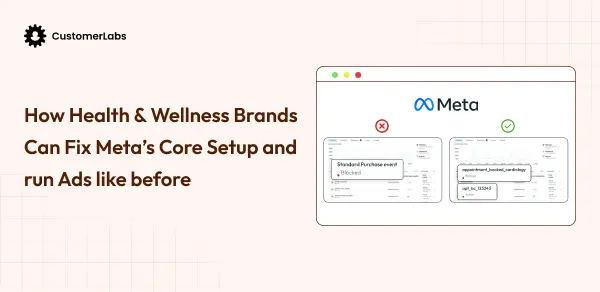
| ❌ Event name: glp1_interest_confirmed | ✅ Event name: product_viewed (with no health-condition parameters) |
| ❌ URL tracked: /conditions/type-2-diabetes-management | ✅ URL tracked: /shop/daily-essentials |
| ❌ Ad copy: “Are you managing high blood pressure?” | ✅ Ad copy: “Daily wellness support. Now with better ingredients.” |
| ❌ Custom audience: Upload of customers who purchased blood sugar supplements, used for retargeting | ✅ Lookalike audience: Built from general purchaser list without condition-specific segmentation |

What Changed in 2026: The New Enforcement Wave
Meta’s restrictions on health and wellness data aren’t new. What’s new is the enforcement scope.
In 2025, enforcement was largely focused on ad creative ,what your ads said and who they targeted. In late 2025 and into 2026, Meta expanded its automated classification to cover:
Audience names: Meta now scans the names of your custom audiences and custom conversions. An audience called “Diabetes Interest – Lookalike” will get flagged. So will a custom conversion called “Anxiety Product Purchase.” This catches brands who had compliant signals but non-compliant labeling.
Custom conversion rejection: Custom conversions that include health-related terms ,in the name, in the event parameters, or in the associated URL rules ,are being rejected at a higher rate. Brands are seeing previously-approved custom conversions suddenly flagged.
Lookalike audience shrinkage: If your seed audience is built from health-signal data ,even if it wasn’t explicitly labeled that way ,Meta’s systems are increasingly identifying and restricting these audiences. Reach drops. CPMs increase. Performance degrades without any obvious reason.
Purchase optimization impact: The health data source category restriction now affects purchase optimization in some cases. If your event data is flagged, Meta may limit how it uses that signal for optimization ,even if the events themselves were firing correctly.
If you’ve seen a gradual ROAS decline without a clear cause, this is worth auditing before you change creatives or budget.
Audience Targeting Restrictions: What’s Actually Blocked
Data sharing restrictions and ad targeting restrictions are separate policies ,but they interact in ways that create compounding problems for health brands.
On the targeting side, Meta restricts:
- Detailed targeting using health conditions (removed these options in 2022, but workarounds via interest stacking still get flagged)
- Custom audiences built from health-related behavioral data
- Lookalike audiences seeded from health-condition customers
On the data sharing side, what you send Meta affects what it can use for targeting. If you send clean events without health signals, Meta can optimize normally. If your events carry health signals, Meta may restrict how it uses that data ,including for audience building.
The practical impact: a health brand running a clean ad to a compliant audience can still have targeting restrictions imposed if the underlying data stream is flagged.
This is why you can’t fix this problem by just cleaning up your ad copy. The tracking layer has to be clean too.
How Meta Detects Violations?
Meta uses multiple layers of automated classification. Understanding this helps you know what to fix.
URL scanning: The Pixel fires on URLs. Meta’s systems analyze the URL structure of every page where the Pixel fires. If /products/adhd-support or /blog/managing-chronic-pain appears in your event logs, it’s classified ,even if you didn’t pass any custom parameters.
Event name and parameter analysis: Every custom event name and every parameter key-value pair gets run through content classification. This is automated, runs at scale, and flags on keyword matching and semantic inference.
AI-based content classification: Meta has moved beyond simple keyword matching. Their content classification models can infer health context from indirect signals ,product names, URL slugs, page content descriptions ,without explicit condition references.
CRM data matching: When you upload customer lists, Meta analyzes the match patterns. If the matched users show strong behavioral clustering around health-related content, that can inform classification of your audience as health-related ,even if you didn’t label it that way.
The bottom line: you can’t rely on avoiding explicit labels. The system is looking for inference signals, not just explicit ones.

What Happens When You’re Flagged
The consequences aren’t always immediate or obvious. They compound over time.
Event rejection, Custom events stop being accepted. Your conversion data disappears from reporting.
Pixel degradation, Meta limits how your Pixel data is used for optimization. This doesn’t show up as an error; it shows up as declining conversion rates.
Audience restrictions, Custom audiences get flagged as unavailable. Lookalikes shrink or stop being usable.
Ad disapprovals, Ads get rejected at a higher rate, often citing policy violations that seem unrelated to the ad itself.
Account-level restrictions, In severe or repeated cases, ad accounts get restricted or disabled.
The pattern most brands experience: gradual decline over weeks or months, misattributed to creative fatigue, seasonality, or competition ,when the actual cause is tracking data getting progressively restricted.
Why Standard Pixel And Basic CAPI Doesn’t Solve This
The obvious response to Meta’s iOS and privacy restrictions was to move to Conversions API. That was the right call ,but it doesn’t fix the health data problem.
Here’s why:
CAPI still sends what you configure it to send. If your server-side event stream includes health-signal event names, condition-specific URL paths, or health-inference parameters, moving from browser-side Pixel to server-side CAPI just moves the violation server-side. You’re still sending restricted data ,you’re just sending it via a different channel.
No built-in filtering layer. Standard CAPI implementations don’t filter or reclassify data. Whatever your site generates ,event names, URLs, parameters ,gets sent as-is. There’s no step in the standard implementation that says “does this signal contain health inference data?”
No classification awareness. CAPI doesn’t know that anxiety_product_view is a restricted signal. It sends what it’s told to send. The responsibility for filtering sits entirely with you ,and most brands don’t have a system for doing that at scale.
You need Advanced CAPI setup to overcome these restrictions.
The Error Message: “Content Related to Someone’s Health Cannot Be Used in Personalized Advertising”
If you’re seeing this in Meta Ads Manager, here’s what it means and what to do.
This error appears when Meta’s systems have classified data you’ve sent as health-related personal attribute data ,and determined it can’t be used for personalized ad delivery.
What triggers it:
- Sending events with health-condition parameters
- Custom audiences that Meta has classified as health-signal audiences
- Advanced Matching data tied to health-context users
What it means practically: The audience or signal tied to that campaign can’t be used for personalized delivery. Reach will be severely limited. Performance will tank.
How to Fix it And Stay Compliant Without Affecting the Ad Performance
The compliance goal and the performance goal feel like they’re in conflict. They don’t have to be.
Before you proceed with the checklist down below, you can simply use the free trial with CustomerLabs and set this up in 10 mins
1. Audit your current event stream
Start by listing every custom event you’re sending to Meta. For each one:
- Does the event name reference a health condition or treatment?
- Do the parameters include health-signal data?
- What URL patterns trigger this event?
This tells you where your exposure is before you change anything.
2. Replace condition-specific events with intent-level signals
The goal is to tell Meta what kind of user action happened ,not what health context it happened in.
Instead of: glp1_interest_form_submitted → Use: high_intent_lead Instead of: diabetes_supplement_purchased → Use: purchase with clean parameters Instead of: mental_health_product_viewed → Use: product_viewed with non-condition product IDs
You preserve the optimization signal. You remove the health inference.
3. Clean up your URL structure or filter at the server layer
If your site URLs contain condition-specific paths, you have two options:
- Restructure URLs to remove health-condition references (a larger SEO and site architecture change)
- Implement a server-side filtering layer that strips or replaces health-signal URLs before sending to Meta
The second option is faster and doesn’t require rebuilding your site architecture.
4. Audit your custom audiences and conversion names
This is the 2026-specific fix. Go through every custom audience and custom conversion in your Meta account. Rename anything that contains health condition references. Rebuild audiences that were seeded from condition-specific segments.
5. Move to a first-party data strategy
Own your data before you send it anywhere. This means:
- Building your own customer data platform or using one that gives you signal control
- Enriching first-party signals before they go to Meta
- Controlling what gets shared and what gets filtered
This isn’t just a compliance move ,it’s also how you protect your data assets as third-party signals continue to degrade.
Compliance Checklist Before You Next Run Health Ads on Meta
Run through this before your next campaign goes live:
- Are any of your custom event names health-condition-specific?
- Do your tracked URLs contain health-condition references?
- Are you passing health-signal data in event parameters (content_name, content_category, etc.)?
- Are any of your custom audiences named with health condition references?
- Were any of your seed audiences built from condition-specific customer segments?
- Are your custom conversions named with health-related terms?
- Are you using Advanced Matching with customer data tied to health-condition segments?
If you answered yes to any of these, you have compliance exposure ,and likely already have performance degradation because of it.
Not Sure If Your Setup Is Compliant?
Most health brands don’t find out they have a compliance problem until something breaks ,an account restriction, an audience flagged, a custom conversion rejected.
By that point, the optimization signals are already degraded. The audiences are already restricted. Rebuilding takes time.
The better approach: audit before something breaks.
Audit Your Meta Tracking Setup and get the help if you need