Hey peeps, let me tell you about a weird problem I ran into last month that’s probably happening on your Meta Ads account right now — and your dashboards are lying to you about it.
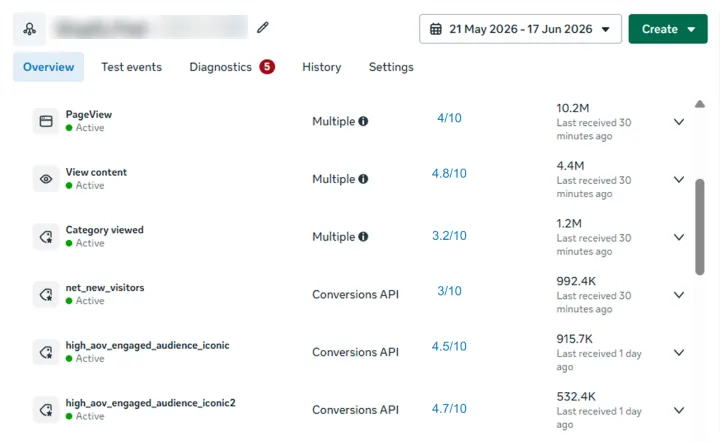
I was looking at a B2B team’s setup. Their Head of Growth was losing his mind. HubSpot was showing 214 MQLs for the month, but Meta Ads Manager was only taking credit for 147. Even worse, inside Events Manager, their Event Match Quality (EMQ) score was sitting at a pathetic 3.7 out of 10.
Let me show you how businesses typically set this up and why it falls apart in practice.
How Companies Use Zapier for Meta CAPI (And What Their Funnels Look Like)
Many growing brands and B2B companies — from DTC brands like Nectar Sleep sending offline call-center purchase events, to B2B SaaS companies syncing CRM pipeline updates — turn to Zapier to power their Meta Conversions API setup.
Meta and Zapier even co-market this integration, citing an average 15% to 19% reduction in cost per quality lead when offline CRM events are fed back into Meta.

Here is how that funnel plays out step-by-step for a real business:
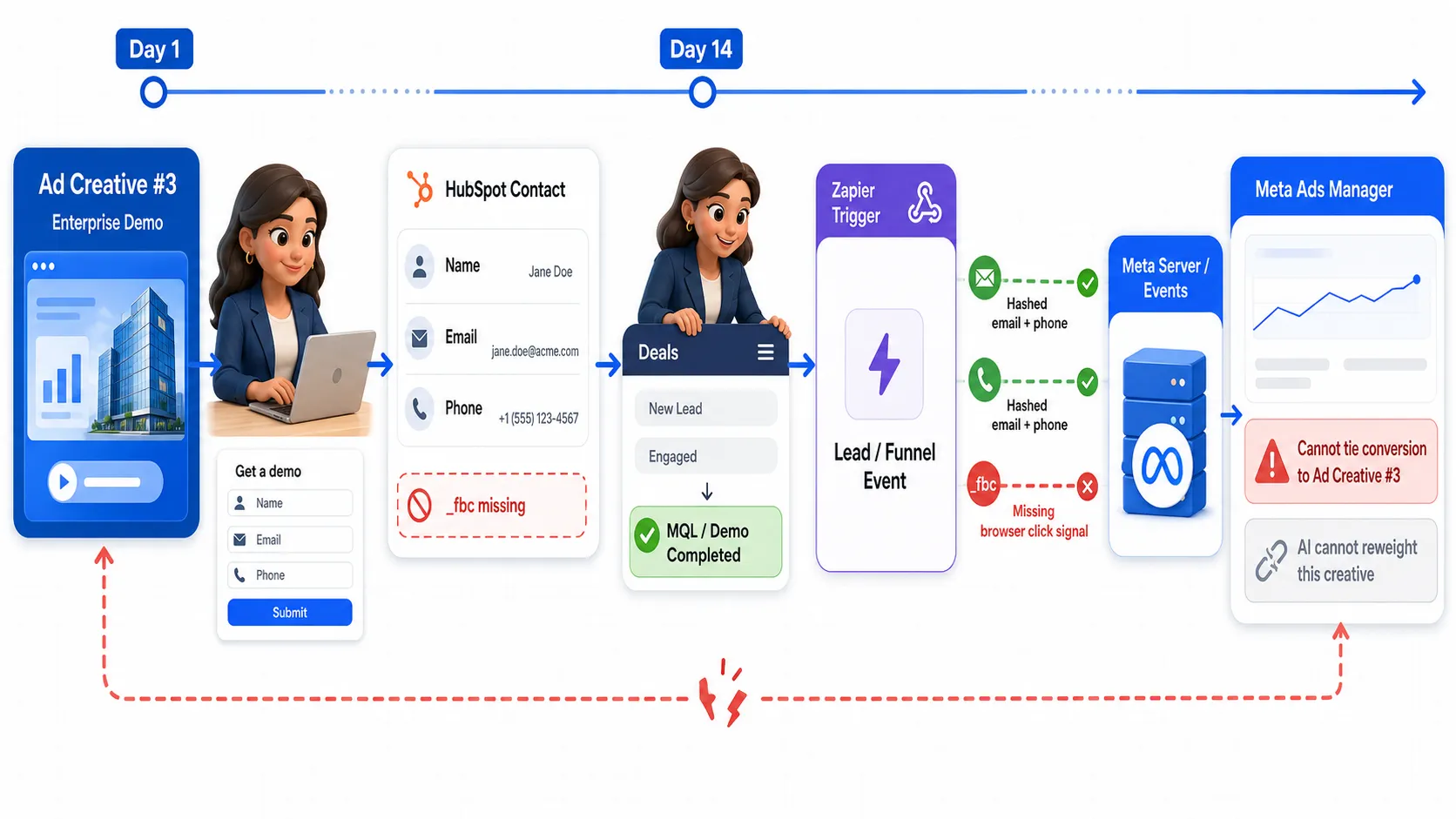
Zapier pushes her hashed email and phone number. But because her CRM row never stored her browser click cookie (_fbc), Zapier cannot send it.
The Outcome: Meta receives the server event, but cannot tie it back to Ad Creative #3. Ads Manager shows that a lead qualifies, but the AI algorithm cannot reweight the specific ad creative that actually drove the conversion.
The first thing everyone does in this situation? Check Zapier.
And sure enough, every single Zap in their pipeline was bright green. New Lead? Green. Stage Changed to Qualified? Green. Closed Won? Green. 100% success rate. Zero error logs.
The data was leaving HubSpot and was landing in Meta. But Meta’s algorithm was essentially treating it like junk mail.
Here’s the dirty secret nobody tells you about Zapier’s Meta Conversions API: it has a built-in match-quality ceiling, and no amount of Zap tweaking will ever get you past it.
It’s not Zapier’s fault. Zapier is doing exactly what you pay it to do, moving database rows from point A to point B. The ceiling comes from what’s missing from that row: the browser-side click identifiers Meta’s algorithm relies on to establish a high-confidence, deterministic match.
You don’t need to throw Zapier in the trash. You just need to stop forcing it to handle attribution work it was never built to do.
Why Do Your CRM Zaps Keep Hitting an EMQ Ceiling?
Meta grades every server event on Event Match Quality — a 0–10 score in Events Manager that tells you how easily Meta can tie an event back to a real user. If you rely purely on Zapier to push CRM events, your score is going to plateau around a 3 or 4. Here are the four reasons why:
1. Zero Browser Keys (_fbp and _fbc) in the Payload
When a Zap fires off a new CRM deal or contact, it pulls whatever is sitting in your CRM fields: hashed email, phone number, first name, last name.
What it doesn’t have is _fbp (Meta’s 90-day browser cookie) or _fbc (the cookie created when someone lands on your site with a fbclid in the URL). Meta places both of these right at the top of its matching hierarchy. But because the CRM record was created after the user left your site, Zapier has no browser cookies to send.
// What Zapier actually sends Meta from your CRM{ "event_name": "Lead", "event_time": 1723123456, "action_source": "system_generated", "user_data": { "em": ["a3b8f...9c1"], "ph": ["7e2d3...b4a"], "fn": ["b1c4d..."], "ln": ["9e2a1..."] }}// What Meta actually wants to give you high match quality (8.5+){ "event_name": "Lead", "event_id": "lead_20260810_882401", "action_source": "website", "user_data": { "em": ["a3b8f...9c1"], "ph": ["7e2d3...b4a"], "fbc": "fb.1.1723118840123.IwAR2n8kZ...", "fbp": "fb.1.1723118840123.482910344", "client_ip_address": "203.0.113.42", "client_user_agent": "Mozilla/5.0 ..." }}Two totally different payloads for the exact same lead.
2. Probabilistic Matching vs. Deterministic Links
When you only send hashed emails and phone numbers, Meta does a simple database lookup:
“Hey, is there an Instagram or Facebook account with this email address?”
That’s a probabilistic match. It works for broad demographic reporting, but it doesn’t give Meta’s ad algorithm the confidence it needs to optimize per-creative bidding. On the other hand, _fbc is a deterministic link. It tells Meta: “This specific browser clicked this specific ad variant and converted.”
3. Long Sales Cycles Kill Your Attribution Window
Zapier’s own guide to Meta lead quality flags this one.
Meta’s learning engine needs funnel events to land within its 28-day window to figure out which ad creative drove the sale. If you have a 60-day SaaS trial or a long sales cycle, your offline purchase event lands long after Meta’s window has slammed shut. Without _fbc attached to that event to retroactively bridge the gap, Meta completely ignores the conversion when retraining your ad sets.
4. Deduplication Issues Between Browser Pixel and CRM
Meta tries to deduplicate Pixel and CAPI events using a combination of event_name and event_id. Standard Zapier setups mint a brand-new, random event_id when the Zap executes. Because the browser Pixel sent a different ID on form submit, Meta sees two different conversions and drops one at random.
Result: The same conversion is counted twice, forcing Meta’s fuzzy fallback to drop one at random.
What This Invisible Ceiling Actually Costs You
Three costs, each traceable to the ceiling above.
| What’s Happening | How Meta’s AI Responds | The Impact on Your Wallet |
|---|---|---|
| No Ad-Level Signals | Meta optimizes for “people with emails like this” instead of “people who click this specific ad.” | Campaign budget gets dumped into broad audiences instead of scaling your winning creative. |
| Untethered Pipeline Data | Meta sees leads qualifying in your CRM, but can’t map them back to the original ad click. | Your qualified lead count might go up, but your Cost Per Qualified Lead stalls out. |
| The “Green Dashboard” Trap | Everything looks green in Zapier, so nobody realizes the ad algorithm is running on low signal. | Competitors passing full browser click data run at an 8.5+ EMQ and spend ~18% less per lead. |
Meta and Zapier co-market 15% lower cost per quality lead when it’s wired correctly, and that number is real for stacks where the identifier layer underneath is already handled. What the app does not do — cannot do — is give Meta the click identifier to close the deterministic match. That’s the layer underneath.
The Real Fix: Separate Operations from Attribution
Here is how you actually clean this up without messing up your tech stack:
Stop using Zapier as your primary ad-attribution pipeline. Keep Zapier doing what it does best — internal workflow automation — and put a dedicated first-party identity layer like CustomerLabs underneath to stream your CAPI events directly to Meta.
Why? Because Zapier is inherently incapable of identity resolution.
Identity resolution requires tracking an anonymous visitor across multiple browser sessions, capturing their transient click parameters (_fbc and _fbp), and stitching that anonymous behavior to a known profile the second they convert. Zapier operates on a single, post-conversion CRM trigger; it only sees static fields in a database row long after the browser session has ended. It has no web script, no session memory, and no identity graph.
A first-party identity layer handles that identity resolution at first touch, appends the full click history to the visitor profile, and streams direct, high-EMQ CAPI events to Meta.
-
The Attribution Layer (CustomerLabs): Grabs
_fbc,_fbp, IP address, and User Agent the second a visitor lands on your site. It stitches those keys to the lead profile and fires CAPI events directly to Meta with high EMQ. -
The Operational Layer (Zapier): Fires off your internal CRM workflows — sending Slack notifications, updating Google Sheets, or enrolling leads into email sequences.
How to Connect Zapier to Meta Ads Using CustomerLabs
If you want to uncap your match quality, here is the exact roadmap to set up direct tracking:
- To set up direct CAPI routing: Read the CustomerLabs Meta Ads Setup Guide.
- To keep running your operational workflows: Read the CustomerLabs Zapier Setup Guide.
Step 1: Drop the First-Party Script in Your Header. Load the CustomerLabs script alongside your Meta Pixel on all landing pages. It grabs fbclid and _fbp off the visitor’s browser instantly.
Step 2: Turn On Browser Parameter Capture. Enable auto-capture for IP, User Agent, referrer parameters, and cookie IDs on anonymous sessions.
Step 3: Stitch Identity on Form Submit. Pass hashed email on form submission so CustomerLabs merges the anonymous browser session with the new CRM contact.
Step 4: Connect CAPI Direct to Meta. Plug your Meta Dataset ID and Access Token directly into CustomerLabs. It mints one single event_id per conversion and reuses it across both Pixel and CAPI for seamless deduplication.
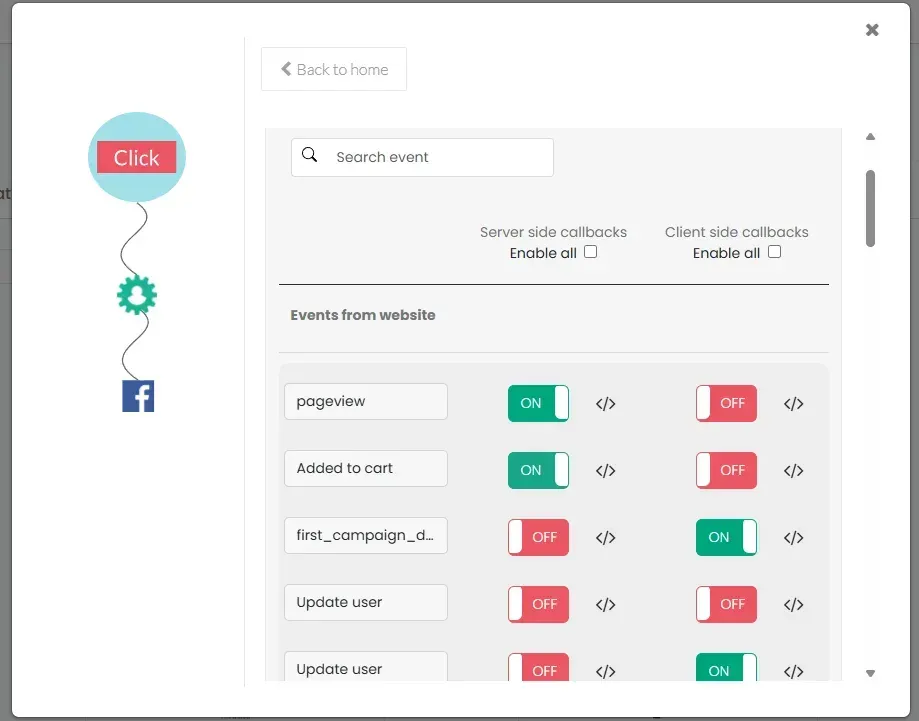
Step 5: Test in Events Manager. Run a test lead through your form. Check Meta’s Test Events tab to verify _fbc, _fbp, event_id, and hashed PII all show up together on the exact same row.
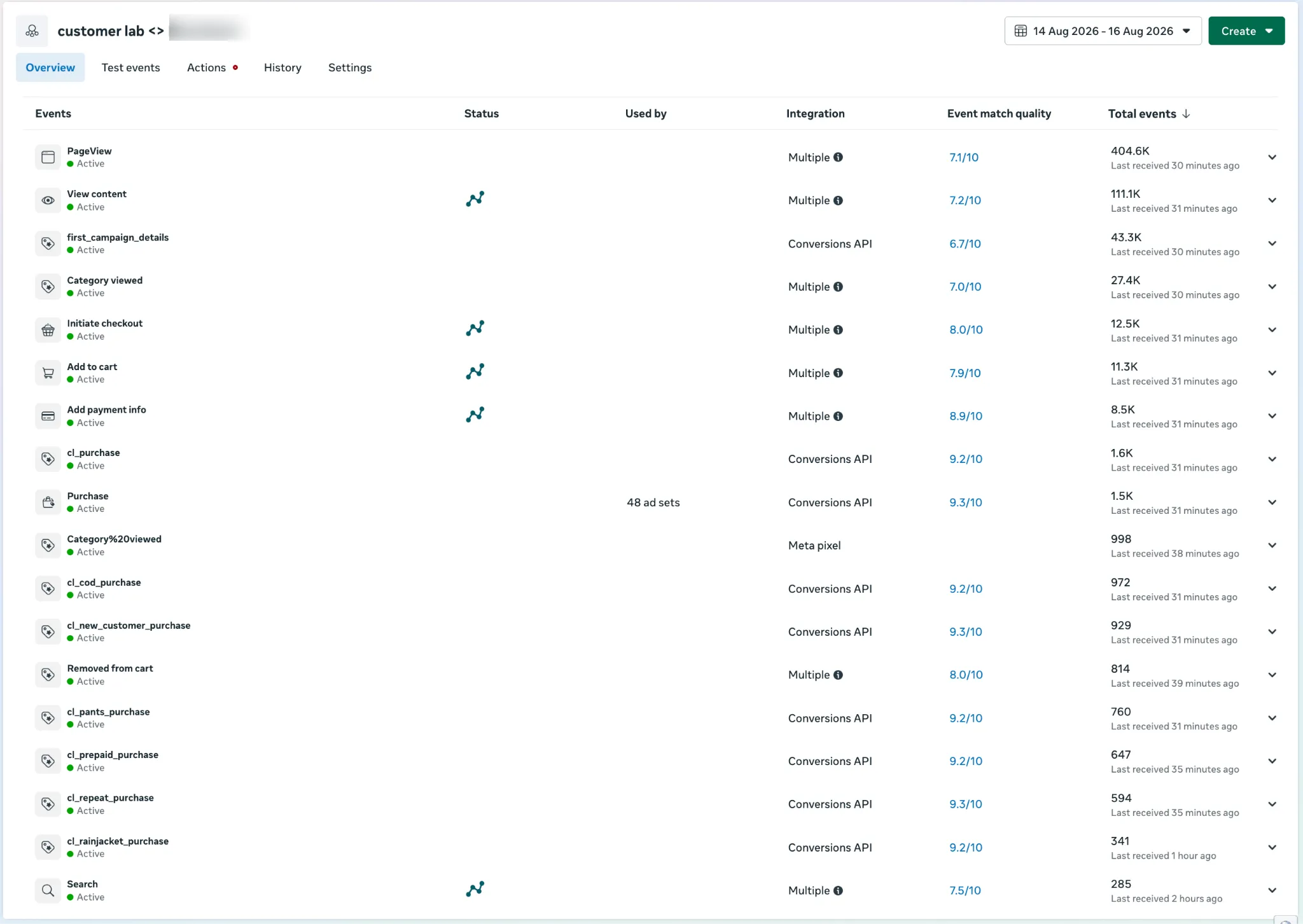
Step 6: Turn Off the Meta CAPI Zap. Disable the specific Zap sending events to Meta CAPI so you don’t double-report. Leave all your other operational Zaps running untouched.
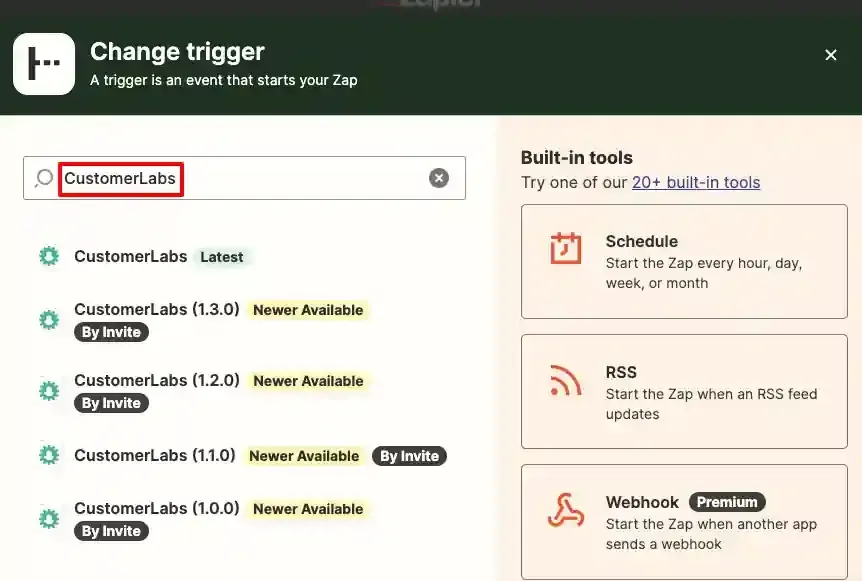
A simple example of how CustomerLabs allows Zapier to access the account:
The Takeaway
If your Meta ad account feels stuck, don’t blame Zapier. Zapier is great at moving data around your business. But when it comes to feeding Meta’s ad algorithm, static CRM fields just aren’t enough.
Give Zapier a break from attribution duties, throw a first-party tracking layer underneath to capture browser click keys at first touch, and let Meta’s AI actually see which ads are driving revenue.