Sales and marketing teams typically focus on actual conversion more than anything else. In a way, this makes sense. That’s how businesses keep afloat and grow.
Yet, there is one tiny detail. Is every purchase actually a good purchase?
While many businesses assume it’s exactly like that, it’s not. That’s why post-purchase data is so valuable. It’s not just about retention or pretty reports. These are some of the most valuable signals that can help you target high-value customers with your paid ads.
Now, let’s see how you can practically use it to improve your behavioral targeting and performance in Meta and Google Ads.
Why Post-Purchase Data Matters for Meta and Google Ads
Sometimes, we seem to forget that Meta and Google are only as effective as the signals we give them.
Let’s imagine that the same campaign brought you two sales:
-
Someone who got a discounted item, requested a refund, and you’ve never heard of them again.
-
And someone who bought a full-priced product and then bought even more from you.
Unless you feed these details to your ad platform, it won’t know what purchases you actually prefer. Yes, Google and Meta algorithms are getting better. But they simply can’t know that information if you don’t provide it.
So, if you get more of the first-type customers, don’t blame your ad platforms.
After all, post-purchase data matters simply because it can help you target customers you actually want, instead of wasting your ad spend on random users who don’t generate profit.
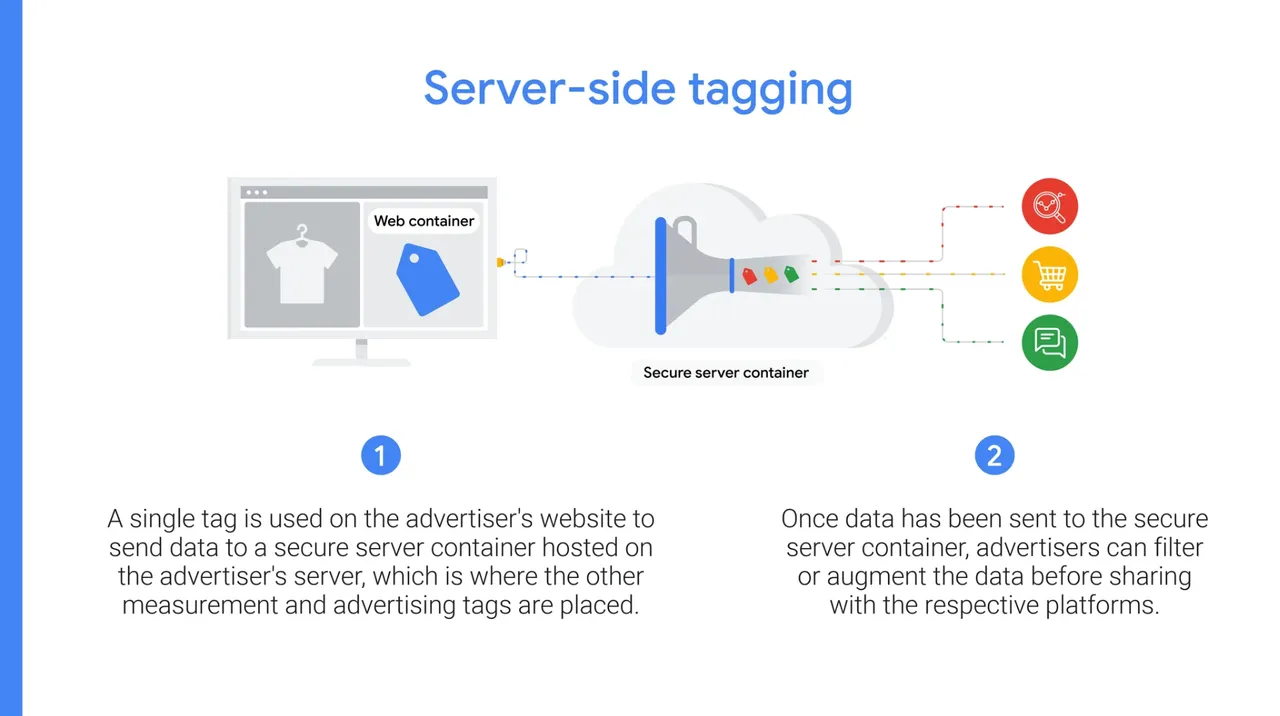
One more thing: make sure your first-party data is as clean and complete as possible. Server-side tracking can help here, as it mitigates signal loss from cookie restrictions, ad blockers, etc.
Which Post-Purchase Information Is Actually Useful?
There are many ways to improve Google and Meta Ads targeting with first-party data. And frankly, the information you use will vary depending on your goals.
So, the best place to start is to define your objective.
Yeah, yeah, we know every marketing blog post says that. But it’s just how it works. Do you want to focus on customer lifetime value optimization for paid ads? Or exclude low-quality customers from ads? Your goal will ultimately pinpoint what data you need.
Overall, this is what tends to be useful:
-
Customer identifiers: The most obvious one that includes personal data (name, address, email, etc.).
-
Transaction details: Give Meta and Google the context about what happened after the click (product ID, quantity, order value, new or returning customer, and so on).
-
Customer value: Customer lifetime value marketing also applies to ads. So, it’s essential to track things like LTV, high vs. low value, AOV, purchase frequency, etc.
-
Profit and refund: Your campaigns aren’t just about ROAS. You have to understand the actual profit. So, monitor things like gross margin, refunds, reasons for return, high-return products, etc.
-
Post-purchase survey: This data can improve your messaging, as you can better understand triggers and objections. Besides, it’s really useful for attribution (especially when you deal with multi-touch attribution).
-
Customer reviews: This isn’t the most typical information to feed your ad platforms. But it gives you a fuller picture. The idea is to understand complaint reasons, how likely users are to recommend you, any product review details, and so on.
Depending on your industry, privacy policy, and other regulations, you may not be able to send everything to your ad platforms. And it’s okay. Use that data for internal segmentation or even research.
This is where 1PD Ops can help you organize what data should be fed to your ad platforms and what should be kept out.

How to Use Post-Purchase Data in Meta and Google Ads
Once you have the data from the section above, this is exactly how you can use it in Google and Meta Ads.
1. Send Better Conversion Signals
You can often see two extremes: accounts that only track conversions without any details, and those that send all the data they have. But neither of those is a good approach. What you really need is to send better conversion signals.
How can this look practically?
Instead of only sending a standard purchase event with basic details like event time, order ID, value, currency, and so on, add more context.
You can start by adding parameters or setting up custom events with the following details:
-
First or repeat purchase,
-
Full-price or discounted purchase,
-
High-value or low-value purchase,
-
Subscription started, renewed, or canceled,
You can also track other optional post-purchase details, like survey completed, support ticket created, etc. (if that makes sense for you).
As always, the best rule of thumb is to start small and add other details later if needed.
Still, enriching your events isn’t a cure-all. Like everything in marketing and advertising, it’s never about finding the next acquisition shortcut, a universal converting copy best practice, or the best guest post services.
There is no single best approach, platform, or strategy.
Marketing is about collecting the right data and actually applying it. And that’s what post-purchase information is also for.
2. Optimize for Customer Quality
Look at it this way: instead of simply tracking whether someone did or didn’t become your customer, explain to Meta and Google your preferences. Show them which buyers are more interesting to you and what their behavior tends to be.
Again, you can do that by providing all types of data, from purchase values to refunds. But make sure to send them back with enough context (like customer identifiers, event data, order ID, etc.)
Typically, it would look like this:
-
Meta Ads: You’d set up more detailed events through CAPI.
-
Google Ads: It could vary, from adding enhanced conversions (sends hashed first-party data) or Customer Match (creates a segment based on the customer list you provide) to value-based bidding (focuses on conversion value rather than quantity).
3. Build Better Audience Segments
Creating lookalike audiences and customer segments with post-purchase data can bring your targeting to a new level. It isn’t just about their personal details. It’s about their behavior.
Your segments will depend a lot on your goals (yes, again):
-
If you want to attract more high-value buyers, segment the customers above a particular LTV threshold.
-
If you want to push a specific product category, segment the buyers who choose those products.
-
If you want to get more repeat purchases, segment those who have bought from you several times.
-
If you want to work on your retention, segment users who are about to need to restock or resubscribe and target them with your ads.
The issue you might face soon is that you have zero- and first-party data coming from way too many tools.
So, a platform like CustomerLabs can really help here. You can collect data from different sources in one place, segment the users, and directly sync your segments to Meta and Google Ads.
4. Create Smarter Audience Exclusions
This works great if you want to exclude low-quality customers from ads. But it goes beyond that. You can also exclude:
-
Users who already got a particular product or subscription,
-
Existing subscribers/buyers from your acquisition campaigns,
-
Buyers who return products frequently or cancel subscriptions,
-
Unqualified leads (it’s especially useful to match them to an exact campaign), etc.
The main thing to watch out for here is the freshness of your data. If a person has already bought that exact product, showing it again to them will simply waste your budget.
So, ideally, you need to update this information regularly or use a tool that can keep your data synced automatically, like CustomerLabs.
5. Improve Retargeting and Cross-Selling
The buying history gives you lots of useful information for upselling, cross-selling, and retargeting. The most practical approach here is to create clear rules that actually make sense.
Think of it this way:
-
A client bought a product A.
-
What information does it give you? (Product type, goals, price point, etc.)
-
What would be the most logical thing to offer?
Imagine a user bought suede shoes from you. Pushing another pair of shoes in a week wouldn’t generally be as successful as showing a suede care kit, for example.
6. Turn Survey Answers Into Ad Creatives
Many businesses ignore post-purchase surveys. It’s understandable, as many customers skip them. But the answers you get can be absolutely priceless, especially when it comes to adjusting your messaging.
For example, here is a Google Ad for a referral software. They position it as “no developers required.”
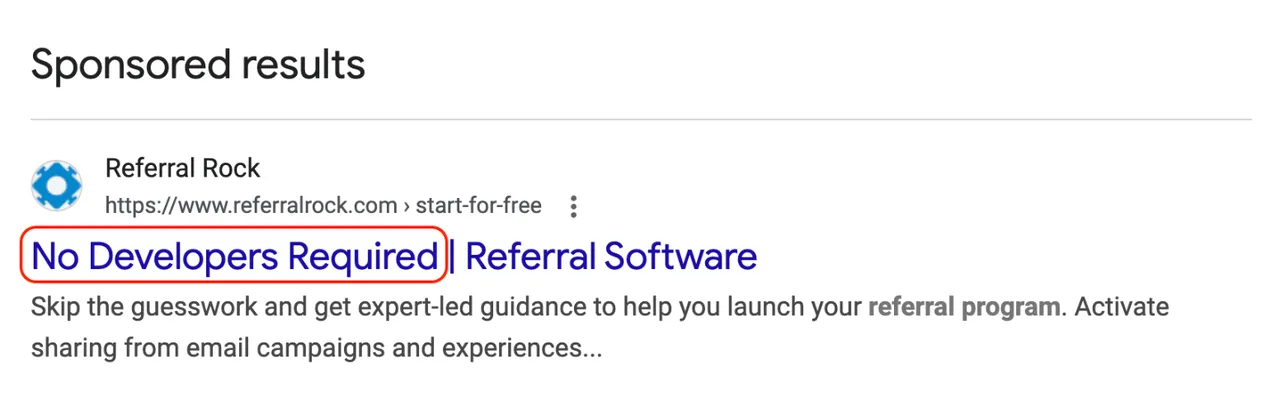
Is it really a thing that concerns their ICP?
You can’t know for sure unless you actually ask your customers or leads. Sure, you can do this through your sales, support, and customer success teams. But you can also get these insights through a post-purchase survey.
The idea here is to understand triggers, doubts, objections, emotions, etc., that your customer was experiencing before buying.
Once you know them, address the most common issues in your ad creative.
It’ll also be effective to test what moves the needle better. For example, it might seem like addressing objections is the best way to go. But in reality, an emotionally charged desired outcome could work better for the actual conversion.
Things Worth Asking in Your Post-Purchase Survey
Post-purchase surveys can become an additional data layer to fill some attribution gaps and improve your messaging. The key, though, is to make them short and ask the right questions.
You want to focus on things like:
-
What made people buy? (i.e., What was the major benefit/trigger?)
-
What was stopping them? (i.e., What was the main objection?)
-
Who else were they considering?
-
What was the actual pain/concern they were trying to solve?
-
How did they learn about your brand in the first place? And similar things.
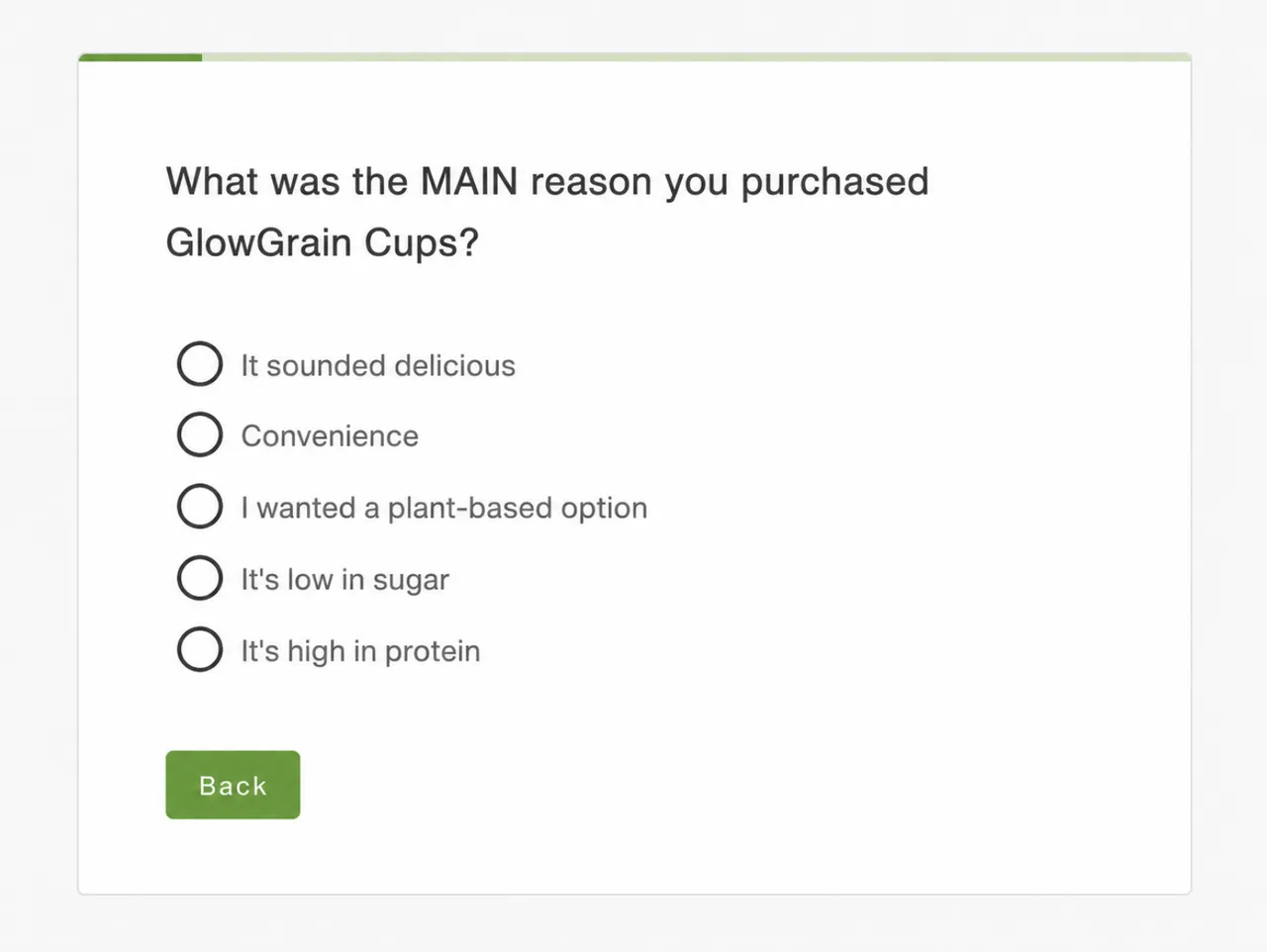
You can’t read your customers’ minds. But these short surveys can help you better understand factors that led to the purchase in the first place.
What can you do with this data once you have it?
Some of the best applications are to use post-purchase surveys for attribution, stronger messaging, and a better customer experience. For example:
-
If you discover that many users find you on LinkedIn, paying more attention to this channel would be logical.
-
If many say that they were choosing between you and X or Y competitor, consider posting some comparisons.
-
If several users almost didn’t buy because they had to spend too much to get free shipping, consider lowering that threshold.
How CustomerLabs Helps Activate Post-Purchase Data
“Activate” is the keyword here. Because you can have all the post-purchase data in the world and still struggle to actually use it properly for Meta and Google Ads optimization.
This is where CustomerLabs can help you:
-
Collect all your data sources in one platform,
-
Build audience segments based on their behavior and other details,
-
Create suppression audiences,
-
Send all that data to Google and Meta directly,
-
Sync any relevant updates regularly.
The most important part is that you avoid all that manual file exporting and importing. Sure, it can work. But it takes time and actual discipline to keep it constantly updated, especially when you have your data across dozens of tools.
Final Thoughts
We want to be honest, you can still run your PPC campaigns without using any post-purchase data. And they can still deliver results. So, we don’t want to exaggerate anything here.
But once you actually use your post-purchase details for segmentation and behavioral targeting, you’d be surprised.
These simple tweaks can help you attract the customers you actually want and make your overall strategy more precise and cost-effective.