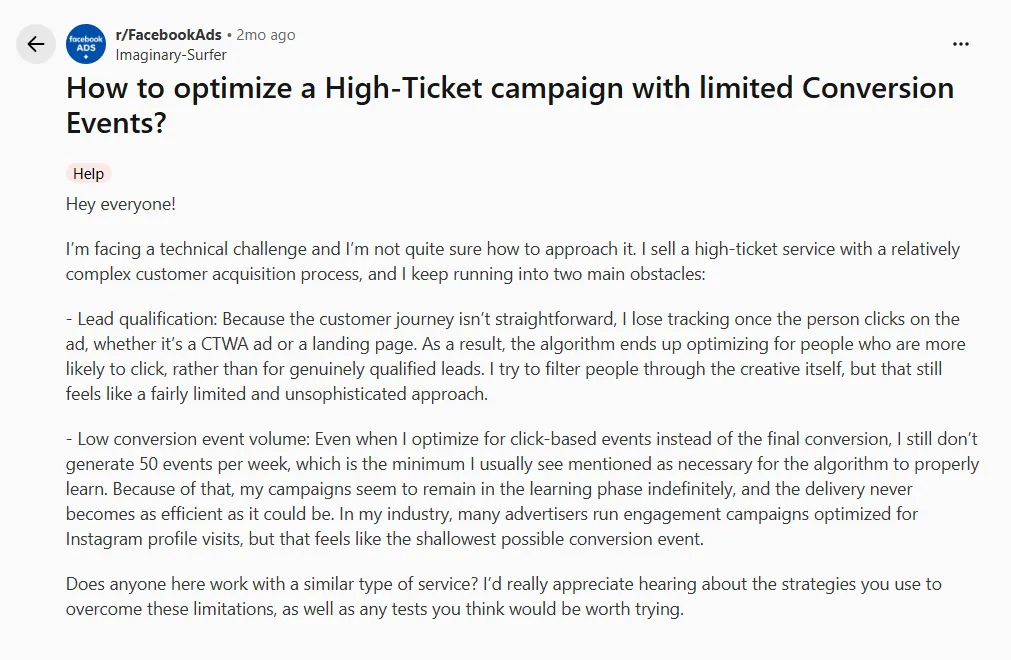
I saw this recently, when I was scrolling through reddit.
It was titled, “How to optimize a High-Ticket campaign with limited Conversion Events?,” a high-ticket-service advertiser running CTWA describes losing the full funnel signal past the click, and lands on the same diagnosis every high-ticket operator eventually reaches, which is the algorithm optimizes for people likely to click, not for genuinely qualified leads.
And missing messaging events are almost never a Meta bug. Before you rethink strategy, confirm the signal is actually flowing.
High-ticket CTWA campaigns fail for two reasons that look like one; the qualified event never ties back to the click, and there aren’t enough of those events per week for Meta to learn on. Both are fixable, in that order.
So let’s dive into the fix without any fluff.
The first pain that the marketer said, lead qualification, let’s fix that first.
Stitch identity at the click, or Meta can never tie the qualified lead back to the ad
Understanding the root cause is always important. Here, a click ID is not a person. When someone taps your Click-to-WhatsApp ad, Meta gives you ctwa_clid, a code for that one click, that one moment. It was never built to last three days.
So when the person finally books a call on day 3, Meta has no idea it’s the same person who clicked. To Meta, it looks like a total stranger.
Your funnel isn’t broken. It is simply that nobody ever stitched that click to a person that you or Meta could track.
That’s an identity resolution problem.
So to optimize Click-to-WhatsApp Ads for high-ticket, you capture the click ID server-side at the moment of the click, tie it to a person key (external_id) you control, and inherit that key onto every downstream touch.
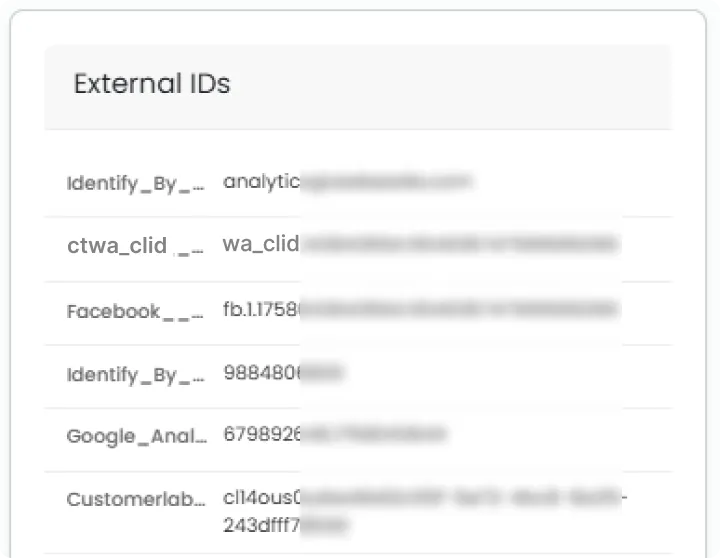
This is exactly what a 1PD Ops platform like CustomerLabs is built to do under the hood. Instead of a cookie that dies in a week, every visitor gets a forever external_id the moment they’re seen, one that never expires, never resets, and never depends on a browser remembering anything.
ctwa_clid, fbclid, hashed email, hashed phone, fbc, fbp, all of it gets stitched onto that one ID automatically, so the click on day 0 and the discovery call on day 3 are already the same person before you’ve written a single line of code.
How do you do this?
- Capture
ctwa_clid(andfbclidfor any web-side clicks) server-side at click time. For CTWA,ctwa_clidarrives in the WhatsApp Business Platform webhook’sreferralobject on the first inbound message. If you don’t grab it there, you never see it again — the field is not resent on subsequent messages. For landing-page clicks, readfbclidfrom the URL server-side, not just in the browser, soctwa_clidattribution for deep-funnel events survives the session ending. - Persist it against a stable person key. Write
ctwa_clidandfbclidonto a profile keyed byexternal_id, hashed email, and hashed phone.external_idshould be your CRM’s contact ID, the same one that will move through your pipeline stages. - Keep
fbcandfbpfrom the landing session on that profile. These are what Meta uses to match server events back to browser sessions. Set them at first touch and do not overwrite them on later events. - Inherit the identity onto every downstream touch. WhatsApp reply, form fill, CRM record creation, discovery call booked, proposal sent — each of those events should carry
external_id, hashed email, hashed phone,fbc,fbp, and the originalctwa_clidin the user data block. - Deduplicate with
event_id. If a browser event and a server event describe the same action, give them the sameevent_idso Meta counts one event with better match quality, not two competing ones.
Then verify. Open Meta Events Manager, filter to your CTWA Lead event, and check that Event Match Quality is 8.0 or above with external_id, hashed email, hashed phone, fbc, and fbp all showing as received. Any empty column means the stitching is not working yet, and if this is not fixed, Fix 2 will not really help.
Once that identity is stitched, the person who clicked and the qualified lead are the same person to Meta, not two strangers. The algorithm can finally see who clicked and who actually got qualified three days later, instead of just optimizing for whoever’s fastest to tap an ad.
Identity is now solvable. Now here comes the 2nd issue of the marketer — for that, Meta still needs enough of those qualified events per week to have something to learn on.
Fire a mid-funnel qualified event from your CRM back into Meta
Optimizing on the closed sale starves the model.
A $10k+ offer does not produce 50 Purchase events per ad set per week, so the algorithm never exits the learning phase for high-ticket campaigns.
I had to agree with the marketer here. Optimizing on Instagram profile visits or raw link clicks does the opposite — it feeds the model low-intent signals and trains it on people who like to click.
The event you want Meta to learn on is the first CRM stage that
(a) is a meaningfully filtered signal of quality and
(b) happens often enough to give an adset roughly 50 events per week.
That event lives in your CRM, not on your website, so it has to be triggered by a CRM stage change and pushed into Meta via the Conversions API.
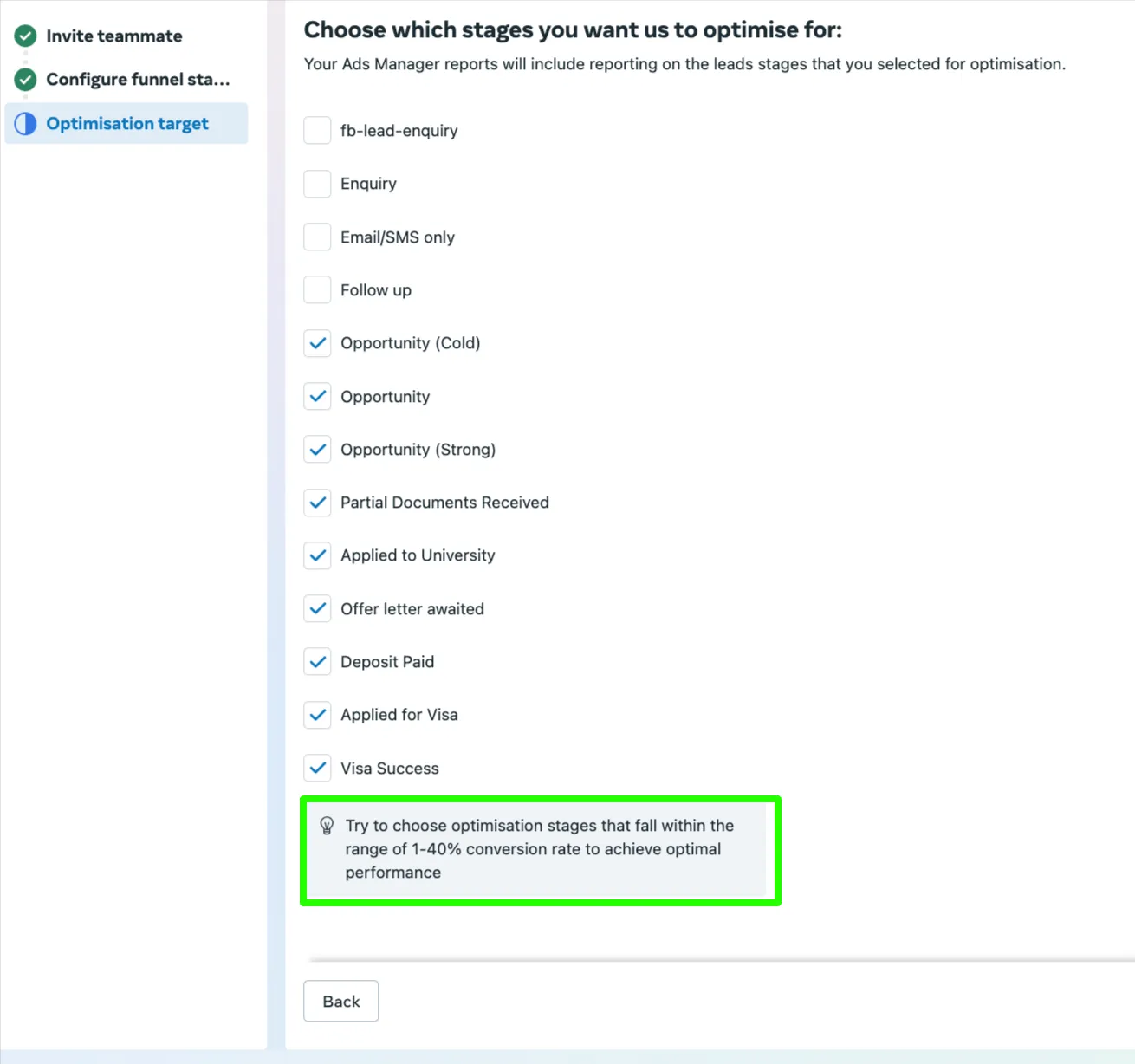
Pick the event Meta can learn on
The candidates, in descending order of cleanness: call completed with budget confirmed, discovery call booked, proposal requested. (This can change according to your funnel.)
Any of those is a stronger optimization target than Purchase for CTWA Conversions API for long sales cycle work, because roughly 50 events per adset per week is Meta’s threshold to exit learning.
Name it using Meta’s standard Lead event, or define a custom conversion in Events Manager and map it to Lead. Standard event names carry better default optimization than one-off custom names.
And pick one qualified event per adset — do not stack five micro-conversions in the account and expect Meta to sort them out. One event, cleanly defined.
Fire it from the CRM stage change, not the website
The trigger is the CRM record moving from, say, “New Lead” to “Discovery Booked.” Not a page view, not a button click, not a UTM landing.
Send it via the Conversions API — the Offline Conversions API was deprecated in 2025, so all offline conversion sync from CRM to Meta for CTWA now flows through CAPI.
This matters more than it used to: since Meta’s Andromeda shift the delivery engine leans much harder on server-side signal quality than on raw client-side volume, which is exactly why a small stream of clean CRM-stage events can now out-optimize a large stream of pixel-only events.
The payload has to carry the full match-quality set: hashed email, hashed phone, external_id, and the fbc and fbp inherited from the landing session via identity stitching, plus action_source=business_messaging and messaging_channel: whatsapp so Meta attributes the event to the CTWA click that started it.
It should look like this:
Give it the same event_id your CRM writes to its own log so retries and duplicates deduplicate cleanly. The end-to-end wiring — BSP webhook capture, CRM stage-change trigger, CAPI push with the right payload — is a build in itself; see How To Connect CTWA Chats to Ad Campaigns And CRM Without Using Zapier for the full implementation.
When you do that, it should look something like this:
Add the value parameter
Attach a value to every qualified event.
Expected deal size, close probability × ACV, or a fixed pipeline-stage value, something like this.
MQL = $X, SQL = $Y, Opportunity = $Z.
This is what flips Meta from “find more people who click” to “find more people who look like a $50k close,” and that shift only works if the value distribution across events is real, not a flat number on every row.
Include the currency parameter — it is required — and use the currency your CRM stores the value in.
If volume is still thin, composite the signals
If a single qualified stage does not clear ~50 events per adset per week even after Fixes 1 and 2, composite them: “call booked OR budget confirmed OR proposal sent” fires as one qualified event, once per person per stage change. One event, three triggering conditions.
This is a better path than defaulting to engagement or conversation optimization, which fills your funnel with people who like to chat. Composite lets you keep the Meta learning phase high-ticket campaigns problem inside a real qualification bar rather than trading it for a volume-for-quality swap.
In mechanism terms, this is the gap a 1PD Ops layer like CustomerLabs is built to close — identity stitching and CRM-to-CAPI signal delivery, instead of hand-rolling it with Zapier and hoping the event_ids do not collide.
See the same identity stitching and CRM-to-CAPI wiring set up on your stack, book a demo.
Both fixes together are the whole mechanism: identity stitched at the click, then a qualified event with a value parameter fired from the CRM into Meta.
The whole point
Identity stitched at the click. A CRM-stage qualified event fired to CAPI with a value parameter. Meta optimizes for people who close, not people who click.
That is how to optimize a high-ticket CTWA campaign with limited conversion events without lowering the optimization bar or waiting for volume you will never have — your weekly count of clean qualified events is what Meta actually learns on, and both fixes together are what make those events legible to the algorithm.
When you are ready to wire this on your CTWA stack, book a demo.