If you manage Google Ads inside GoHighLevel (GHL), this situation probably sounds painfully familiar:
You check your contacts or workflow logs after running a campaign, only to find that GoHighLevel isn’t receiving any GCLID info when somebody fills out a form on your website.
When you reach out to HighLevel support, they tell you it’s not a problem on their end, it’s actually a problem on Google’s end. (Which leaves most marketers scratching their heads thinking: “How is Google Ads broken if the lead literally just clicked my ad and landed on my page?”)
Shortly after, your workflow logs start throwing this frustrating little error message:
Workflow action requires contacts created from Google Ads. Contact is missing GCLID.
It’s easy to dismiss as a minor technical glitch, but behind the scenes, this issue is quietly wrecking your entire ad performance.
The Added Frustration: Overcomplicated “Solutions” That Make Your Head Spin
When you ask online communities for help, the advice you get is often just as painful as the problem itself. Experienced technical marketers will tell you:
“Google isn’t blocking the data, it’s a technical implementation breakdown on your site. To fix this properly, you need to set up Google Tag Manager to store the GCLID in a first-party cookie, deploy server-side tagging, write custom API webhooks between GoHighLevel and Google Ads, and bypass GHL’s native forms entirely.”
Hearing that you need to build an entire custom web-engineering stack with GTM, third-party server-side tagging, custom server containers, and API webhooks just to pass a simple parameter from a form to a contact record is enough to make any media buyer want to pull their hair out.
And in the meantime, the underlying damage keeps compounding:
- The “Send Conversion to Google Ads” action you set up to track booked jobs refuses to fire.
- No conversion data reaches Google, and Smart Bidding starts optimizing in the dark.
- On your dashboard, your reported Cost Per Acquisition (CPA) drifts out of control.
- Google’s algorithm starts steering your ad budget toward junk keywords that generate empty leads instead of actual revenue.
Let’s break down why HighLevel loses this click ID, why support points the finger elsewhere, and how you can skip the complex coding headache with a clean, 15-minute fix using CustomerLabs.
What the “Contact Is Missing GCLID” Error Actually Means
When HighLevel runs the Add to Google Ads workflow step, it asks a simple question: “Do we have a tracked Google ad click for this person?”
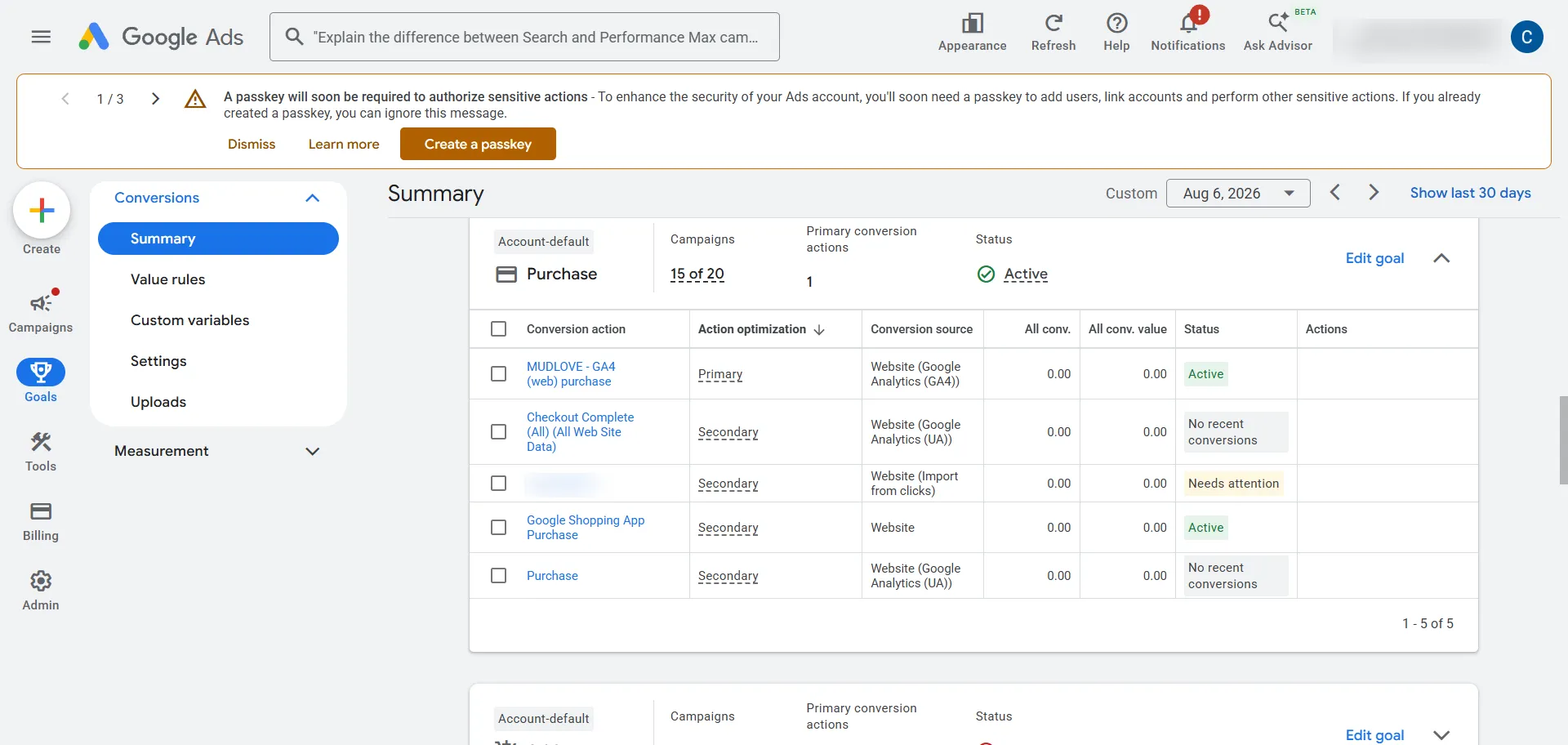
To answer that, it looks at the contact’s record for one of three tracking tags that Google uses:
- GCLID — The standard Google Click ID attached to web ads.
- WBRAID — Used when iOS privacy settings block standard tracking.
- GBRAID — Used primarily on YouTube app traffic.
If it finds at least one, it fires the conversion back to Google. If all three fields are blank, HighLevel gives up, skips the step, and logs the error.
Why GHL Support says “it’s Google’s job”: HighLevel’s native tools only look at what’s active in the browser URL at the exact second the form is submitted. In their view, if Google’s parameter isn’t sitting right there in the address bar when the form button is clicked, “Google didn’t pass it.”
The reality: The ad click happened, the parameter was sent, and the visitor landed on your site. The problem is that somewhere between that initial click and the form submission, HighLevel’s funnel, iframe, or redirect setup dropped the parameter before it reached the contact record.
Why GoHighLevel Loses the GCLID: Three Failure Modes
HighLevel is fantastic for fast page building and automated follow-ups, but its default front-end tools weren’t built to preserve complex URL parameters across multiple pages or embeds. Most GHL setups suffer from at least one of these three parameter leaks:
1. Multi-Step Funnels Strip the URL
Think about a typical three-step funnel: Page 1 shows the offer, Page 2 asks a few qualifying questions, and Page 3 has the booking calendar.
When a user clicks from Page 1 to Page 2, the original URL string (?gclid=123…) disappears unless you manually write code to pass it forward. By the time your lead reaches the form on Page 3, the URL is clean, and GHL’s built-in hidden fields submit an empty value.
2. Embedded iframe forms break cookie and parameter passing
If you embed a HighLevel form or booking widget onto an external WordPress, Webflow, or custom site using an <iframe>, you’re essentially placing a window to another website inside your page.
The iframe cannot naturally “see” the parent page’s URL or cookies. Without a custom script passing data into the frame, the GCLID sitting in the main address bar never makes it inside the form submission.
3. Redirects & Link Shorteners Erase Parameters
Redirect chains are silent tracking killers. Whether it’s an automatic HTTP-to-HTTPS redirect, a non-www domain rewrite, or a custom redirect link, a single standard 301 or 302 redirect will usually strip the ?gclid= query string completely before the landing page finishes loading.
Google’s auto-tagging placed the GCLID on the destination URL correctly, but the redirect chain removed it before the landing page ever loaded.
The result across all three failure modes is the same. The contact gets created from a real Google Ads click, but the click ID field is empty. Weeks later, “Send to Google Ads” fires, HighLevel finds no click ID, and throws the missing-GCLID error. PEMAVOR’s offline-conversion troubleshooting guide catalogs the matching rejection reasons on the Google Ads side.
The Core Secret is Identity Resolution (Connecting Anonymous Clicks to Known Leads)
Why do native HighLevel forms fail where specialized attribution tools succeed? It comes down to Identity Resolution.
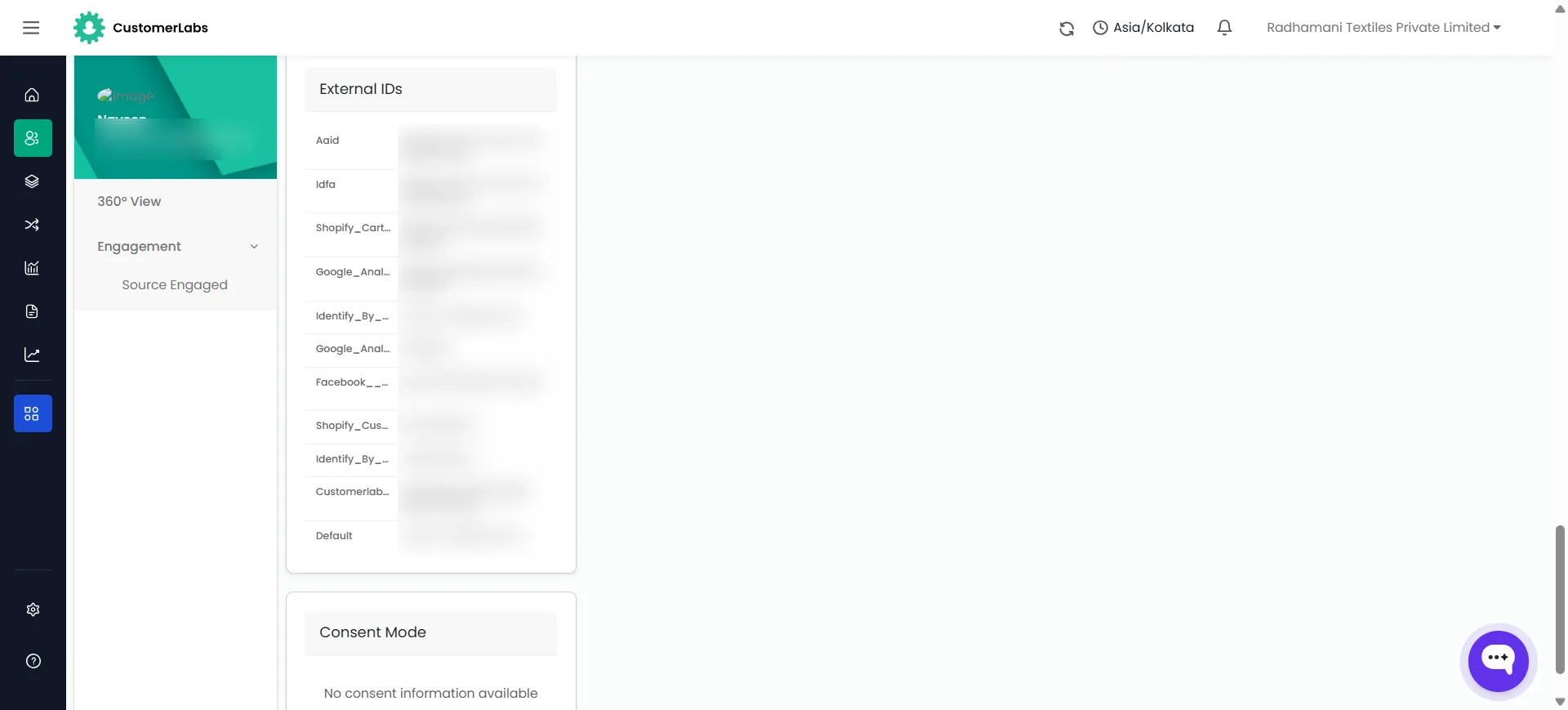
To see what this looks like in practice, the CustomerLabs Single Customer View builds a 360° unified profile for every visitor:
Traditional form tracking relies on session tracking. It assumes the user stays on the exact same page, in the exact same tab, with the parameter sitting in the address bar at the exact second they hit “Submit.”
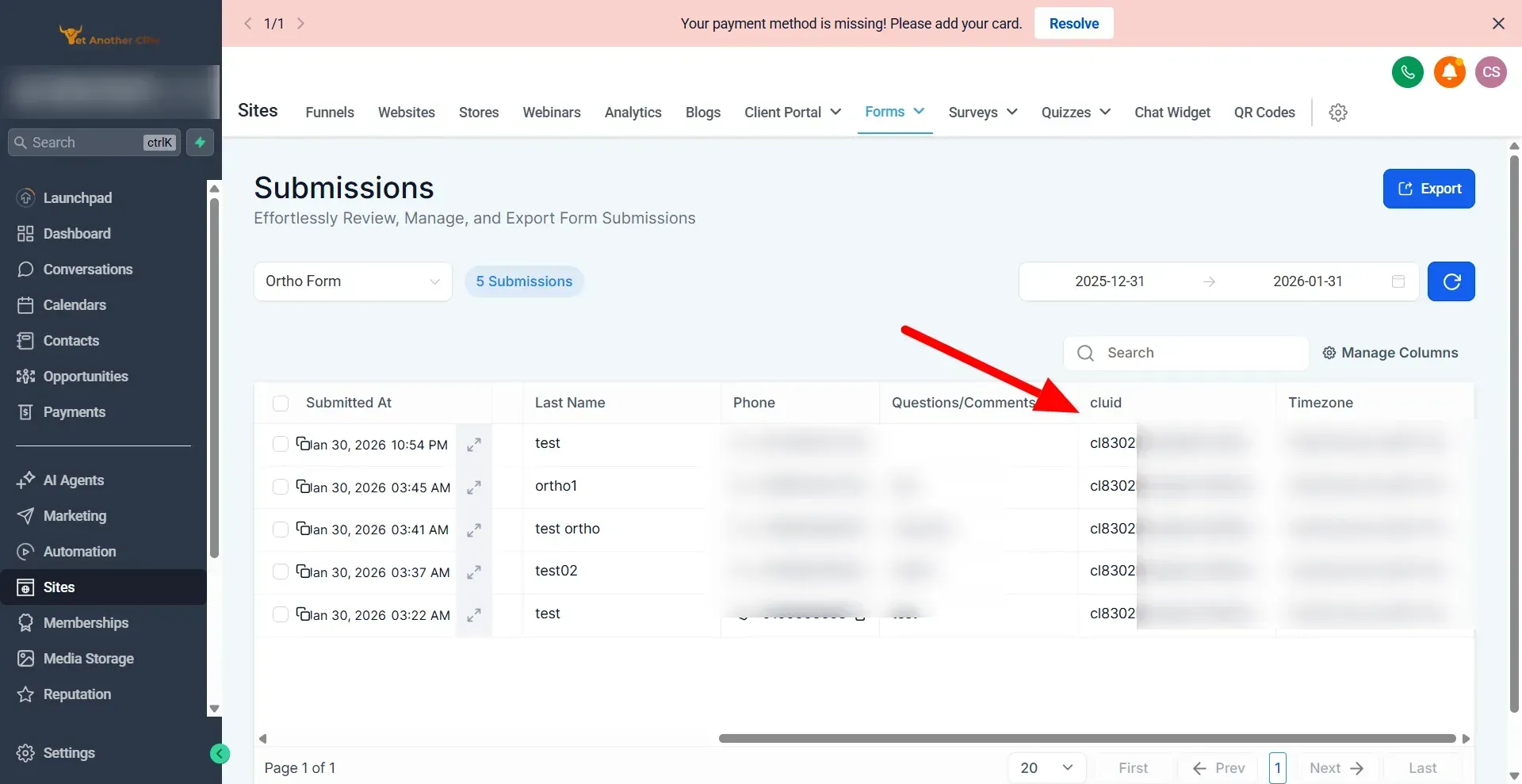
- The second an anonymous visitor lands on your page from Google Ads, the tracking layer grabs the GCLID, WBRAID, or GBRAID alongside a unique CustomerLabs User ID (
cluid). - As the lead navigates your funnel, a script auto-populates a hidden field on your GHL form with that
cluid. - When the form is submitted, a GHL Webhook pushes the lead’s PII (email, phone) and the
cluidto CustomerLabs. The engine instantly unifies the browser session (GCLID) with the new contact identity.
Feeding Qualified CRM Signals Back to Google Ads
Capturing the initial form fill is only half the battle. The real power of having a first-party data platform connected to GoHighLevel is Closed-Loop Attribution.
Suppose Google Ads generates 20 leads for your campaign. In reality:
- 10 leads are junk or unqualified.
- 10 leads are qualified, book calls, or close into paying customers.
Without a stored GCLID, Google Ads treats all 20 leads equally.
But with CustomerLabs’ direct GoHighLevel integration, you feed real-time offline feedback directly from your CRM pipeline back into Google Ads:
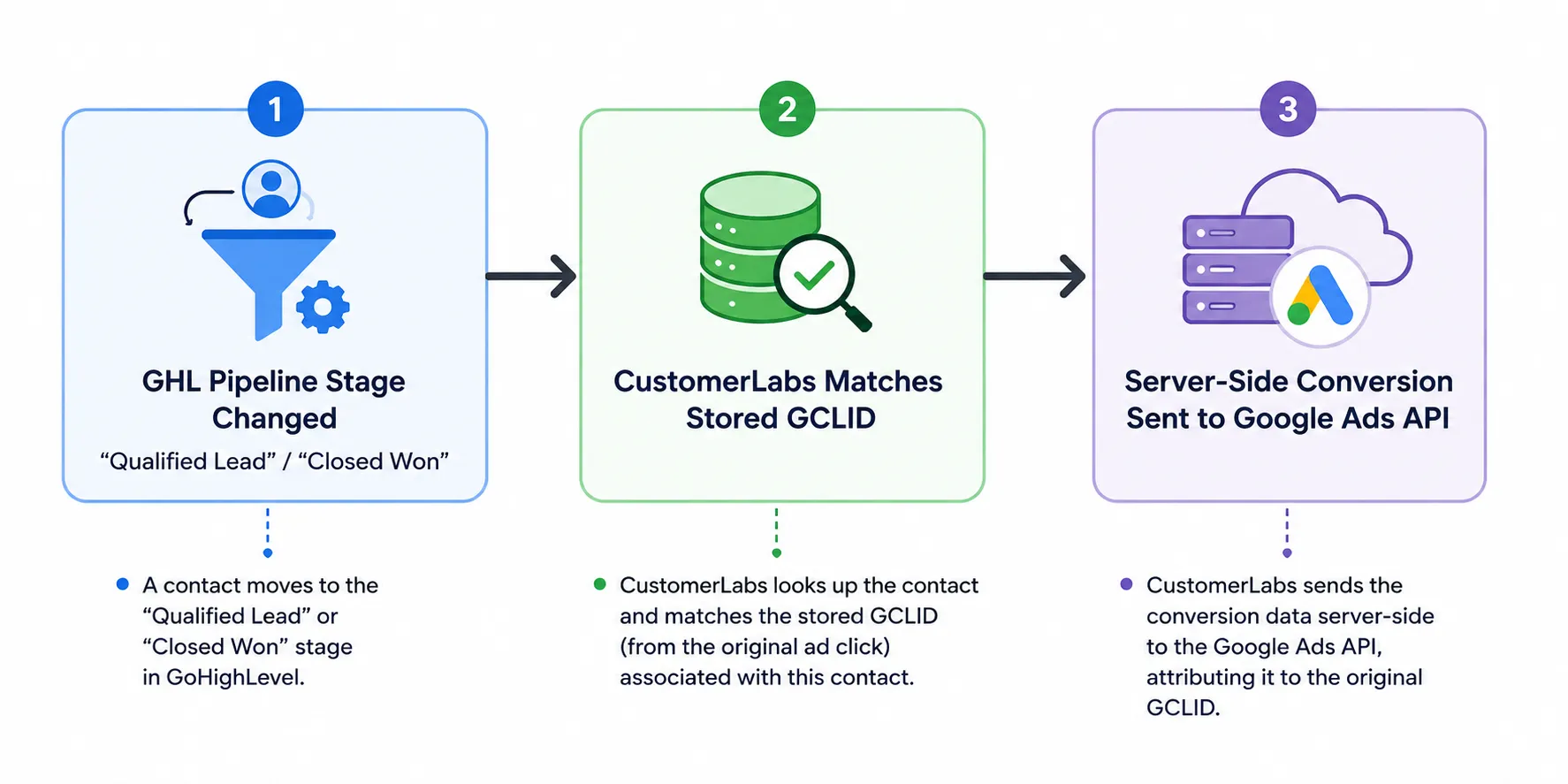
Even Works Across Long Sales Cycles
If your sales cycle takes 30, 60, or 90 days from initial form submit to a closed deal, standard browser cookies expire. Because CustomerLabs anchors the original GCLID, WBRAID, or GBRAID to the lead’s identity in your first-party database, you can push conversion signals back to Google Ads whenever the deal actually closes in GHL.
Google’s Smart Bidding then learns which specific ad auctions yield high-value deals, not just top-of-funnel form fills.
The Fix: Restore GoHighLevel Google Ads Conversion Tracking with CustomerLabs
CustomerLabs sits between the landing page and HighLevel. It captures the GCLID, WBRAID, or GBRAID at landing, binds it to the visitor identity HighLevel will later create as a contact, and pushes the enriched conversion event to Google Ads server-side through the Google Ads API. That path bypasses all three failure modes above. Setup takes about 15 minutes.
Step 1: Install the CustomerLabs tracking code
Place one JavaScript snippet on every page where a Google Ads click can land: funnel step 1, standalone landing pages, and any parent page that embeds a GHL iframe form or calendar. The snippet reads GCLID, WBRAID, and GBRAID from the URL on first load and persists them in first-party data storage tied to the CustomerLabs visitor ID. The identifiers now survive page navigation, iframes, and calendar redirects. Nothing changes inside HighLevel yet.
Step 2: Auto-capture the form submission and bind identity
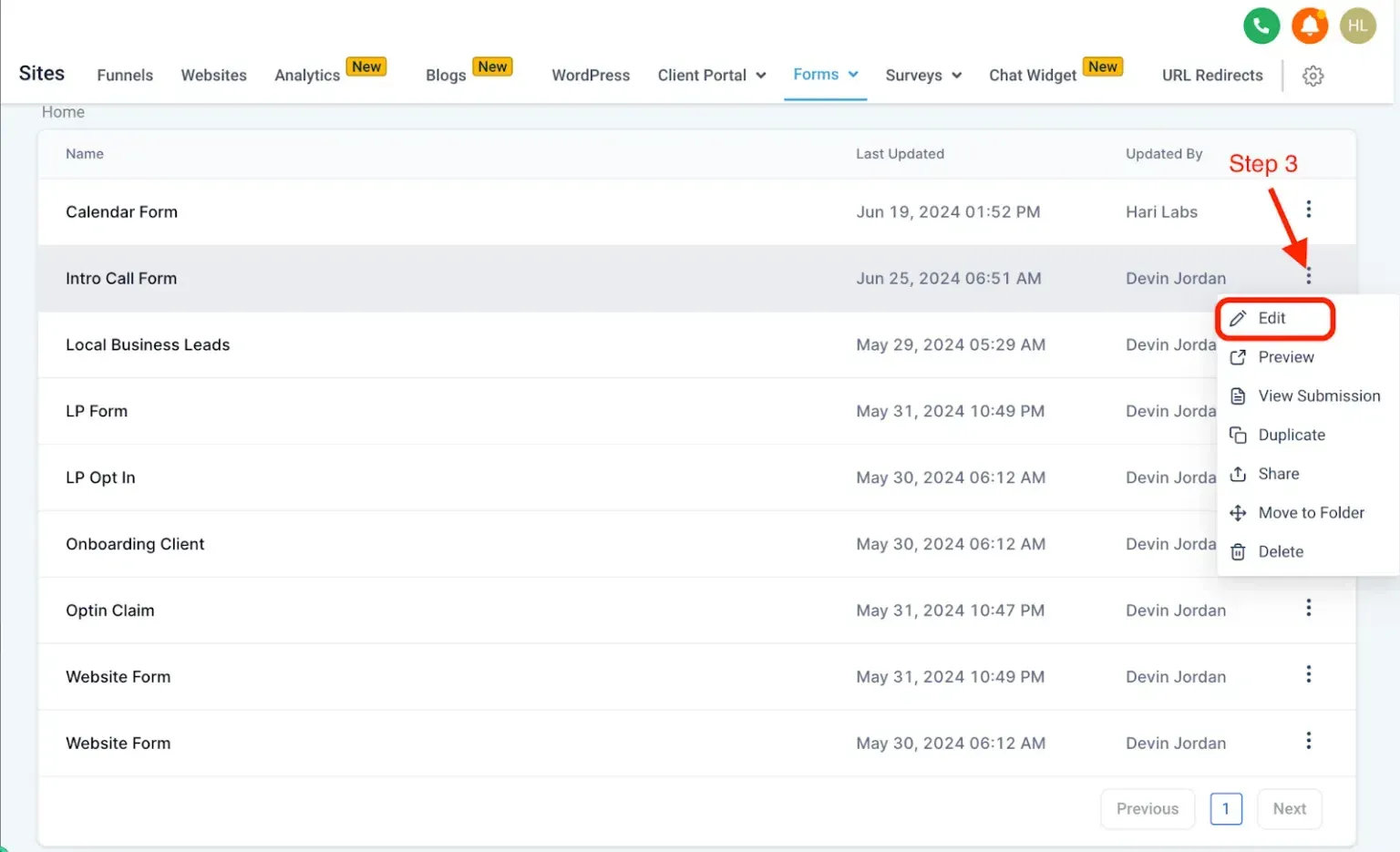
Turn on form auto-capture so that whenever a HighLevel form, embedded iframe form, or calendar booking is submitted, the payload is enriched with the stored click ID plus the email and phone identity of the lead. The Go High Level + CustomerLabs integration doc covers the field mapping. The click ID now lives against the lead identity, not against a browser session that ends when the visitor clicks between funnel steps.
Step 3: Enable the Google Ads destination (server-side)
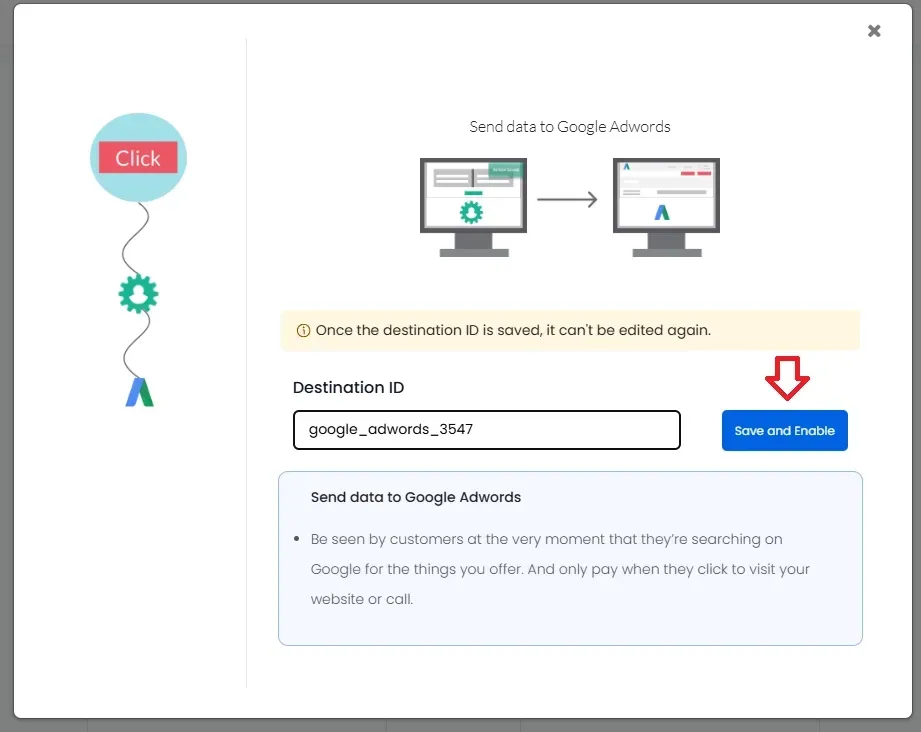
By Enabling the Google Ads destination in CustomerLabs’ Google Ads integration, Conversion events now flow directly to the Google Ads API server-side, carrying the stored click ID with each event. The conversion no longer depends on the browser being alive, on cookies being valid, or on HighLevel’s workflow action knowing the GCLID at all. HighLevel is still the trigger; CustomerLabs is the delivery.
This path also handles WBRAID and GBRAID uploads, which matters for iOS traffic because the offline-conversion API is the compliant upload route for those identifiers.
The 15-minute result
- Click IDs captured on every landing page, whether funnel step, iframe, or redirect.
- Identity binding at form submit, so the click ID follows the lead, not the session.
- Server-side push to Google Ads for GCLID, WBRAID, and GBRAID.
- The “contact is missing GCLID” workflow error stops firing on new contacts.
You get the reliability of server-side conversion tracking (like Stape/GTM) without needing a developer or custom webhooks.
Conclusion: Stop Losing Google Ads Conversions Inside GoHighLevel
HighLevel throws the “missing GCLID” error because it never had the click ID to begin with. The failure is upstream, in how funnels, iframes, and redirects handle URL parameters. CustomerLabs captures GCLID, WBRAID, and GBRAID at the identity layer and delivers conversions to Google Ads server-side, so the click ID follows the lead to the ad platform.
The payoff is a cleaner Smart Bidding signal, tighter CAC accuracy, and no more workflow errors. Getting your GoHighLevel Google Ads conversion tracking working again takes about 15 minutes.
Book a 15-minute setup call with CustomerLabs to see the fix installed against your own funnel, or read the Go High Level + CustomerLabs integration doc for the full technical walk-through.