The Real-Estate & High-Ticket B2B Trap: $250k in Pipeline, $0 in Algorithm Feedback
Let’s look at how this breaks down in a high-ticket industry, like B2B SaaS, solar installation, or high-end residential real estate.
Take a premium home remodeling brand running TikTok Lead Ads. Their offer is a “Free Luxury Kitchen Design Consultation.”
In TikTok Ads Manager, the campaign looks like a massive win: 400 leads in 14 days at a crisp $18 CPL. Zapier fires smoothly, and every submission streams straight into a master Google Sheet acting as their lightweight CRM.
Then the sales reps start working the spreadsheet.
- 310 rows are completely useless - fake numbers, students looking for design ideas, or renters who don’t own a home.
- 80 rows answer the phone, but back out when they realize a full remodel costs $50,000+.
- 10 rows actually book an in-home site visit.
- 3 rows sign contracts and pay deposits, generating $120,000 in actual revenue.
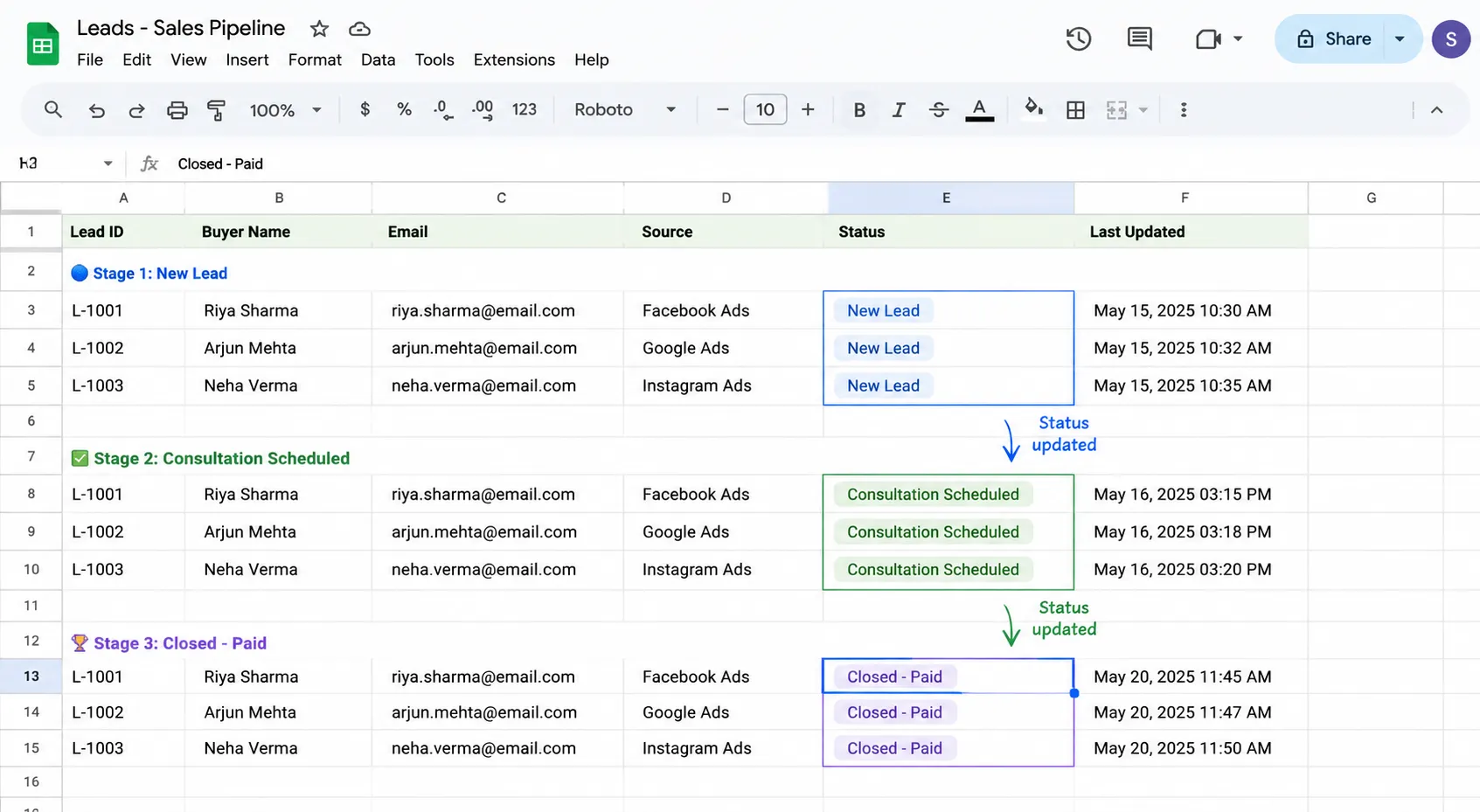
Inside Google Sheets, the sales manager updates the status column for those 3 buyers from “New Lead” to “Consultation Scheduled” and finally to “Closed - Paid.”
Now, look at what TikTok Ads Manager sees.
TikTok sees 400 form submissions. It treats the $50,000 buyer who booked a consultation and the 19-year-old renter who clicked the ad by accident as 100% identical conversion events.
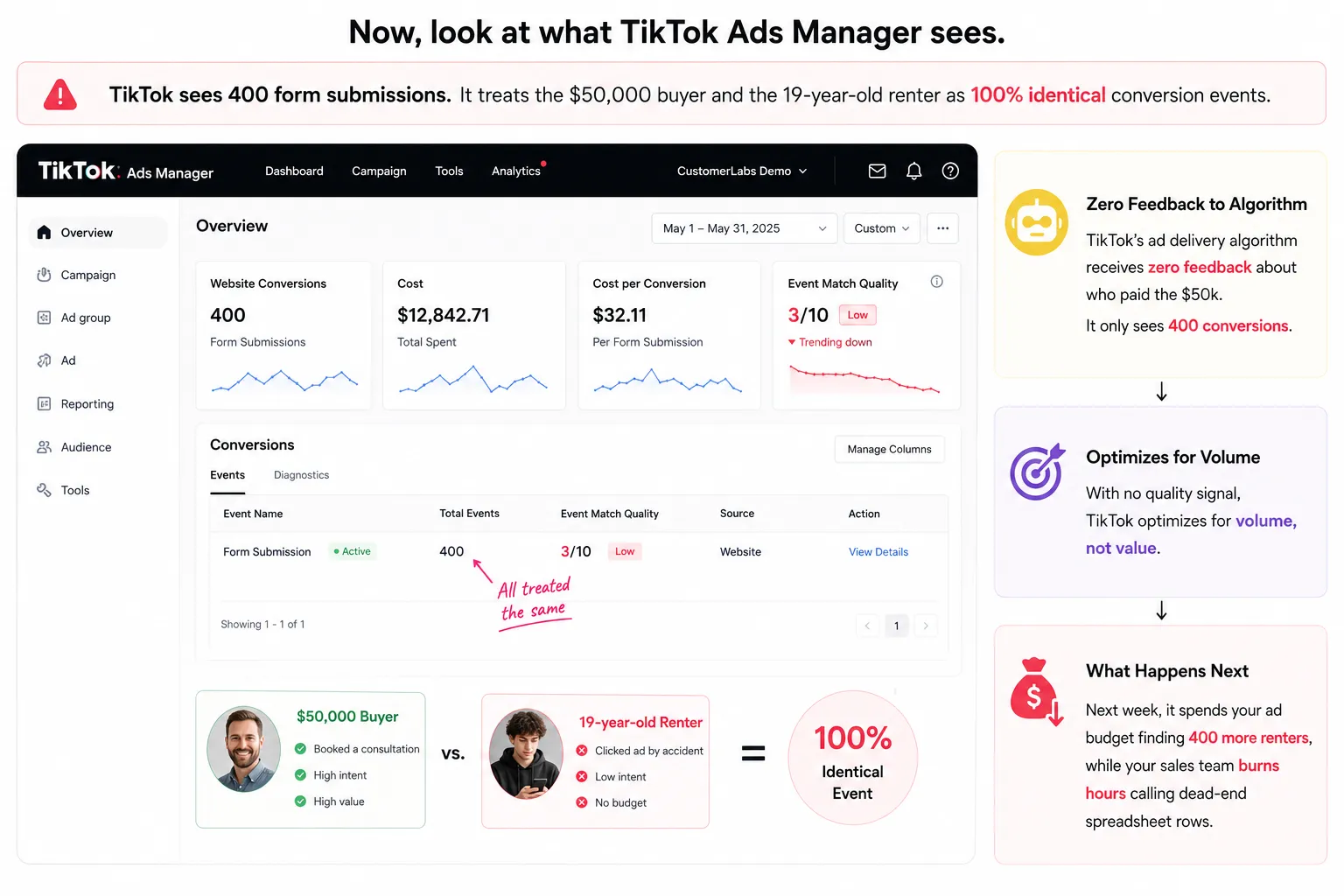
Because TikTok’s ad delivery algorithm receives zero feedback about who paid the $50k, it optimizes for volume. Next week, it spends your ad budget finding 400 more renters, while your sales team burns hours calling dead-end spreadsheet rows.
Traditional connectors move data. Signal engineering moves learning.
Why Zapier and Make Workflows Break Down at the Deal Stage
Most growth teams build a standard two-step zap and call it a day:
[ TikTok Lead Ad Submitted ] ──────> [ Create Row in Google Sheets ] ──────> ✅ Done
This works great for data storage. But when you try to use Zapier or Make to push offline status updates (e.g., when a row changes to “Closed - Paid”) back to TikTok’s Events API, the attribution chain snaps.
Here is what happens under the hood when a sales rep edits a row in Google Sheets:
[ Row Updated to “Closed” ] ──> [ Basic Zapier/Webhook Action ] ──> [ TikTok Events API ] │ ▼ ❌ Drops ttclid & _ttp cookies ❌ Sends unformatted / un-hashed PII ❌ Missing event_id for deduplication
- Parameter Stripping: Google Sheets stores text (Email, Phone, Deal Stage). It does not natively store the user’s initial browser click session (ttclid) or first-party cookie (_ttp). When Zapier fires off a row update, it sends basic text back to TikTok.
- Attribution Disconnect: TikTok receives an offline event containing an email address, but without ttclid or session parameters, it cannot match that $50,000 purchase back to the specific video ad, ad set, or audience group that generated the click.
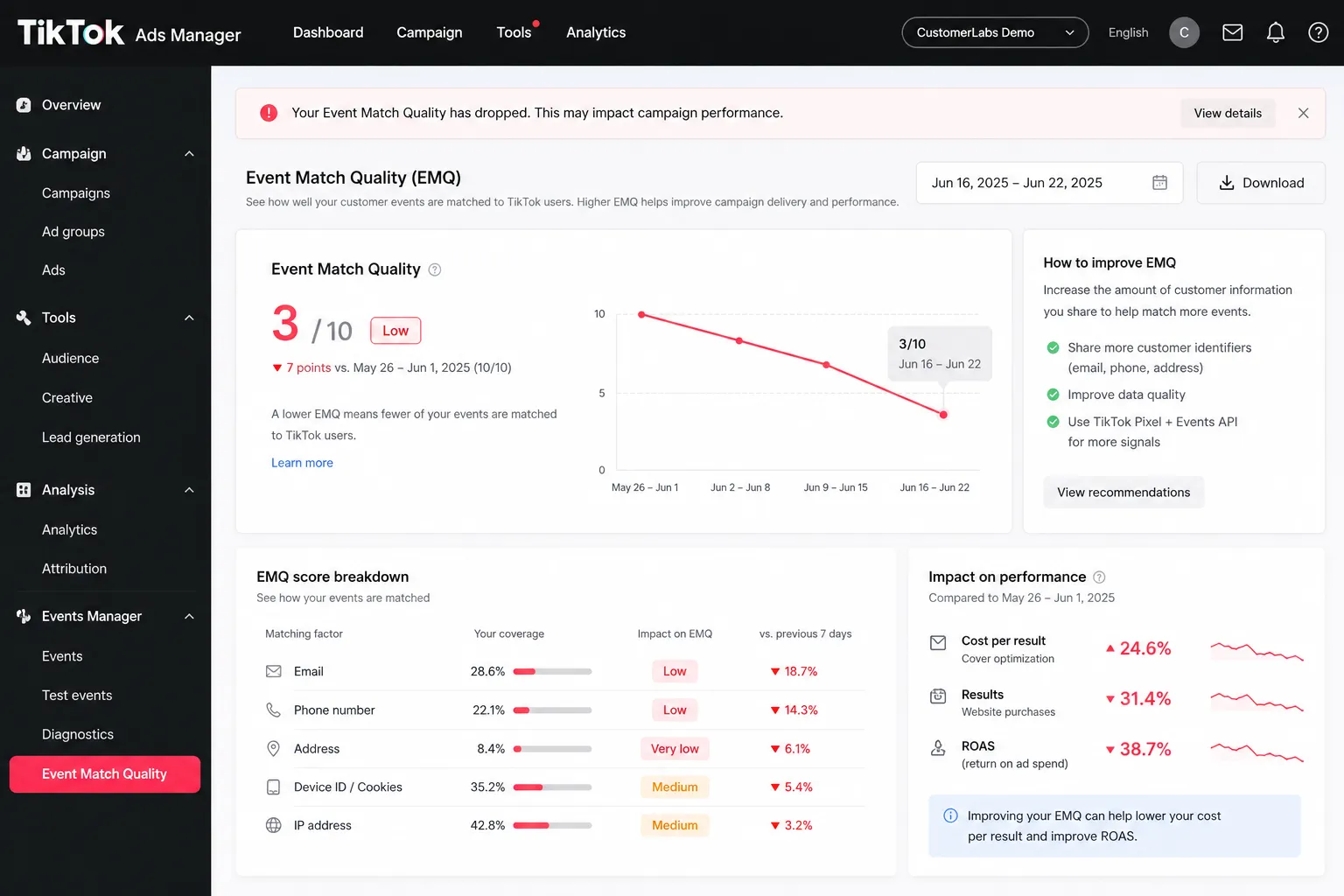
- The Result: TikTok logs the event as an unmapped offline conversion. Your Event Match Quality (EMQ) drops to a 3/10, and your Smart Performance Campaigns keep bidding on low-quality clickers.
Data Movement vs. First-Party Signal Engineering
Google Sheets aren’t broken. Zapier and Make aren’t broken either.
They are doing the exact job they were built to do: copy text from Box A and paste it into Box B.
The disconnect happens because advertising algorithms don’t optimize off static spreadsheet rows. They optimize off conversion signals.
- Data Movement: Transporting contact details into columns so sales reps have a phone list.
- Signal Engineering: Capturing first-party click parameters (ttclid and _ttp domain cookies) on the initial visit, stitching offline deal updates back to that session, and dispatching an encrypted, parameter-rich payload back to TikTok’s Server-Side Events API.
Technical Comparison: Data Movement vs. Signal Engineering
| Execution | Standard Automation (Zapier / Make) | Reporting Tools (Supermetrics / Windsor) | CustomerLabs Signal Engineering |
|---|---|---|---|
| Data Flow | Sheet ➔ TikTok (Basic Webhook) | TikTok ➔ Sheet (Read-Only) | Sheet ➔ CustomerLabs ➔ TikTok CAPI |
| ttclid & Cookie Mapping | ❌ Stripped during sync | N/A (Read-only metrics) | ✅ Stitched automatically to user profiles |
| PII Sanitization | ⚠️ Unformatted phone/email risks | N/A | ✅ Native SHA256 formatting & hashing |
| Deduplication Key | ❌ Inconsistent event_id keys | N/A | ✅ Native event_id generation |
| Event Match Quality (EMQ) | 🔴 Low (3 - 5 / 10) | N/A | 🟢 Maximum (8 - 10 / 10) |
The Math: How Missing Signals Silently Inflate Your True CAC
Look at the unit economics of that $10,000 remodeling ad campaign:
400 Raw Form Submits ($18 CPL = $7,200 Spend) │ 90 Answered Phone Calls │ 10 In-Home Site Visits │ 3 Closed Deals ($120k Revenue)
Without a signal engineering pipeline, TikTok’s ad engine gets feedback on only the 400 raw form submissions. It stays 100% blind to the 3 paying customers.
What happens to your campaign over a 90-day period?
- Month 1: $18 CPL. You get 3 buyers. True Customer Acquisition Cost (CAC) = $2,400 per buyer.
- Month 2: TikTok optimizes for form fills. Junk leads increase. You get 1 buyer. True CAC = $7,200 per buyer.
- Month 3: Sales reps burn out calling fake numbers. True CAC spikes past $10,000+.
When you don’t feed offline purchase signals back to TikTok, the algorithm defaults to impulse clickers because they are cheaper and easier to find. Your CPL looks great on paper, but your actual Cost Per Acquired Customer (CAC) destroys your margins.
How CustomerLabs Turns Spreadsheet Rows into High-EMQ TikTok Signals
Instead of letting Google Sheets become a data graveyard, CustomerLabs acts as a First-Party Data Ops platform that translates offline deals back into TikTok optimization signals.
1. Bind Session Identifiers on Landing Pages: Session-level capture.
When a user lands on your site or instant form, CustomerLabs captures their ttclid (TikTok Click ID) and first-party domain cookies (_ttp) in the background.
2. Work Google Sheets Normally: Standard sales workflow.
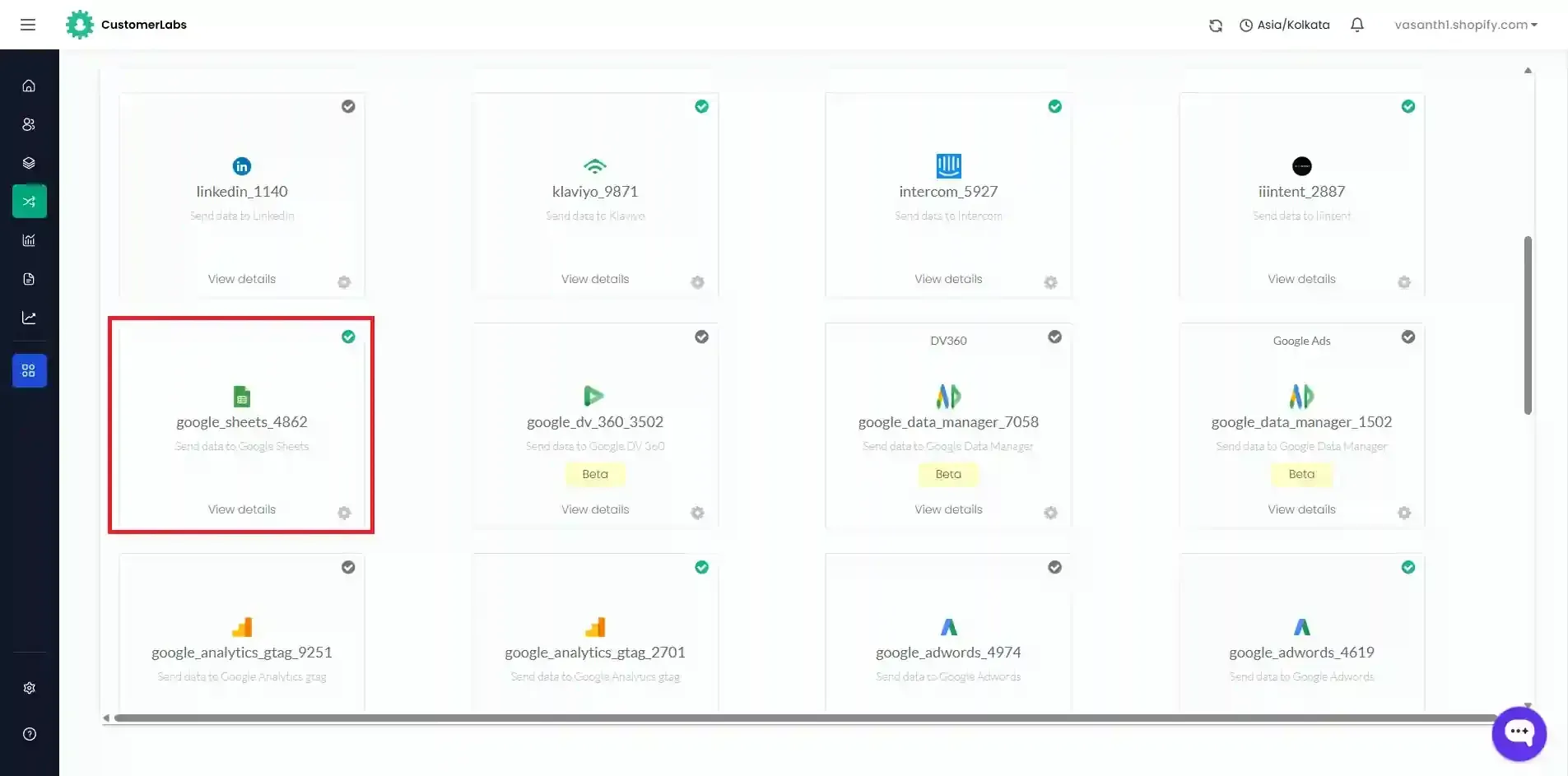
Your sales team works the spreadsheet as usual, moving rows from “New Lead” to “Site Visit” to “Closed - Paid”. (If you haven’t set up your initial form capture yet, follow this guide on how to track and sync form submission data with Google Sheets).
3. Stitch & Enrich the Payload: Identity stitching.
The second a row changes to “Closed - Paid”, CustomerLabs ingests the row update using the CustomerLabs Google Sheets Integration, matches it back to the user’s original web session using identity resolution, SHA256-hashes their PII (email, phone), and attaches the deal value.
4. Dispatch to TikTok Events API: Algorithm feedback.
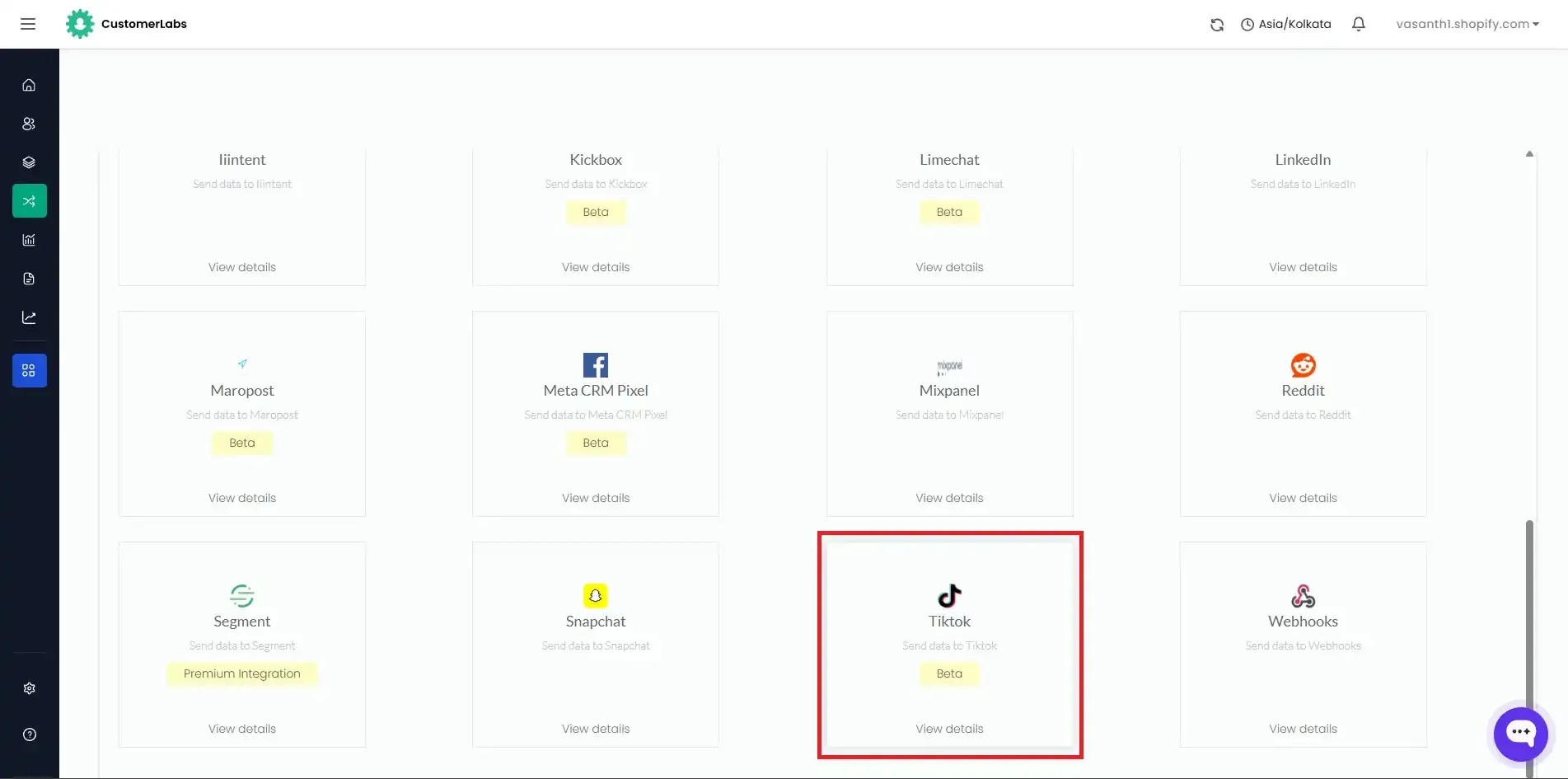
CustomerLabs routes the engineered signal directly to TikTok’s Server-Side Events API via the CustomerLabs TikTok Ads Destination setup. TikTok receives exact revenue feedback with an Event Match Quality (EMQ) score of 8+, allowing its algorithm to optimize future targeting toward actual buyers.
Verification: Audit Your Match Quality in TikTok Ads Manager
Once your Google Sheet is hooked up through CustomerLabs, verify the event health inside TikTok Ads Manager:
- Open Tools > Events > Web / Offline Events.
- Select your active Dataset and open the Test Events tab.
- Update a test row in Google Sheets to “Closed - Paid”.
- Confirm that the incoming event shows Server as its connection method.
- Check the Event Match Quality (EMQ) score. You want to see green health indicators across ttclid, email (hashed), phone (hashed), and event_id.
Implementation Resources:
If you’re setting up this server-side pipeline for the first time, follow the step-by-step docs to Connect Google Sheets as a Source and Configure TikTok Ads as a Destination inside CustomerLabs.
Google Sheets knows who bought; TikTok should too
If your Google Sheet is just a final resting place for lead details, your customer acquisition costs will stay high while your sales team burns time on unqualified contacts. By converting offline deal stages into engineered first-party signals with CustomerLabs, you give TikTok’s ad algorithm the exact conversion feedback it needs to find real buyers and drive down your CAC.
Managing client TikTok campaigns in Google Sheets? Prove real ROI by syncing closed deals straight back to TikTok Ads.