If you’ve ever tried connecting Google Sheets to Meta Ads Manager using standard Zapier webhooks, you know this pain all too well.
Recently, I came across a thread on Reddit where an exhausted marketer voiced the exact frustration of thousands of performance teams who rely on Zapier to push offline conversions from Google Sheets to Meta Ads Manager. (reddit discussion).
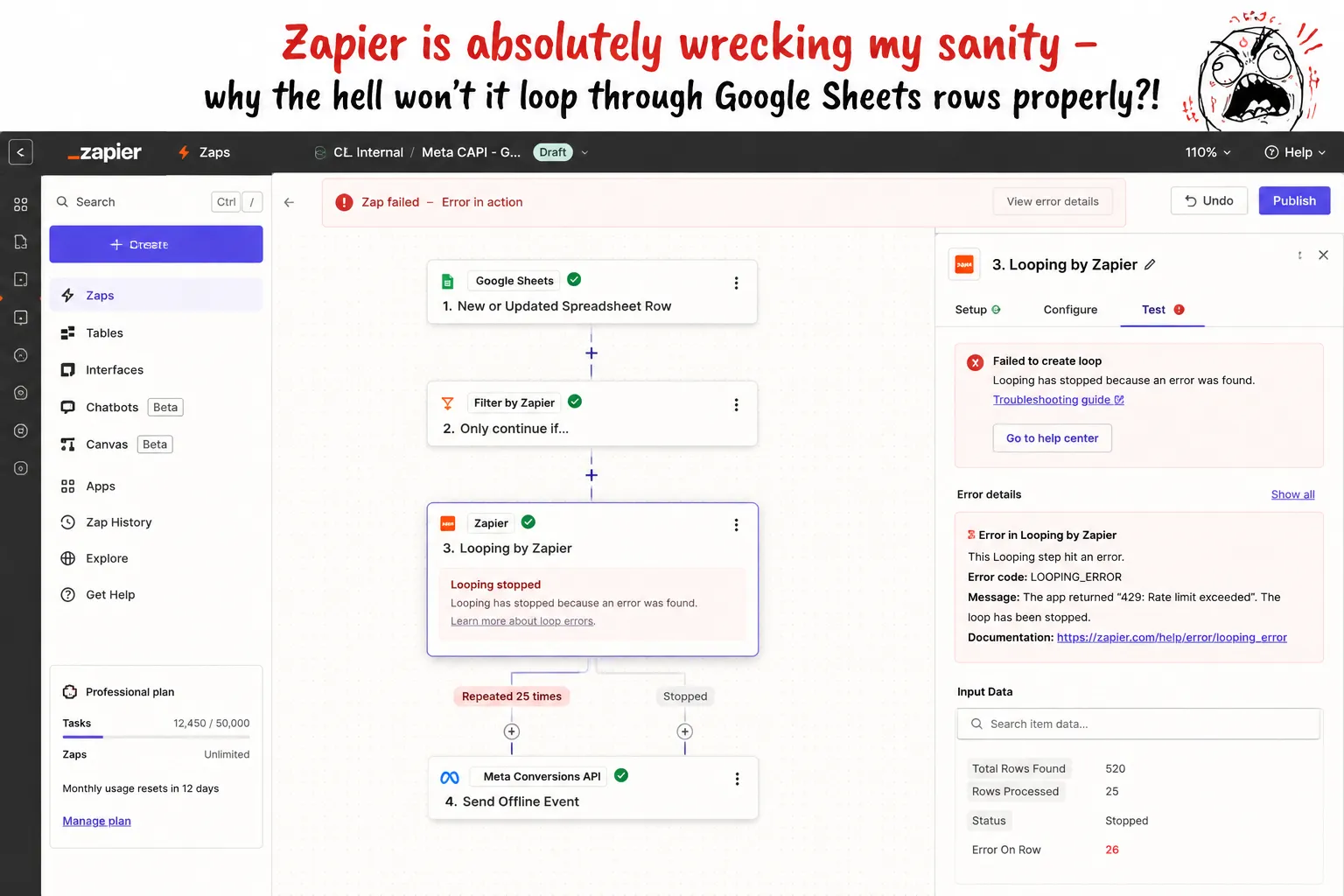
On paper, the workflow seems straightforward: you run Meta Lead Ads, collect lead submissions in Google Sheets acting as a lightweight CRM, and set up Zapier to trigger whenever a row status changes to "Closed - Won".

In practice, marketers routinely hit severe technical brick walls that prevent offline conversions from syncing properly:
- Mismatch Between Reports vs. Records: Zapier actions are strictly designed around individual row updates rather than processing structured reporting datasets. When trying to sync offline sales, Zapier struggles to handle batch data updates or continuous conversion feeds.
- Brittle Spreadsheet Triggers: Google Sheets + Zapier workflows are notoriously fragile. The moment a sales rep inserts a new column, changes a tab name, or rearranges headers, Zapier breaks or fails silently, leaving Meta blind to offline sales for weeks.
- Row/Array Handling Problems (“The Text Blob Error”): When pulling multiple updated rows, Zapier often extracts data as one giant unformatted text blob instead of a structured array of individual records. This breaks looping logic needed to format PII and attach essential session cookie parameters (
fbcandfbp).
Beyond these workflow failures, Zapier quietly strips critical browser session parameters (user_data.fbc and user_data.fbp). Without these identifiers, Meta’s Conversions API (CAPI) cannot map spreadsheet deal updates back to original ad clicks, dropping Event Match Quality (EMQ) scores to a dismal 3/10 and leaving Meta Ads Manager showing zero matched offline revenue.
The $10,000 Offline Conversion Black Hole becomes a reality: you spend $10,000 on Meta Ads, get 400 form submissions, and close 3 enterprise deals worth $50,000. But inside Meta Ads Manager, matched offline revenue shows $0 and your Event Match Quality (EMQ) sits at 3/10.
Meta’s algorithm cannot distinguish between the 310 fake leads and your 3 paying customers, forcing Advantage+ campaigns to keep bidding on low-intent form spammers.
Why Does Zapier Fail at Meta Conversions API (CAPI) Attribution?
When you rely on standard Zapier actions to send offline deal updates from Google Sheets back to Meta’s Conversions API (CAPI), Zapier fails at Meta CAPI attribution due to three technical limitations:
[ Sheet Status: “Closed - Paid” ] ──> [ Standard Zapier Webhook ] ──> [ Meta Conversions API ]
│
▼
❌ Strips fbc (Click ID) & fbp (Cookie)
❌ Merges multi-row updates into “Text Blobs”
❌ Drops lead_id & deduplication keys
1. Silent Parameter Stripping (fbc and fbp)
Standard Zapier actions focus exclusively on basic text fields: Name, Email, and Phone Number.
Because Google Sheets stores flat text strings, Zapier strips the dynamic session-level identifiers required by Meta’s CAPI schema:
- user_data.fbc (Facebook Click ID): The dynamic parameter passed in the landing page URL (?fbclid=…) when a prospect clicks an ad.
- user_data.fbp (Facebook Browser Cookie): The browser identifier set by the Meta Pixel on initial page load.
When Zapier sends an offline event containing only a hashed email without fbc or fbp, Meta cannot connect the deal to a specific ad click, flagging it as an unmapped offline conversion.
2. Multi-Row “Text Blob” Array Failures
When sales reps update multiple deals simultaneously in Google Sheets, Zapier often extracts the data stream as one unformatted text string instead of a structured JSON array.
Because Zapier cannot iterate line-by-line through a text blob, required PII hashing, cookie matching, and event formatting fail, resulting in dropped payloads or API rejection errors.
3. Workflow Fragility
Inserting a column, changing a header name, or moving tab positions in Google Sheets instantly invalidates Zapier field mappings. These setups often fail silently without triggering error alerts, leaving campaigns blind to revenue updates for weeks.
The Golden Formula for 90%+ Meta Event Quality
Ad platform algorithms don’t optimize off flat text stored in spreadsheet rows, they optimize off engineered conversion signals. To achieve green-health Event Match Quality (EMQ) scores between 8.5/10 and 10/10, your server payload must pass a complete identity chain:
High Match Score (90% + EMQ) = Hashed PII (Email/Phone) + fbc (FBCLID) + fbp (Browser Cookie) + lead_id
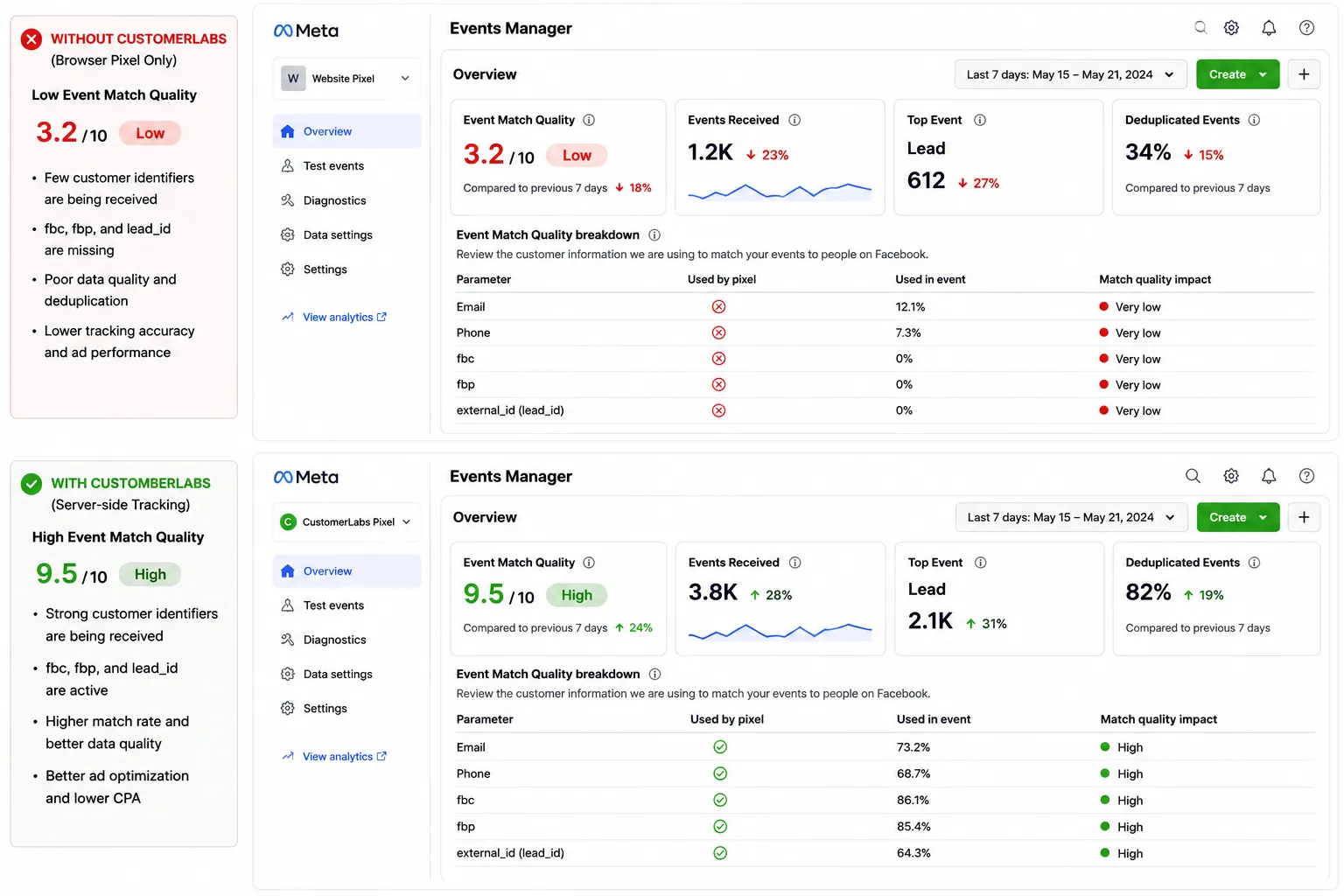
When Meta receives hashed email alone, match rates hover between 30% and 40%. Adding preserved fbc, fbp, and lead_id values pushes match accuracy above 90%, providing Meta’s bidding engine with the signal density required to target high-intent buyers.

How to Fix It: Moving to First-Party Data Ops with CustomerLabs
To stop wasting budget on fake leads, you must transition from simple data movement (copy-pasting text rows) to First-Party Data Ops.
Instead of letting spreadsheet updates die as flat text inside Zapier, CustomerLabs operates as a two-sided signal architecture: connecting your source (Google Sheets) directly to your ad destination (Meta CRM Pixel / CAPI).
[ Google Sheet Source ] ──> [ CustomerLabs Data Ops Engine ] ──> [ Meta CRM Pixel Destination ]
│
▼
✅ Ingests rows without text-blob errors
✅ Automatically stitches fbc, fbp & lead_id
✅ Passes 8.5 - 10 / 10 EMQ via System User Auth
1. Connecting Google Sheets as a First-Party Source
CustomerLabs connects natively to Google Sheets to monitor status column changes (e.g., when a row moves to “Closed - Won”). Unlike Zapier, it processes rows as structured data streams rather than brittle triggers, eliminating schema breakages and multi-row “text blob” errors.
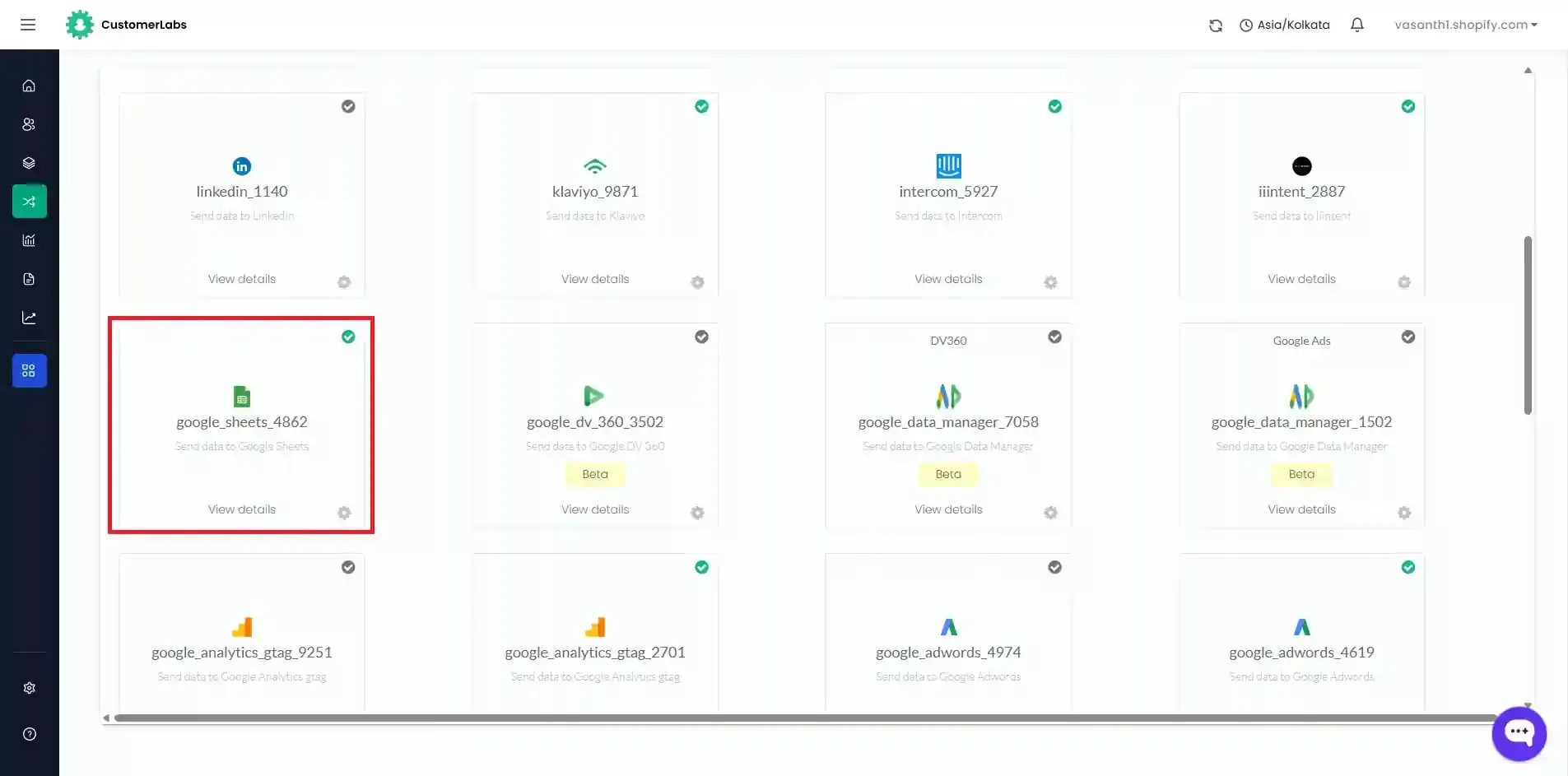
Refer this Documentation: Integrate Google Sheets with CustomerLabs
2. Automatic Identity Stitching in the Middle Layer
When a row status changes in Google Sheets, CustomerLabs’ identity resolution engine looks up the user’s initial form submit or website visit. It automatically binds the preserved fbc (Click ID), fbp (Browser Cookie), and lead_id back to the offline purchase event, while SHA256-hashing contact details for compliance.
3. Routing Enriched Signals to Meta via Meta CRM Pixel
CustomerLabs dispatches the complete, parameter-rich conversion payload directly to Meta’s Conversions API via stable System User authentication. This bypasses fragile personal OAuth tokens and delivers a complete signal chain back to Meta Ads Manager with maximum Event Match Quality (8.5–10/10).
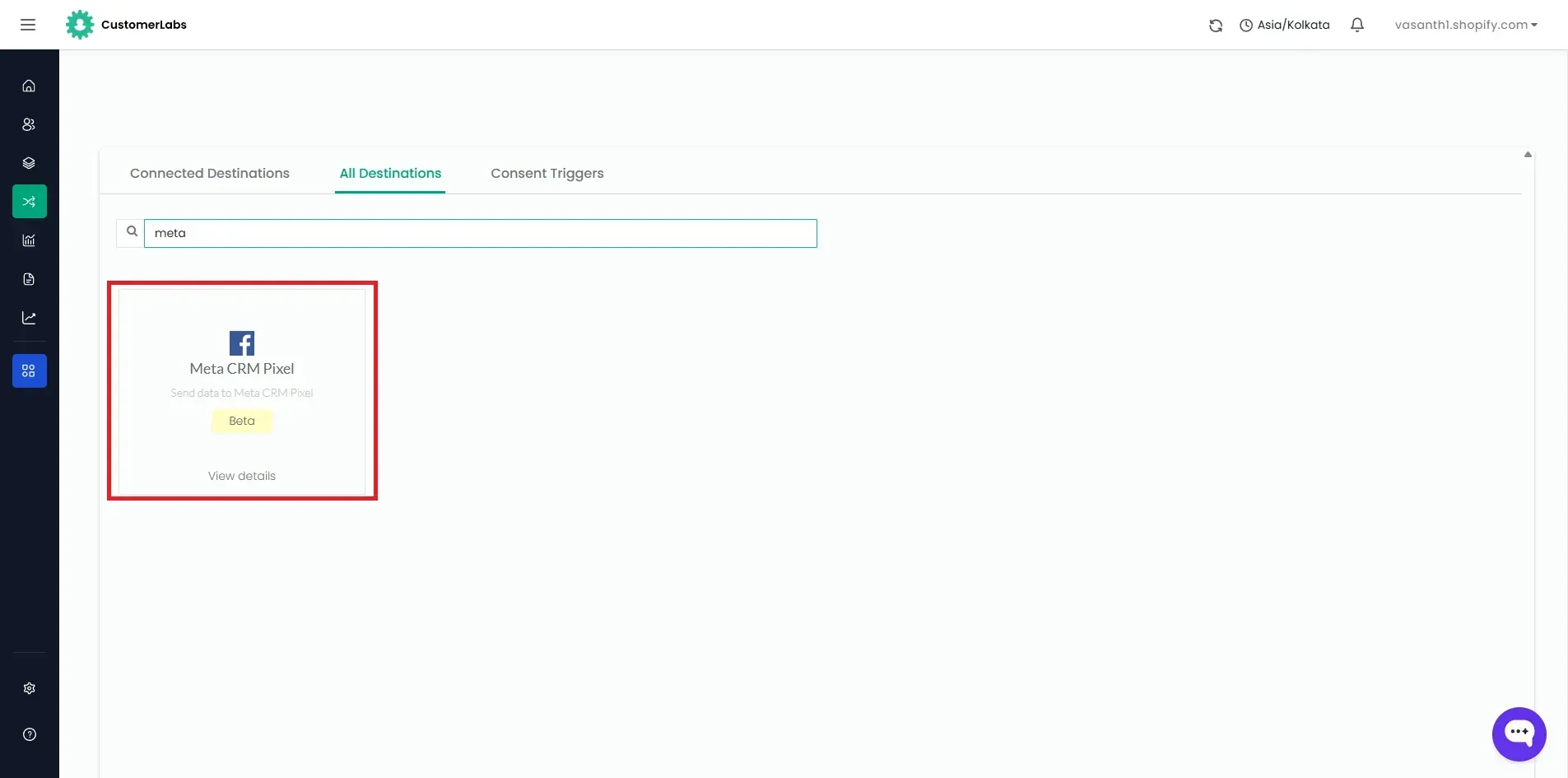
Refer this Documentation: Integrate Meta’s CRM pixel with CustomerLabs
4. Verify Event Match Quality (EMQ) in Meta
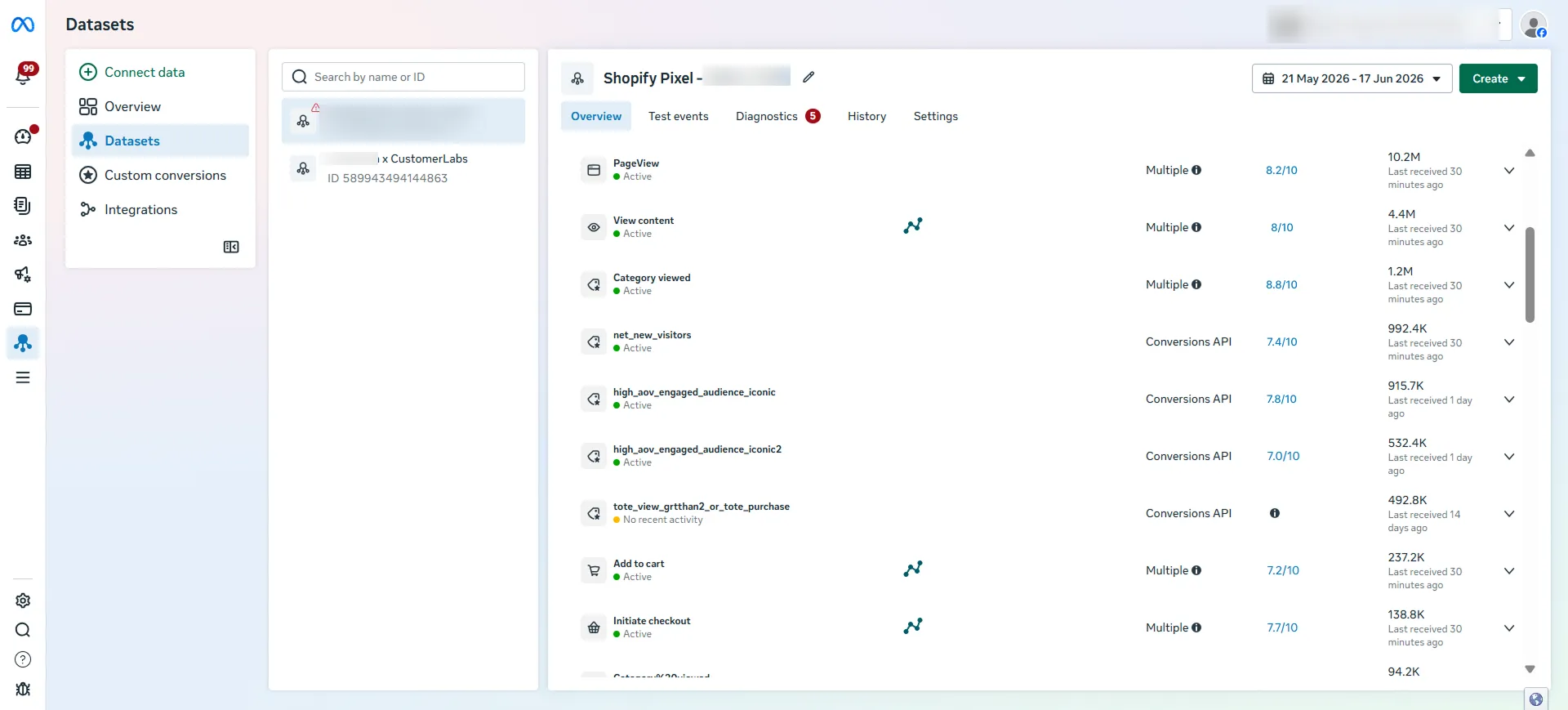
Audit your Dataset inside Meta Events Manager by updating a test row to “Closed - Won” in Google Sheets. Confirm that fbclid, fbc, fbp, and lead_id pass with green health status indicators and an EMQ score between 8.5 and 10.0.

Best Alternative to Zapier for Meta Offline Conversions
The best alternative to Zapier for syncing Meta offline conversions from Google Sheets is a dedicated First-Party Data Ops platform like CustomerLabs.
While point-to-point connectors like Zapier transfer basic contact text, CustomerLabs builds complete first-party conversion signals by binding frontend fbc, fbp, and lead_id session identifiers to offline spreadsheet updates. Connecting Google Sheets to CustomerLabs and routing enriched payloads to Meta CRM Pixel ensures automated bidding engines optimize for high-value buyers, reducing customer acquisition costs and maximizing ad ROI.